


Trying Out Medical Live Streaming? Are You Having Connection Issues?
Medical live streaming leaves no room for a frozen picture, whether you are teaching colleagues, briefing patients or presenting a case. The cause is rarely your camera – it is the upload out of the building, and clinic Wi-Fi is shared by many people and machines, so it sags without warning mid-session.
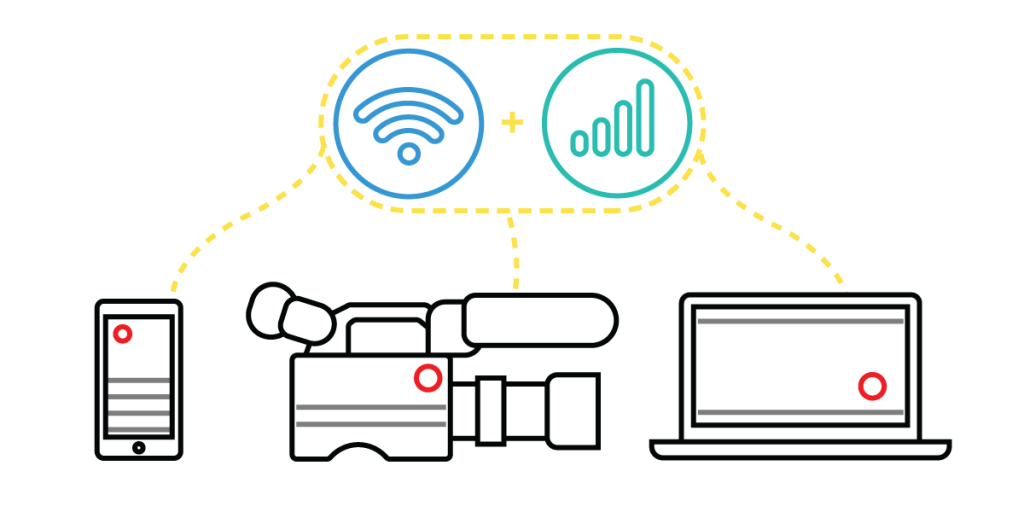
Speedify is an app that puts your stream on Wi-Fi, 4G/5G cellular data, wired Ethernet, Starlink and other internet connections at once, so a sagging internet connection is covered by the others. Ahead we look at why internet trouble hits medical live streams, how to get a steady internet connection, and what using Speedify means here.
Should you have a backup 4G, 5G, Starlink, or cable internet connection?
Yes — every internet connection goes down, including Starlink, which drops for ~34 minutes a day on average. A backup connection from a different provider means one outage never takes you fully offline. The most common options are a 4G/5G cellular hotspot, a cable or DSL line, or a second satellite dish.
4G/5G cellular
Works anywhere. Just a SIM or hotspot — no installation needed.
Learn more →Cable / DSL
Best for fixed locations. Different network, so outages rarely overlap.
Learn more →Second Starlink
Adds redundancy and throughput for remote sites or heavy usage.
Learn more →Speedify bonds any two connections into one — automatic failover, more speed, no dropped calls.
Try Speedify free →Why Internet Problems Appear with Medical Live Streaming?
Okay, you don’t necessarily have to run into any issues, but it’s likely you will. And you don’t want to be caught off guard by those Internet issues. So, why do they happen?
How many times have you had to switch to a cellular connection in order to get things done lately?
Here’s what usually happens, from a more technical perspective:
- There’s not enough bandwidth available for your live stream so either the quality drops (jittery / choppy video) and/or you see disconnects
- The WiFi coverage is spotty – this leads to disconnects
- The WiFi hotspot is offline, but your device connects to it – your mobile device clings to it as it cannot tell it doesn’t work. So, instead of switching back to LTE to keep the stream going, it will disconnect it.
What can you do to improve your medical live streaming without any head aches? Read below.
How to Live Stream – Get a Stable Internet Connection
Input your text here! The text element is intended for longform copy that could potentially include multiple paragraphs.
Speedify Helps You Livestream Without Internet Issues
At least that’s what our customers say. Here’s an example.
As a fast bonding VPN, Speedify acts like a power-up for your device. Instead of only using a single Internet connection at a time, Speedify allows your device to use multiple connections simultaneously. You’ll get more bandwidth and more stable livestreams.
Speedify constantly monitors the quality of your Internet connections. If the Wi-Fi becomes unreliable, it’ll automatically reroute data through cellular data until Wi-Fi is available again.
Moreover, it automatically identifies audio and video streams, and provides quality of service (QoS) by prioritizing streams over other traffic. Web browsing and software updates can’t mess up your calls and live streams.
Wondering how to do a medical live stream and not run into any connectivity issues? Try Speedify when medical live streaming! Get it here!
Alex and the Speedify team are always exploring the latest in networking and security technology—like 5G, 6G, WiFi 7, laser and satellite internet—and sharing it in new discussion content across YouTube, TikTok, Instagram, and LinkedIn every week.
Got a tech question? Let's go deeper! Pop into Speedify Office Hours live every Wednesday at 10 AM Eastern. Speedify CEO Alex Gizis and our network engineers are standing by to break down your questions about networks, tech updates, and Speedify features.


Speedify
Get started with Speedify today.
Combine Wi-Fi, 4G/5G cellular, Ethernet, Starlink, and more into one faster, steadier connection. Free to try — no credit card required.
🚀 Speed
Faster uploads and downloads by bonding all your connections at once.
📶 Stability
Automatic failover in under a second when any connection drops.
🔒 Security
AES-256 encryption on every connection, on every network you join.





15M+ downloads worldwide. 75K+ five-star reviews on iOS and Android.