


ADSL and 4G/5G Bonding – No Need for Dedicated Router
Want faster, steadier internet without buying a dedicated router? Run your ADSL line and 4G/5G cellular data at the same time. Speedify is an app that combines two or more internet connections at once – such as ADSL and 4G/5G cellular – so you get faster uploads and downloads and stay online if one connection drops out. It works on Windows and Mac.
<1 sec
With Speedify, your internet stays on when one connection fails.
When one of your internet connections drops, Speedify shifts your traffic to your remaining connections in under a second — so calls don’t cut out and downloads don’t stall.
Should you have a backup 4G, 5G, Starlink, or cable internet connection?
Yes — every internet connection goes down, including Starlink, which drops for ~34 minutes a day on average. A backup connection from a different provider means one outage never takes you fully offline. The most common options are a 4G/5G cellular hotspot, a cable or DSL line, or a second satellite dish.
4G/5G cellular
Works anywhere. Just a SIM or hotspot — no installation needed.
Learn more →Cable / DSL
Best for fixed locations. Different network, so outages rarely overlap.
Learn more →Second Starlink
Adds redundancy and throughput for remote sites or heavy usage.
Learn more →Speedify bonds any two connections into one — automatic failover, more speed, no dropped calls.
Try Speedify free →


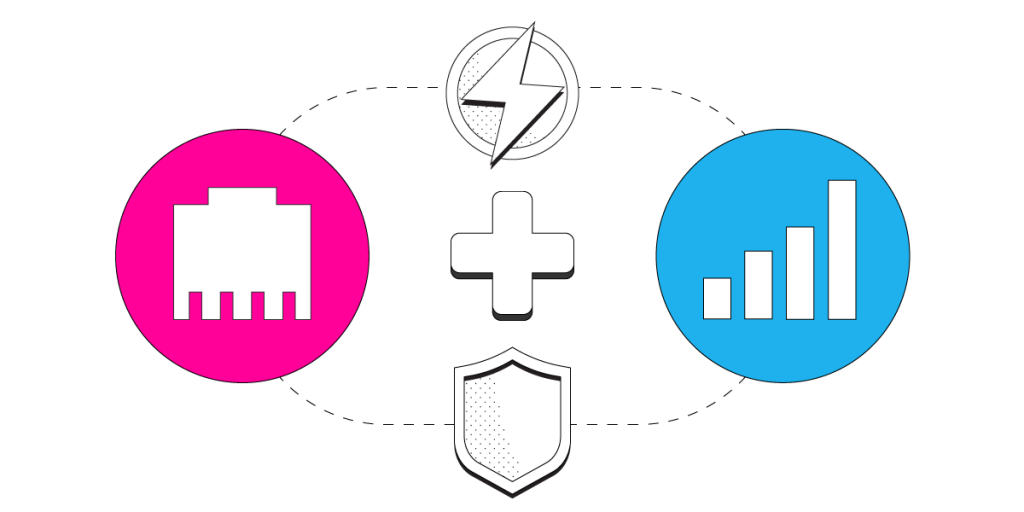
Combining ADSL and 4G LTE / 5G for Speed, Stability and Security.
Living in remote areas “in the middle of nowhere”, as some might say? Or, sadly enough, don’t you have other alternatives to your ADSL Internet connection where you’re located? You can still make the best of it and use your phone’s Internet link together with your existing ADSL line. It’s very easy to combine them with our Speedify software app.
Requirements
- A subscription of Speedify bonding VPN. Speedify can be used on both Windows and macOS computers, as well as Android, iOS and Linux.
- A 4G LTE / 5G connection – this may be your mobile phone or a USB cellular dongle.
6 Steps to Combine ADSL and 4G LTE / 5G into a Fast, Stable and Secure Internet Connection
Here’s what you have to do:
- Make sure you’re connected to your ADSL Internet, either via wired Ethernet or Wi-Fi. For best results, we recommend using the wired Ethernet connection, as Wi-Fi signal is variable.
- Setup your 4G LTE / 5G cellular connection: either tether your smartphone via USB or connect a USB cellular adapter. See instructions below on tethering:
- Start Speedify and log in using your subscription credentials. Speedify will detect your active ADSL and 4G LTE / 5G Internet connections and show them on the screen.
- Choose a server for Speedify to connect to and combine the DSL Internet link with your tethered phone connection. By default, Speedify will connect to the fastest server, but you can choose a specific location as well, if you need to unblock restricted content.
- Set the 4G LTE / 5G cellular connection on a Secondary priority and specify a daily or monthly data cap. You don’t want to exceed your quota and pay more, so Speedify will just cut the use of the tethered phone data connection once you’re done for the day / month.
However, if you have an unlimited data plan, feel free to set the 4G LTE / 5G cellular connection priority as “Primary”. - Enjoy faster Internet with Speedify, as it combines your ADSL Internet link with your 4G LTE / 5G cellular connection for their aggregated bandwidth and speed. When both symbols light up in the Speedify interface, that means they’re connected and online, and Speedify is bonding the two.
With Speedify You Don’t Sacrifice Speed for Security. You Get Both.
Speedify is more than just a way to use and manage multiple ADSL and 4G LTE / 5G cellular Internet connections to get faster Internet on your computer. It is also a bonding VPN designed for speed, so it won’t slow your device down. Speedify encrypts all of your data and protects you from the dangers of using an unsecured public WiFi network.
Speedify is also available for mobile devices such as iPhone, iPad, Android smartphones and tablets. You can even use Speedify on Linux devices.
Plus, Speedify is an anonymous no log VPN service, so that you can stay with peace of mind that your data is safe and won’t be sold to other companies for money.
Speedify is not only the easiest way to improve your device’s Internet connectivity. It is also the best way to make your device more secure. Speedify has packed all of this industry-leading technology into one simple app that anyone can use.
What are you waiting for? If you’re in need for faster ADSL Internet, then it’s time to move forward and use it together with a 4G LTE / 5G cellular connection your computer. Get started with Speedify today!
Alex and the Speedify team are always exploring the latest in networking and security technology—like 5G, 6G, WiFi 7, laser and satellite internet—and sharing it in new discussion content across YouTube, TikTok, Instagram, and LinkedIn every week.
Got a tech question? Let's go deeper! Pop into Speedify Office Hours live every Wednesday at 10 AM Eastern. Speedify CEO Alex Gizis and our network engineers are standing by to break down your questions about networks, tech updates, and Speedify features.


Speedify
Get started with Speedify today.
Combine Wi-Fi, 4G/5G cellular, Ethernet, Starlink, and more into one faster, steadier connection. Free to try — no credit card required.
🚀 Speed
Faster uploads and downloads by bonding all your connections at once.
📶 Stability
Automatic failover in under a second when any connection drops.
🔒 Security
AES-256 encryption on every connection, on every network you join.




15M+ downloads worldwide. 75K+ five-star reviews on iOS and Android.