


Why Packet Loss Occurs and What to Do About it
What is Packet Loss?
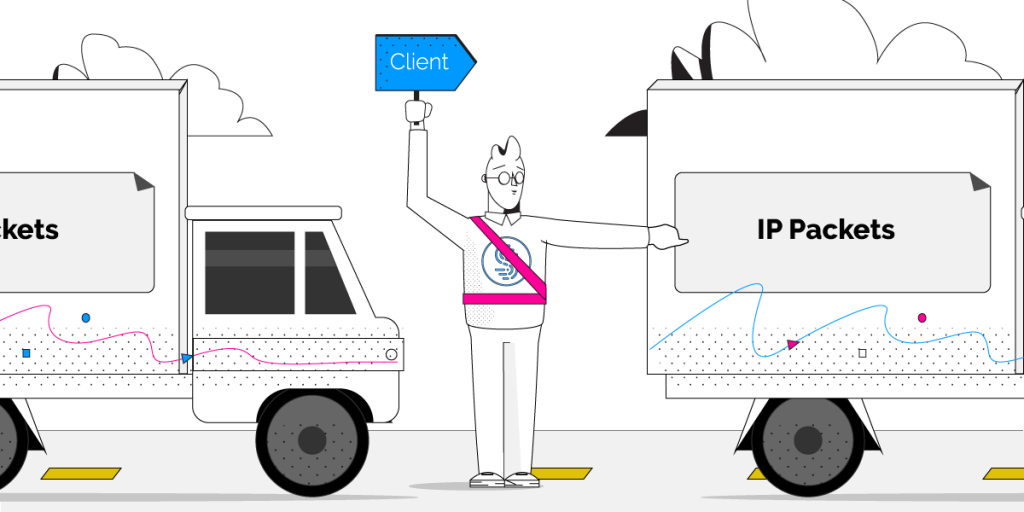
Packets are small formatted units of data that you send and receive when accessing the Internet. In layman’s terms, Internet packet loss occurs when one or more of these packets fail to reach their destination on the Internet. For you, this means slow downs, disruptions, or even a total loss of connectivity.
Many activities and applications are do not handle packet loss well, notably real time audio or video, and gaming.
If you are on a Skype or VOIP phone call over a lossy connection, there isn’t enough time to resend the packets since your conversation is in real time. As packet loss increases, you’ll start to hear distortion, audio drop outs, or lose the call entirely. When video conferencing, packet loss results in blocky video and garbled or muted audio. Packet loss can have devastating effects on online video gaming, often leading to terrible lag and high latency making games virtually unplayable.
Should you have a backup 4G, 5G, Starlink, or cable internet connection?
Yes — every internet connection goes down, including Starlink, which drops for ~34 minutes a day on average. A backup connection from a different provider means one outage never takes you fully offline. The most common options are a 4G/5G cellular hotspot, a cable or DSL line, or a second satellite dish.
4G/5G cellular
Works anywhere. Just a SIM or hotspot — no installation needed.
Learn more →Cable / DSL
Best for fixed locations. Different network, so outages rarely overlap.
Learn more →Second Starlink
Adds redundancy and throughput for remote sites or heavy usage.
Learn more →Speedify bonds any two connections into one — automatic failover, more speed, no dropped calls.
Try Speedify free →Common Causes of Packet Loss
Network Congestion
When you send or receive information across the internet, your data travels through multiple computers and connections on the way to you or to its final destination. If any of these connections along the way are at maximum capacity when your packets arrive, then they must wait their turn before being passed on to the next step. But, if one of these computers or connections falls very far behind, it won’t have enough room in its memory to hold onto your packets and will ignore or discard them so it can catch up. This level of network congestion is the most common cause of packet loss.
Faulty or Outdated Networking Hardware
It’s possible that with age your router, firewall, or any network switches simply can’t keep up with the demand you’re placing on it. This is especially true the faster your Internet connection becomes.
The end result is that any traffic that exceeds the capacity of the device will result in packet loss as you’ve hit the maximum throughput your hardware can provide.
Software Bugs
Developers work hard to ensure their code is well-tested, but nonetheless software bugs persist often leading to unintended and unexpected behaviors. Sometimes rebooting your devices, or updating firmware and networking drivers is all it takes to resolve issues with packet loss.
Speedify fixes Packet Loss
Regardless of the root cause, Speedify instantly detects packet loss on all available Internet connections, and will resend lost packets almost instantaneously. That way, Speedify prevents slowdowns before they occur. For you, this means solid redundancy in the face of slow or unreliable connections.
Learn more about how to fix packet loss with Speedify
Alex and the Speedify team are always exploring the latest in networking and security technology—like 5G, 6G, WiFi 7, laser and satellite internet—and sharing it in new discussion content across YouTube, TikTok, Instagram, and LinkedIn every week.
Got a tech question? Let's go deeper! Pop into Speedify Office Hours live every Wednesday at 10 AM Eastern. Speedify CEO Alex Gizis and our network engineers are standing by to break down your questions about networks, tech updates, and Speedify features.


Speedify
Get started with Speedify today.
Combine Wi-Fi, 4G/5G cellular, Ethernet, Starlink, and more into one faster, steadier connection. Free to try — no credit card required.
🚀 Speed
Faster uploads and downloads by bonding all your connections at once.
📶 Stability
Automatic failover in under a second when any connection drops.
🔒 Security
AES-256 encryption on every connection, on every network you join.





15M+ downloads worldwide. 75K+ five-star reviews on iOS and Android.