

Speedify Stops Wi-Fi from Dropping Out on a Windows PC by Combining Wi-Fi and 4G/5G Cellular at Once Wi-Fi dropping out on your Windows PC? Keep it online by running Wi-Fi and a second connection at the same time. Speedify is an app that combines two or more internet connections at once, such as Wi-Fi and a phone’s 4G/5G cellular, … Read More
iPhone Keeps Disconnecting from Wi-Fi: Stay Online with Speedify Using Wi-Fi and 4G/5G Cellular at Once
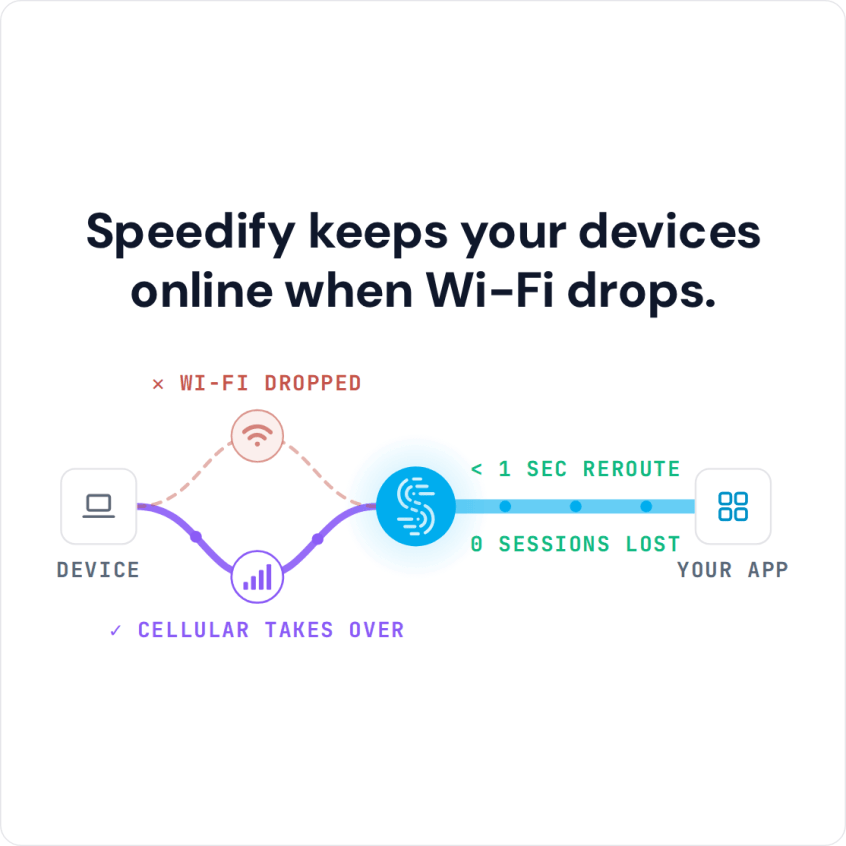
Speedify Stops iPhones from Disconnecting from Wi-Fi by Adding 4G/5G Cellular to the Connection. Find out why your iPhone keeps dropping Wi-Fi and fix it with proven iOS settings tips and Speedify channel bonding — combining Wi-Fi and 4G/5G cellular simultaneously for a connection that never drops.
Mac or MacBook Keeps Disconnecting from Wi-Fi: Fixes and Speedify Failover
Speedify Stops MacBooks from Losing Wi-Fi by Adding 4G/5G Cellular to the Connection. Find out why your MacBook keeps dropping Wi-Fi and fix it with proven macOS settings, hardware tips, and Speedify channel bonding — combining Wi-Fi and 4G/5G cellular simultaneously for a connection that never drops.
Linux Not Connecting to the Internet: Causes, Fixes and How Speedify Helps
Fix Internet Issues on Limux with Speedify by Combining Starlink, Wi-Fi, Ethernet, 4G / 5G Cellular When Linux is not connecting to the internet but still shows a network connection, a kernel update has often left the Wi-Fi card without a working driver, or the service that manages networking has got stuck and stopped asking the router for an address. … Read More
Mac Wi-Fi Not Working: Common Causes, Fixes and How Speedify Helps
Fix Wi-Fi Issues on MacOS with Speedify by Combining Wi-Fi, Starlink, Ethernet, 4G / 5G Cellular When Mac Wi-Fi is not working even though the menu bar shows full bars, the stored network settings are often the culprit: macOS keeps old credentials that no longer match the router, so the Mac tries to join the network, fails the password check … Read More
PC Not Connecting to the Internet: Causes, Fixes and How Speedify Helps
Fix Internet Issues on Windows with Speedify by Combining Starlink, Wi-Fi, Ethernet, 4G / 5G Cellular A PC not connecting to the internet often still reports a healthy network while no website opens. Two causes dominate: a network adapter driver that stopped talking properly to Windows after an update, and a router that hands the PC a bad address, or … Read More