


Business Conferencing and Events Online
In today’s world, live stream is our go-to for business conferences or virtual gathering. Everyone around the globe can communicate and collaborate in our age of limited physical travel.
Are you the event host (or even just an attendee) that wants to share with followers and new interested people? Live streaming a conference is easy, here are a few pointers to help you out as well as some tips on how to improve your streaming connectivity.
Should you have a backup 4G, 5G, Starlink, or cable internet connection?
Yes — every internet connection goes down, including Starlink, which drops for ~34 minutes a day on average. A backup connection from a different provider means one outage never takes you fully offline. The most common options are a 4G/5G cellular hotspot, a cable or DSL line, or a second satellite dish.
4G/5G cellular
Works anywhere. Just a SIM or hotspot — no installation needed.
Learn more →Cable / DSL
Best for fixed locations. Different network, so outages rarely overlap.
Learn more →Second Starlink
Adds redundancy and throughput for remote sites or heavy usage.
Learn more →Speedify bonds any two connections into one — automatic failover, more speed, no dropped calls.
Try Speedify free →Basic Events or Live Streaming Setup
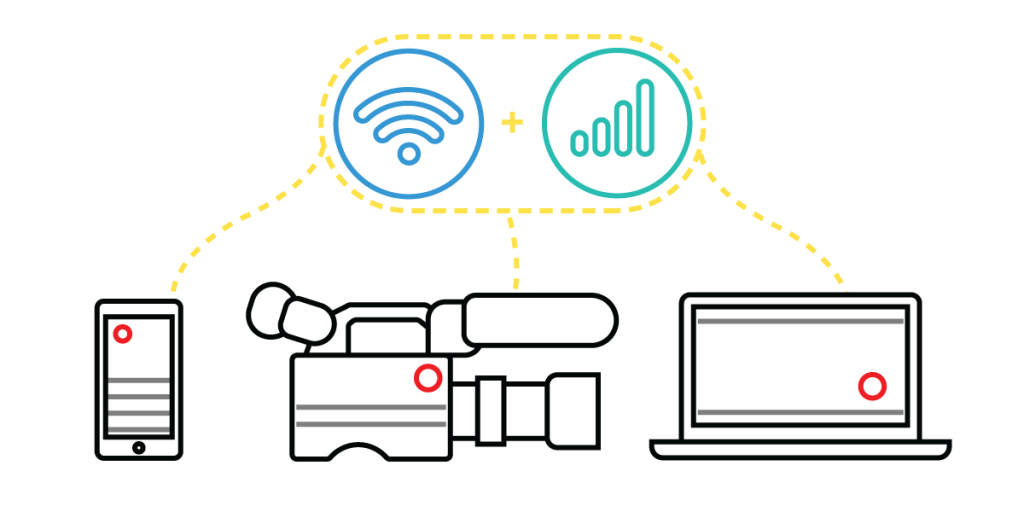
In the most simple setup, you only need a smartphone with strong Internet access.
A tripod keeps your camera shots steady and won’t get anyone seasick. Now to pick your platform, options are Twitch, Facebook Live, ever popular Zoom and longtime pal YouTube to name a few. If you want more angles of the conference, you can use a video system with a few cameras so you have different views during the conference. Your conference and events sound quality will be more polished too if you will use microphones and lighting, don’t forget that either!
What to Remember on your Online Conference or Events
Remember what is the key as mentioned above, a strong Internet access. Here are some major factors to consider when streaming your conference or events online.
- Connection reliability—no internet disconnections. Any person’s worst enemy is loosing their streams in the middle of an important call.
- Connection speed—high internet speeds and lower latency to prevent poor video or audio quality on your streams. Everyone loves their streams in high definition and crisp sound.
- Connection security—no vulnerabilities while streaming and ensure your stream is going through an encrypted connection. This is crucial to ensure that your streams will never get compromised.
We will share more information on how to live stream your event online and not get into any of those pesky Internet problems aforementioned, so read on.
Improve your online streams with Speedify
Speedify can combine two or more internet connections at once to give a faster, more stable streams. Plus, as a VPN, it encrypts your data to make you anonymous on the internet and protect your online streams.
With Speedify, you can get better performance on your uploads, downloads, streaming, and web browsing. On the reliability side, it comes with automatic failover. This means that if one connection goes slow or uneven, Speedify reroutes all the data through the other connection(s) until the slow one is within parameters again. All this happens in the background and you don’t have to do anything for it. You won’t even get to know when one connection goes down because Speedify will instantly manage it.
Streaming your events or conference calls without hiccups? Speedify can help here as well by minimizing packet loss. This avoids buffering and other unwanted “effects” on your stream so your viewers get the best quality.
Go ahead and enjoy a trouble-free streaming setup for online Conference and Events. Use Speedify to make your Internet more stable, faster and more secure.
Alex and the Speedify team are always exploring the latest in networking and security technology—like 5G, 6G, WiFi 7, laser and satellite internet—and sharing it in new discussion content across YouTube, TikTok, Instagram, and LinkedIn every week.
Got a tech question? Let's go deeper! Pop into Speedify Office Hours live every Wednesday at 10 AM Eastern. Speedify CEO Alex Gizis and our network engineers are standing by to break down your questions about networks, tech updates, and Speedify features.


Speedify
Get started with Speedify today.
Combine Wi-Fi, 4G/5G cellular, Ethernet, Starlink, and more into one faster, steadier connection. Free to try — no credit card required.
🚀 Speed
Faster uploads and downloads by bonding all your connections at once.
📶 Stability
Automatic failover in under a second when any connection drops.
🔒 Security
AES-256 encryption on every connection, on every network you join.





15M+ downloads worldwide. 75K+ five-star reviews on iOS and Android.