


How to Stream IRL on Facebook Live from Your Phone
In terms of popularity, IRL (In Real Life) streaming is ever so popular and will continue grow. Today, its most popular successor, the “Just Chatting” category dominates Twitch in terms of hours watched.
And there’s a reason why – IRL streaming is broadcasting any activity that is not related to video gaming or business. Whether it’s walking down the street, riding the subway, enjoying your hobbies or showing off your talents, you can reach a lot of people when you’re streaming IRL.
If you want to get into Facebook Live IRL live streaming, you should definitely make sure you have the right setup for it. This article will share best practices on how to stream IRL on Facebook Live so that you’ll be able to focus on the stream and content rather than find solutions to problems when live streaming.
Should you have a backup 4G, 5G, Starlink, or cable internet connection?
Yes — every internet connection goes down, including Starlink, which drops for ~34 minutes a day on average. A backup connection from a different provider means one outage never takes you fully offline. The most common options are a 4G/5G cellular hotspot, a cable or DSL line, or a second satellite dish.
4G/5G cellular
Works anywhere. Just a SIM or hotspot — no installation needed.
Learn more →Cable / DSL
Best for fixed locations. Different network, so outages rarely overlap.
Learn more →Second Starlink
Adds redundancy and throughput for remote sites or heavy usage.
Learn more →Speedify bonds any two connections into one — automatic failover, more speed, no dropped calls.
Try Speedify free →What You Need for Facebook Live IRL Streaming
Nowadays, with the advanced smartphones available, you can easily center your Facebook Live IRL streaming setup around your iPhone or Android smartphone – you get both a great camera to use and the apps you need to stream.
Here is what you should plan for your tech stack to stream IRL on Facebook Live:
Must have gear:
- An iPhone 11 or newer / Android smartphone from 2019 or newer with a fully charged battery when you begin to IRL stream.
- A second phone with a mobile data plan / a MiFi device, preferably from a different carrier. You will use it to create a Wi-Fi hotspot for the streaming phone. This is not necessary if you’re live streaming from a location with reliable Wi-Fi service.
- The Facebook app so you can stream natively on Facebook Live.
- The Speedify app so you avoid any Internet connectivity issues while live streaming – extra lag, buffering, disconnects.
Nice to have equipment:
- External battery pack with cable to connect to the phone(s) – if you know you’ll be streaming somewhere cold or for longer than just a few minutes.
- External microphone / wireless headsets with microphone (AirPods, etc.) / wired headset with microphone – for better sound quality if you wish to be heard while speaking in a noisy environment.
Step by Step Guide to Live Streaming IRL on Facebook Live
After checking the IRL streaming required gear, here’s how to put the pieces together and start broadcasting on Facebook Live:
- On your iPhone / Android phone you’re using to live stream IRL: make sure you have both Wi-Fi and your cellular data connections active.
Optional: If you’re using an external battery pack, make sure that’s connected to the streaming phone and, if possible, to the second phone.
Optional: If you’re using an external microphone or wireless headsets, connect those via Bluetooth. - Connect to Wi-Fi where you’re streaming from. If you’re traveling or if the only Wi-Fi available is a public Wi-Fi hotspot, then use the second phone / MiFi device to create a hotspot.
- Start Speedify and connect to the fastest server.
- Start the Facebook app and tap on Live.
- You are now broadcasting on Facebook Live! You have the peace of mind to focus on what you’re streaming live rather than on issue that might come up with your Internet connection or your battery life.
Speedify – Must-Have Gear in Every IRL Live Streaming Tech Stack
Internet connectivity is what makes or breaks a successful IRL stream on Facebook Live. If you can’t get it together, you will lose your audience. That’s why it’s important to have a stable Internet connection whenever you’re broadcasting to the world.
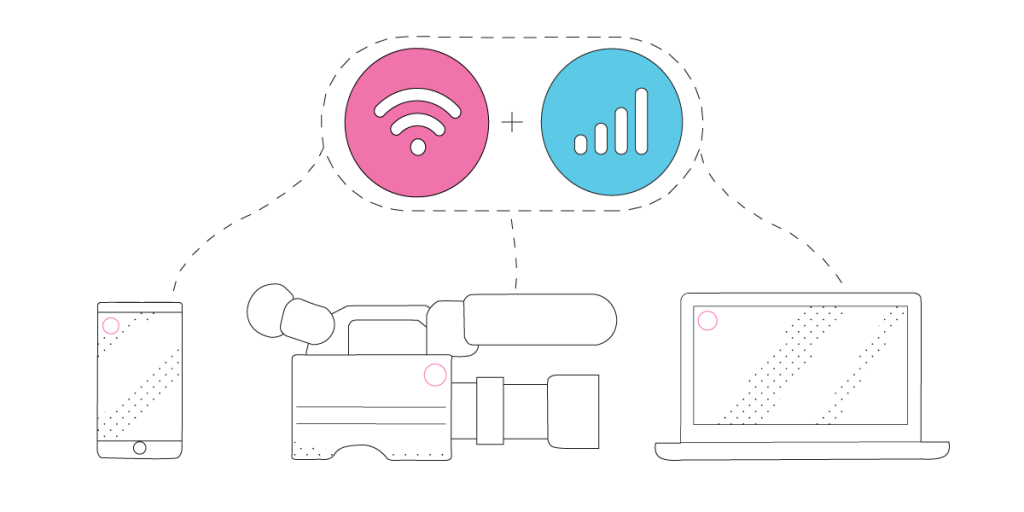
Speedify is all about helping live streamers focus on the important things – their content – and not on basic ones like stable Internet connectivity. It is the only app that can combine multiple internet sources into one bonded super-connection for more stable and secure live streaming, video calling, online gaming and web browsing.
With Speedify, your IRL live streams will be prioritized over other types of traffic on your iPhone or Android smartphone. With that, you can be sure your Facebook Live streams get the bandwidth and stability they need to provide the best video quality even if your phone decides it’s time to update its apps or run a backup job.
Now you know everything you need to know about Facebook Live IRL live streaming successfully! Next steps: put that into practice and ping us on Twitter, Facebook or Instagram with your latest IRL streams!
Alex and the Speedify team are always exploring the latest in networking and security technology—like 5G, 6G, WiFi 7, laser and satellite internet—and sharing it in new discussion content across YouTube, TikTok, Instagram, and LinkedIn every week.
Got a tech question? Let's go deeper! Pop into Speedify Office Hours live every Wednesday at 10 AM Eastern. Speedify CEO Alex Gizis and our network engineers are standing by to break down your questions about networks, tech updates, and Speedify features.


Speedify
Get started with Speedify today.
Combine Wi-Fi, 4G/5G cellular, Ethernet, Starlink, and more into one faster, steadier connection. Free to try — no credit card required.
🚀 Speed
Faster uploads and downloads by bonding all your connections at once.
📶 Stability
Automatic failover in under a second when any connection drops.
🔒 Security
AES-256 encryption on every connection, on every network you join.





15M+ downloads worldwide. 75K+ five-star reviews on iOS and Android.