


Microsoft xCloud Gaming Streaming Service Puts the Gamer in the Center
Microsoft unveiled more of its vision for Project xCloud on October 8, 2018. A blog post and a video offer more details about how the xCloud service will work. As announced at E3 2018 conference, the streaming game service will be able to stream any Xbox game to PCs, consoles and mobile devices. It is set to debut with public trials in 2019.
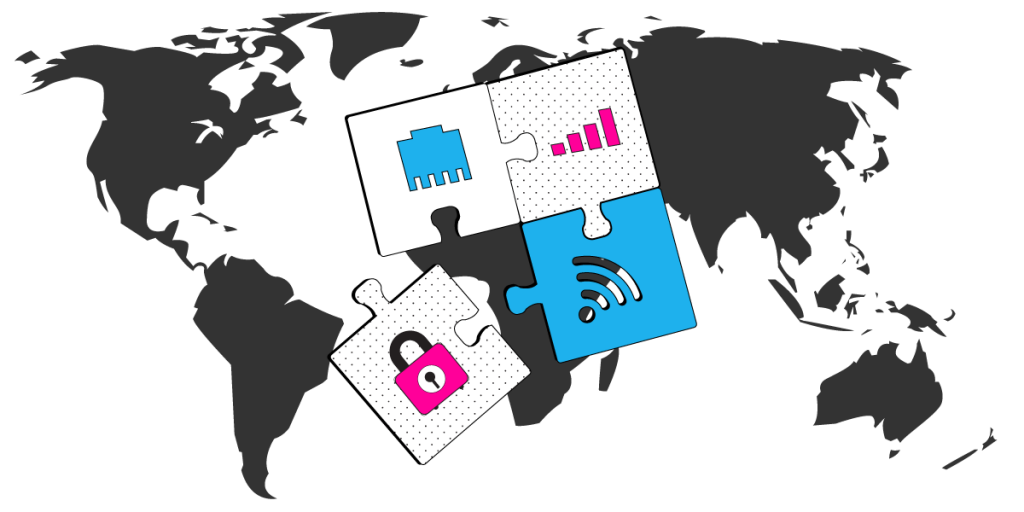
This shift in the paradigm of online gaming puts Microsoft in the pole-position, should this model proves to be popular. However, there are a few issues that need to be addressed to turn Project xCloud into a success: bandwidth, latency and security.
Should you have a backup 4G, 5G, Starlink, or cable internet connection?
Yes — every internet connection goes down, including Starlink, which drops for ~34 minutes a day on average. A backup connection from a different provider means one outage never takes you fully offline. The most common options are a 4G/5G cellular hotspot, a cable or DSL line, or a second satellite dish.
4G/5G cellular
Works anywhere. Just a SIM or hotspot — no installation needed.
Learn more →Cable / DSL
Best for fixed locations. Different network, so outages rarely overlap.
Learn more →Second Starlink
Adds redundancy and throughput for remote sites or heavy usage.
Learn more →Speedify bonds any two connections into one — automatic failover, more speed, no dropped calls.
Try Speedify free →Fast and Stable Internet: Must-Have Requirement for Microsoft xCloud
According to Microsoft, Project xCloud will rely on their datacenters in 54 Azure regions and services available in 140 countries. So, from the server-side hardware infrastructure standpoint, all things seem to be promising. But what about the client side?
Not all people have high speed Internet capable to handle live streaming at this moment. If the xCloud streaming requirements will be similar to today’s video streaming, many gamers will be limited. Think about slow Internet connections at home, on the go or wherever you choose to play Halo via xCloud.
A stable Internet connection is also an important factor. Imagine yourself riding the Amtrak or Megabus. The flaky WiFi connections you get onboard will not help with you gaming via Microsoft xCloud on your smartphone or tablet.
Speedify Fast Bonding VPN Gets You Fast, Stable and Secure Internet for Microsoft xCloud
Assuming Microsoft’s xCloud infrastructure is flawless, gamers will need to have a fast and stable Internet connection. This is where Speedify comes into play. Using patent pending channel bonding technology, Speedify allows you to combine 2 or more Internet connections at the same time. This creates a super-pipe that is faster, more stable and secure for any device: PC, Mac, iPhone or Android mobile device.
Are You Playing Games Online, Live Streaming or Traveling? Improve Your Internet Connection Anywhere with Speedify
If you’re looking for a reason to get Speedify fast bonding VPN for faster, more stable and secure Internet, don’t wait for Microsoft xCloud.
Speedify solves slow game connections by minimizing packet loss and increasing bandwidth through combining 2 or more connections. If you’re live streaming your game on Twitch or YouTube, you can also use Speedify to fix dropped frames.
Yes, you can also use Speedify when gaming on your Xbox or other console – just use a PC to share the Speedify fast bonding VPN connection over WiFi with Connectify Hotspot.
So – what are you waiting for? Get Speedify today and enjoy the Internet on your own terms.
Alex and the Speedify team are always exploring the latest in networking and security technology—like 5G, 6G, WiFi 7, laser and satellite internet—and sharing it in new discussion content across YouTube, TikTok, Instagram, and LinkedIn every week.
Got a tech question? Let's go deeper! Pop into Speedify Office Hours live every Wednesday at 10 AM Eastern. Speedify CEO Alex Gizis and our network engineers are standing by to break down your questions about networks, tech updates, and Speedify features.


Speedify
Get started with Speedify today.
Combine Wi-Fi, 4G/5G cellular, Ethernet, Starlink, and more into one faster, steadier connection. Free to try — no credit card required.
🚀 Speed
Faster uploads and downloads by bonding all your connections at once.
📶 Stability
Automatic failover in under a second when any connection drops.
🔒 Security
AES-256 encryption on every connection, on every network you join.





15M+ downloads worldwide. 75K+ five-star reviews on iOS and Android.