




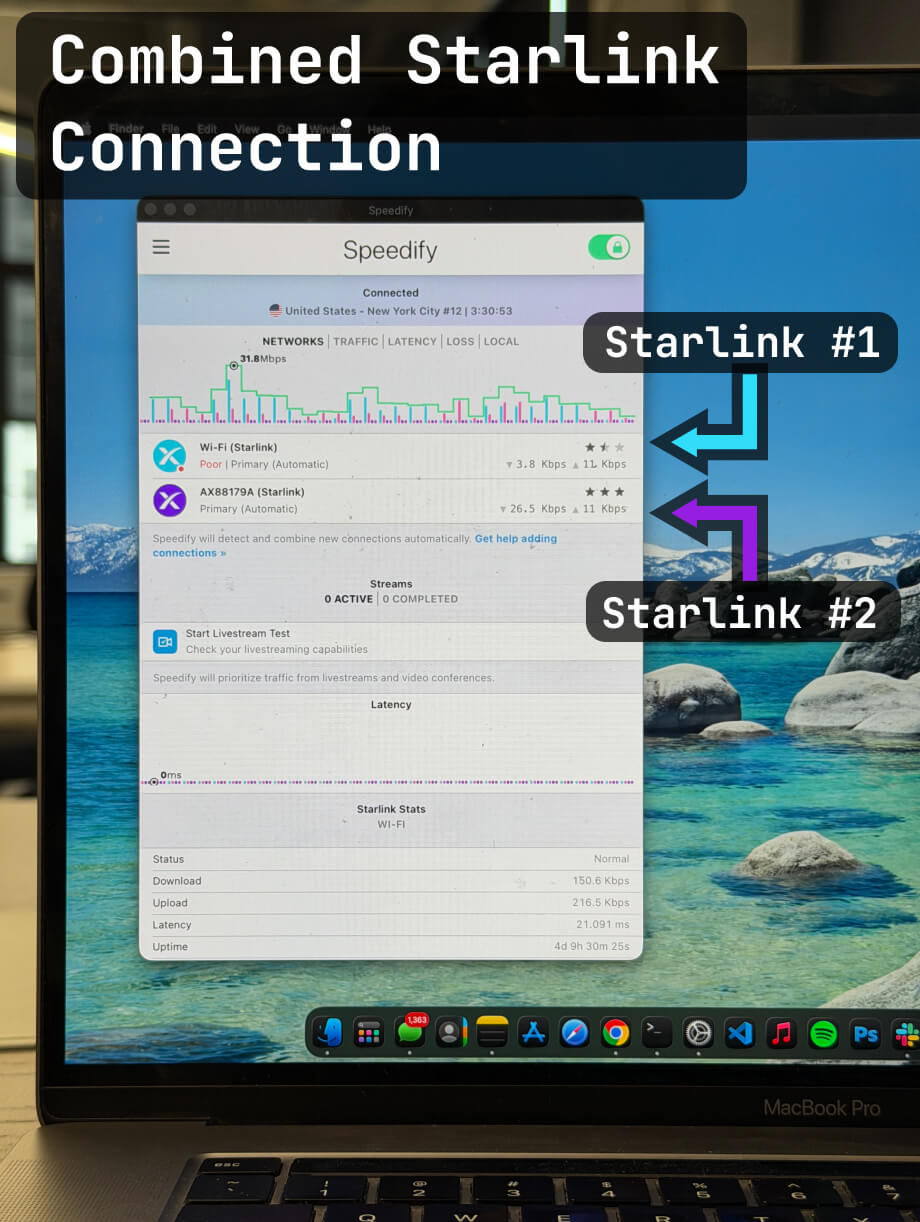


Speedify Helps Enhance Starlink Internet
Burning Man may be a place to disconnect from the default world, but for many burners, maintaining some level of internet connectivity has become essential.
Here's your comprehensive guide to getting the fastest, most reliable internet connection possible in the Nevada desert that allows you to both disconnect and be creative and connected, depending on your preference.
Quick answer
Should you get a backup connection for Starlink?
Yes. Starlink goes down every day — an always-on dish averages about 34 minutes of downtime daily from routine satellite handoffs. A second connection keeps you online when Starlink drops.
What’s the best backup connection for Starlink?
A 4G/5G cellular hotspot or SIM is the most practical backup for most Starlink users — it works anywhere Starlink works, requires no installation, and uses a different network so outages rarely overlap. Cable or DSL broadband is a strong option if you have it at a fixed location. A second Starlink dish is also possible if you need maximum throughput.
How do you use two internet connections at once with Starlink?
Speedify combines Starlink with any other connection — cellular, cable, Wi-Fi, or a second dish — into one bonded connection. Speedify runs on your phone, laptop, or router. When Starlink drops, Speedify moves your traffic to the backup instantly, so calls don’t cut out and downloads don’t stall. Speedify is free to try.
71% of Speedify’s Starlink users already run a second connection. Try Speedify free →
Speedify Starlink Index — real-world performance from 6,209 Starlink users: 2.4% downtime, about 34 minutes a day for always-on connections
Starlink goes down every day.
Here’s what that actually looks like.
Speedify passively monitors every connection it bonds. These figures come from 6,209 Starlink users over 14 days — compared in real time against the other connections on the same devices. No speed tests, no lab conditions.
Daily downtime
~34 min
2.4% of connected time unreachable
Median latency
60 ms
p90 spikes to 257 ms
Avg packet loss
0.17%
vs 0.08% on T-Mobile
71% ran at least one other connection simultaneously — 4,381 of 6,209 users. Cellular is the most common backup.
Use Speedify to stay online during satellite handoffs every 15 seconds
Research confirms Starlink switches between satellites every 15 seconds on a fixed schedule. Each satellite handoff is a potential dropout, and on a congested network or with any obstruction, those Starlink dropouts become real interruptions.
Speedify fixes Starlink connection drops by combining your Starlink internet connection with another satellite dish, Wi-Fi, 4G/5G cellular, or wired Ethernet at the same time. When Starlink drops, Speedify keeps your traffic moving on the backup internet connection instantly.


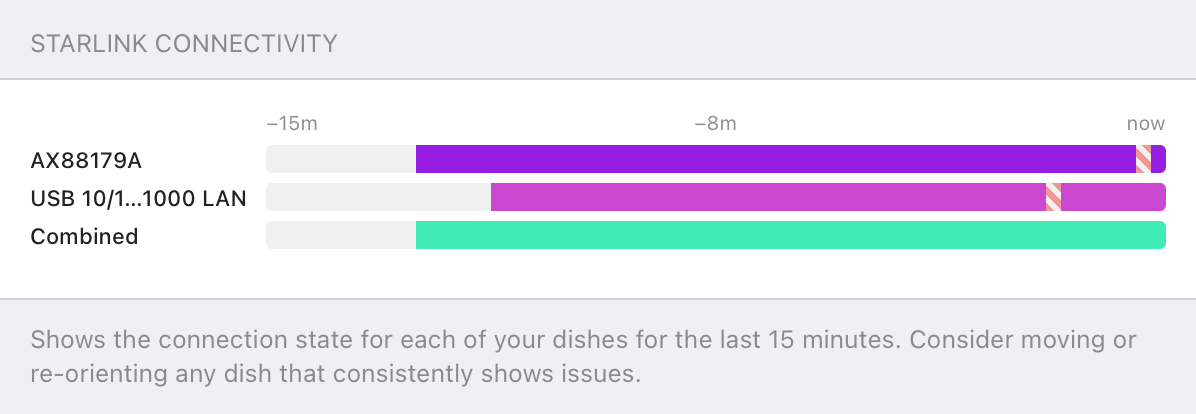

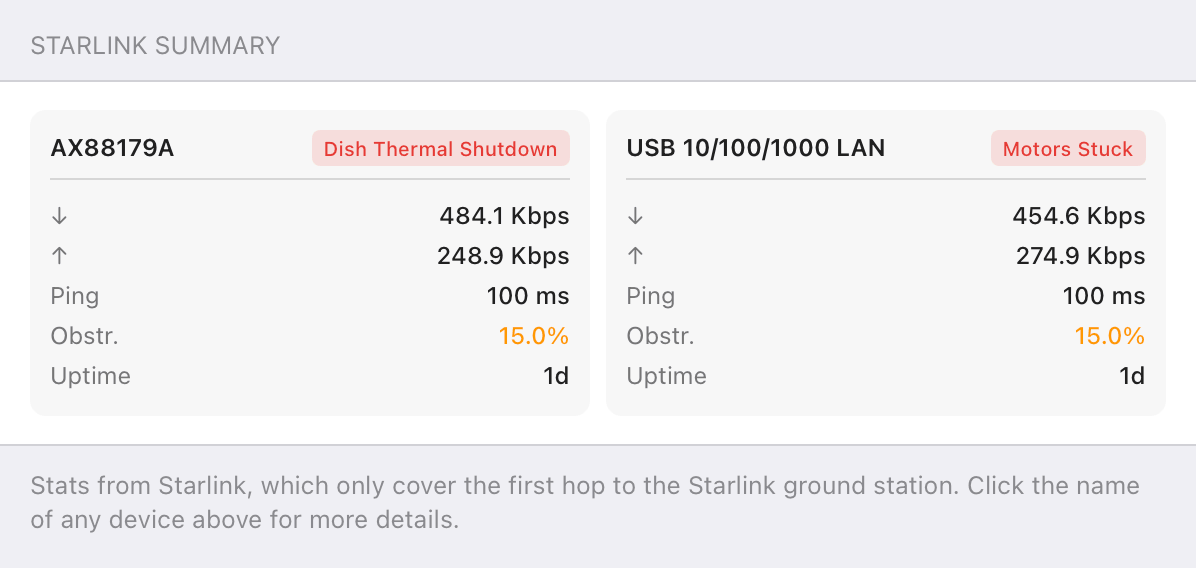

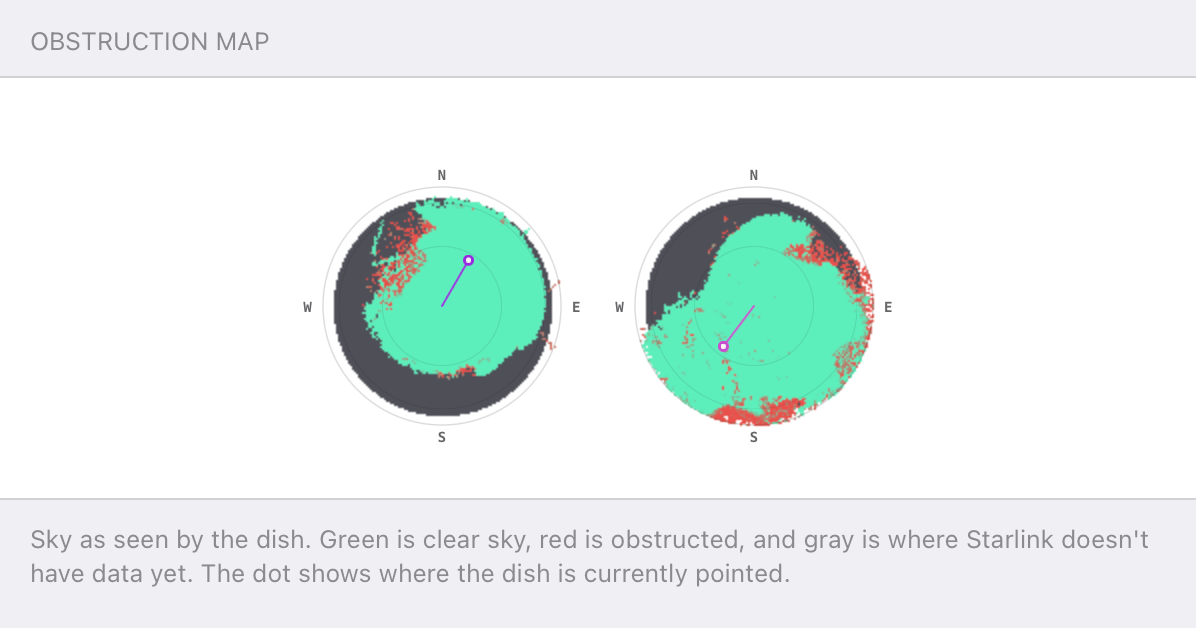
Speedify alerts you about your Starlink dish status
Speedify software alerts you about your Starlink dish status as soon as your dish experiences an issue - e.g. when your actuator motor is stuck, the mast is not vertical or there's a thermal throttle.
Speedify's Starlink Control Center helps you monitor all your Starlink dishes, read obstruction maps, and align multiple dishes all in the Speedify app. Get a real-time view of each dish's health and optimize the position of each Starlink dish, so you get the best possible performance out of your Starlink connections.
Speedify Feature
Cellular sharing that goes both ways.
Explore Speedify's Pair & Share Feature
⌄
Speedify Feature
Cellular sharing that goes both ways.


Speedify Feature · Pair & Share
Speedify Pair & Share: share cellular between your devices, both ways
Most hotspots give. Speedify's Pair & Share gives and takes. Two devices running Speedify pair up and each uses the other's cellular connection simultaneously, so you both get faster uploads, faster downloads, and a steadier connection. No extra hardware, no new data plans, no setup beyond a tap.
Learn how Speedify's Pair & Share works ›More speed
Every device you pair with adds its cellular to yours, and yours to theirs.
Stays connected
If a paired device drops out, Speedify keeps you online on the remaining links.
Always private
Every shared connection runs through AES-256 encryption. Your traffic is yours.
No new gear
Runs on devices already running Speedify, over your local network. Pair once, reconnects automatically.



The Internet Reality at Burning Man
Gone are the days when Burning Man meant complete digital detox. Cell service has reached the remote parts of the Nevada desert, with cellular reception becoming increasingly reliable over the years. However, with over 70,000 participants all trying to connect simultaneously, traditional cellular networks quickly become overwhelmed, resulting in slow speeds and dropped connections.
The introduction of satellite internet solutions like Starlink has revolutionized connectivity at the event. Starlink terminals are now providing internet access at camps throughout the festival, offering a more stable alternative to congested cellular networks. This shift has fundamentally changed how participants experience the festival, though not without controversy among traditionalists who value the event's original emphasis on digital disconnection.
Available Internet Options at Burning Man
Cellular Networks
Major carriers like Verizon, AT&T, and T-Mobile provide coverage in the Black Rock Desert, but expect severely degraded performance during peak hours. Data speeds can crawl to a near standstill, especially during popular events and evening activities when usage spikes.
Starlink Satellite Internet
Starlink has emerged as the game-changer for Burning Man connectivity. With its low-earth orbit satellites, Starlink bypasses the cellular congestion issues entirely. Many camps now set up Starlink terminals to provide Wi-Fi access for their members and visitors. The service offers significantly better speeds and reliability compared to cellular during peak usage times.
Portable Hotspots and Routers
Some burners bring dedicated mobile hotspot devices or portable LTE routers to create their own mini networks. While these still rely on cellular towers, they can sometimes provide better performance than built-in phone hotspots.
Supercharge Your Connection with Speedify
While having multiple internet options is great, the real magic happens when you combine them. This is where Speedify's channel bonding technology becomes invaluable for Burning Man participants.


How Speedify Works
Speedify seamlessly combines all of your connections, including WiFi, 4G, 5G, Ethernet, and Starlink, into one stronger connection. Instead of being limited to a single connection's speed and reliability, you can leverage multiple sources simultaneously for enhanced performance.
The app's intelligent channel bonding technology ensures that if one connection drops or slows down, your internet session continues uninterrupted using your other available connections. This redundancy is crucial in the challenging networking environment of the playa, where connection quality can vary dramatically throughout the day.

Maximizing Your Burning Man Setup
For optimal performance at Burning Man, consider combining:
- A camp's Starlink Wi-Fi
- Your phone's cellular connection
- A portable hotspot device
- Any other available Wi-Fi networks
- A second portable Starlink.
Speedify automatically detects and utilizes all available connections, giving you the combined bandwidth and reliability of multiple internet sources.
Peer-to-Peer Cellular Sharing for the Win
One of Speedify's most powerful features for group settings like Burning Man camps is its cellular sharing functionality, called Pair & Share. This feature works like a turbocharged personal hotspot, but instead of just one device sharing its connection with another, once paired, both devices can share and receive each other's connections simultaneously.
The more devices you pair with, the more connections you'll have access to. This means if your campmate has a Verizon connection and you have AT&T, you can both benefit from the combined strength of both networks. The cellular connections on other devices on your Wi-Fi network become additional network connections that Speedify can use for bonding and seamless failover.
This collaborative approach to internet sharing is perfect for Burning Man camps where multiple people want to pool their connectivity resources. Instead of fighting over who gets to use the single best connection, everyone benefits from the combined power of all available connections.

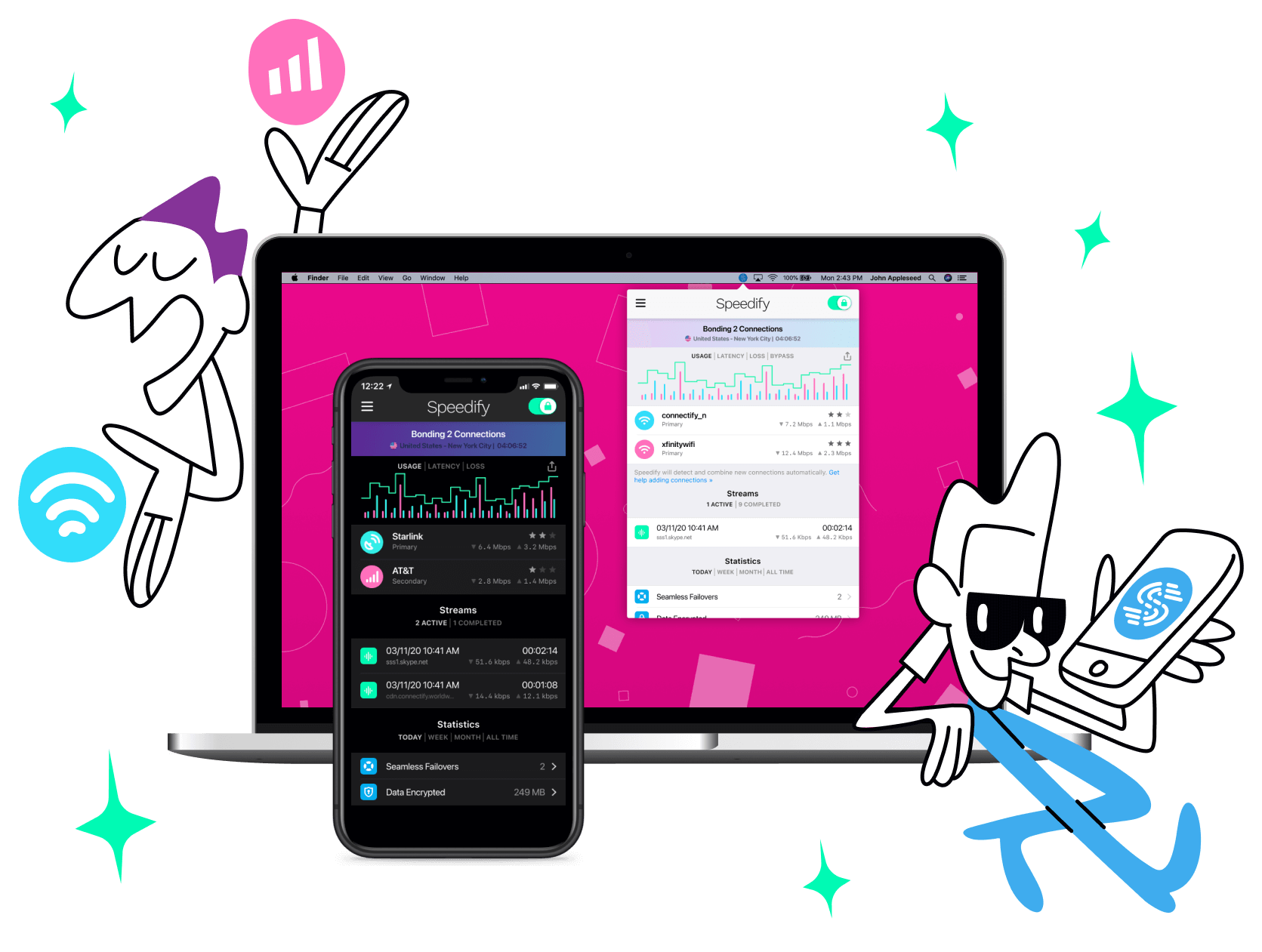
Get started with Speedify today!
With Speedify you can combine Wi-Fi, 4G / 5G cellular, Ethernet, Starlink and other satellites into one bonded super-connection to improve livestreaming, video calling, gaming, web browsing, and everything else you do online.






Speed
Stability
Security
Speedify engineers love talking tech on YouTube, Tiktok, and Instagram!
Alex Gizis and the Speedify engineers discuss and explain technology including Starlink satellites, Wi-Fi 7 routers, Apple networking features, fiber optics, broadband internet, 5G mobile networks, AI, networking protocols, and much more. Follow Speedify on YouTube, TikTok, Instagram, and LinkedIn!
Alex and the Speedify team are always exploring the latest in networking and security technology—like 5G, 6G, WiFi 7, laser and satellite internet—and sharing it in new discussion content across YouTube, TikTok, Instagram, and LinkedIn every week.
Got a tech question? Let's go deeper! Pop into Speedify Office Hours live every Wednesday at 10 AM Eastern. Speedify CEO Alex Gizis and our network engineers are standing by to break down your questions about networks, tech updates, and Speedify features.

