
Getting Married During The Pandemic?
Zoom needs a steady upload the whole time it is running, and a wedding offers no chance to try again. When a Zoom wedding freezes, the reason is normally the single internet connection at the venue or the house, briefly unable to keep pace with live video.
Speedify is an app that joins two or more internet connections and uses them together – Wi-Fi, 4G/5G cellular data, wired Ethernet, Starlink and others – so the meeting stays connected when one of them falters.
The sections ahead explain how to plan and prepare a Zoom wedding, and how using Speedify keeps the call from dropping out during the vows.
Zoom Wedding Planning and Preparation
You have so many options for a venue. Many indoor religious institution have upped their tech game these days. More over, it’s very likely Zoom is already a part of their ceremonies. Therefore, be sure to ask if you can plug into their system to enhance your live streaming if you are the happy couple. That said, added stress is not something anyone needs on their special day, so that leads us to the next topic, your coordinator.
Now that Zoom weddings are so popular, there are companies that are specializing in wedding streams. You can also ask your techie family or friend to do this for you, an IT person is best in this role. Most smartphones are more than able to stream well and if you hook up a few, your guests will be able to view several angles and feel just like they are there with you. And why not invite that friend with a drone too!?
Perhaps the best advice is to have a test stream and work out any kinks before the big day. This is when guests will also log in, who knows, it could be their first Zoom wedding, may as well get everyone familiar with the platform and get important feedback on the lighting, sound and the connection of the steam. This is when your WiFi connections mean so much to avoid lag and other interruptions. It’s probably best to have it a few days prior to tweak any changes like your backdrop or, adding Speedify to prevent any connection issues and ensure a quality stream.
Get a Stable Internet Connection For Your Zoom Wedding
The Internet connection is essential for live streaming your wedding. You want to avoid broadcasting poor quality video or being disconnected. Relying on a single Internet connection can get you in trouble. So, relying on two or more connections is better. Best case scenario for streaming your Zoom wedding with solid Internet: you combine 2 or more connections at once from different ISPs with a channel bonding app designed for streaming like Speedify.
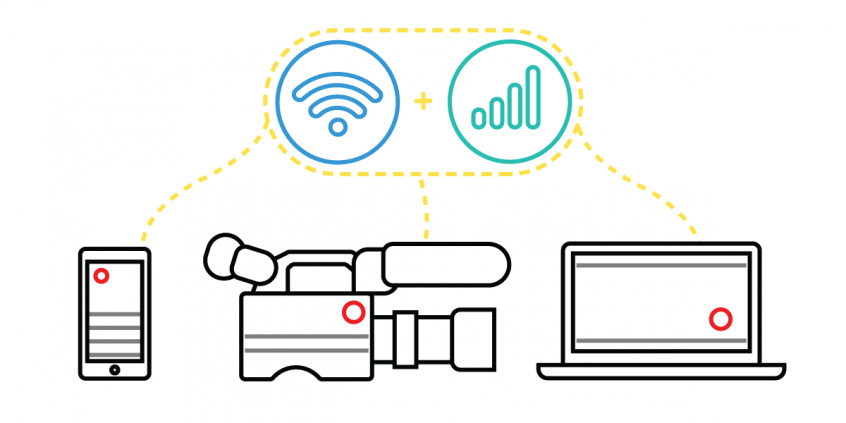
Make sure you mention Speedify to your Streaming Coordinator. It uses channel bonding technology to use 2 or more connections at the same time. Speedify is the only software bonding service that can run on any device, whether it’s a desktop or laptop computer, smartphone or tablet.
If one of your connections fails, Speedify automatically reroutes all the traffic through your other available connection(s). This happens in the background without you having to do anything. When the dropped connection is back online, Speedify will pick it up and start using it again.
How to Live Stream a Zoom Wedding? Get Solid Internet with Speedify
As a fast bonding VPN, Speedify acts like a power-up for your device. Instead of only using a single Internet connection at a time, Speedify allows your device to use multiple connections simultaneously. You’ll get more bandwidth and more stable live streaming for your wedding.
Speedify constantly monitors the quality of your Internet connections. If, for example, the Wi-Fi becomes unreliable, it’ll automatically reroute data through other connections (e.g. cellular data) until Wi-Fi is available again.
Moreover, it automatically optimizes audio and video streams, and provides quality of service (QoS) by prioritizing streams over other traffic. Web browsing and software updates can’t mess up your calls and live streams.
Wondering how to live stream your wedding without running into connection issues? Try Speedify at the rehearsal and ensure smooth Internet on your Big Day! Get it here!
Speedify
Get started with Speedify today.
Combine Wi-Fi, 4G/5G cellular, Ethernet, Starlink, and more into one faster, steadier connection. Free to try — no credit card required.
🚀 Speed
Faster uploads and downloads by bonding all your connections at once.
📶 Stability
Automatic failover in under a second when any connection drops.
🔒 Security
AES-256 encryption on every connection, on every network you join.



15M+ downloads worldwide. 75K+ five-star reviews on iOS and Android.