


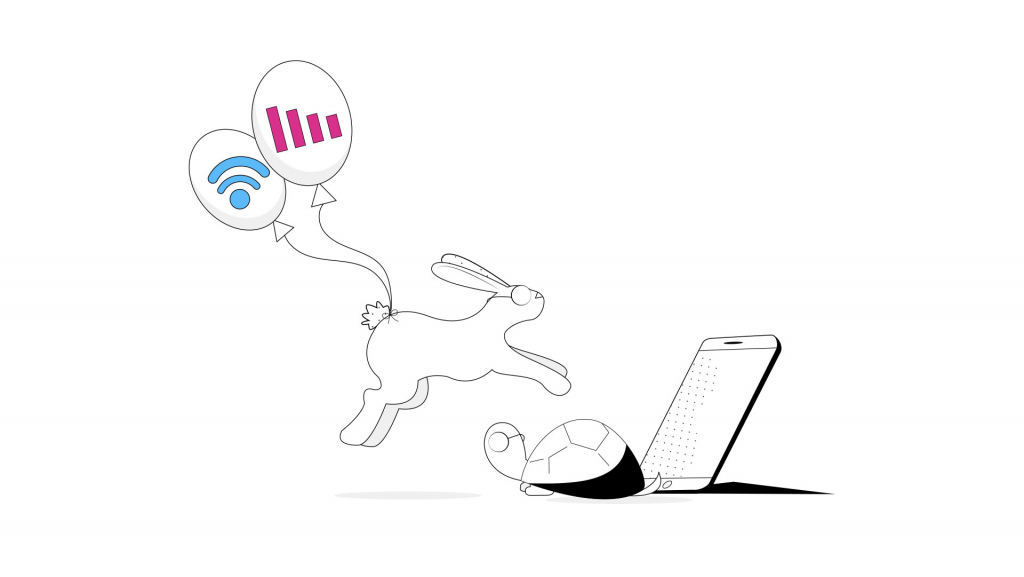
Unbreakable VPN Connection to Fix Slow TunnelBear by Combining Starlink, Wi-Fi, 4G, 5G, and DSL with Speedify
TunnelBear is one of many VPN apps that are designed to keep your data and devices secure as you browse the Internet. However, many users encounter issues with TunnelBear running slowly. Sometimes, it runs so slowly that it is almost impossible to even use the Internet for browsing. Other times, it gets stuck when connecting or the connection appears as “broken” after enabling TunnelBear.
Speedify delivers an unbreakable VPN connection by intelligently bonding multiple internet sources, ensuring continuous uptime and encrypted protection.
Why Speedify's VPN Tunnel is Unbreakable vs Other VPNs
Most VPNs stop working the moment one of your internet connections has a problem. If your Wi-Fi glitches, or your device briefly switches between 4G / 5G and Starlink, you can suddenly lose your VPN connection.
Speedify is built to prevent that. Instead of relying on just one connection, Speedify can use all your available internet connections at the same time: Wi-Fi, Ethernet, 4G / 5G cellular, even Starlink or other satellite. If one connection slows down or drops, Speedify instantly moves your traffic to another internet source so your VPN stays connected and your online activity isn’t interrupted.
In this video, you’ll see how Speedify keeps your internet connection secure, smooth, and reliable by intelligently spreading your encrypted data across the available connections. The result: an unbreakable VPN tunnel.
Combining multiple internet sources like WiFi, 4G, 5G, & Starlink together makes Speedify's secure VPN tunnels unbreakable

Combine internet connections for better bandwidth and signal strength
No matter how secure your VPN is, if you experience a drop in your Internet connection, either your VPN tunnel will break leaving you unprotected, or you’ll be stuck offline. Speedify is the only VPN that seamlessly combines all of your connections, including WiFi, 4G, 5G, Ethernet, and Starlink, into one unbreakable connection to keep you online and secure.
Speedify will automatically detect any available Internet connections on your device, encrypting and intelligently distributing your online traffic between them for optimal performance. If you need help we have quick start guides available for most common set ups.
Join multiple mobile personal hotspots at the same time
Speedify's Pair & Share is a feature that enables you to connect to multiple personal hotspots at the same time and wirelessly share LTE, 4G, and 5G cellular connections back and forth between multiple Speedify users on the same local network to create a faster, more reliable connection for everyone.
With Speedify, all of your available internet sources - even shared personal hotspots - are combined inside the secure VPN tunnel with your encrypted traffic intelligently distributed between them, while split tunneling allows blocked sites to bypass. So, if any connection slows down or drops out, the VPN tunnel stays active and the other connections will automatically take over to keep you securely, seamlessly connected.
Why is my TunnelBear VPN slow?
The first reason that TunnelBear offers for a slow browsing experience is the fact that all of the data you wish to upload or download must first pass through the company’s encrypted servers. This extra security step may slow down some internet browsing.
Some of the other reasons TunnelBear may be slow are:
- ISP throttling your connection
- Your location
- You are connected to an unreliable network
- Conflicts with other apps
3 Steps to Fix Slow TunnelBear VPN
- The first thing you should try when encountering slow TunnelBear issues is to switch to a different tunnel. Sometimes tunnels become congested. The farther away you are geographically from a given tunnel, the slower your Internet connection may be.
- If switching tunnels does not resolve the problem, the next step is to try toggling the Ghost Bear setting. Ghost Bear is a form of extra protection to keep outsiders from snooping on your internet activity. Switching this on and off will sometimes resolve slow connection issues.
- If changing the TunnelBear settings does not fix your slow connection issues, the next step is to restart your computer or device. You should also try to limit the number of other apps you are using at the same time as TunnelBear. You may need to open and close apps one at a time while using TunnelBear to find out if any of them are causing the slow down.
If none of the above steps work, you may be facing a problem with your ISP. You can try to use your system’s TCP override. This will force TunnelBear to run a slower, but more reliable protocol that may help improve your connection speeds. This can also be helpful if you are on a Wi-Fi network that does not have strong connectivity.
Try an Alternative VPN
If you are still unhappy with your slow TunnelBear experience, there is another alternative. You could try Speedify. Speedify is a VPN for Mobility that was designed from the ground up for speed.
Unlike other VPN solutions, Speedify wants to make sure you don’t have to choose between security and fast browsing.
The Speedify Difference
Speedify is much more than just a VPN solution. It also works to increase the connection capabilities of your mobile and desktop devices. By default your mobile device either connects to the Internet via Wi-Fi or through the mobile data connection. Speedify allows you to connect to the Internet using both Wi-Fi and mobile data at the same time. This increases your bandwidth and makes sure you get a smooth internet experience, even if one connection becomes unreliable.
Speedify works in the background monitoring the quality and strength of your connections. It automatically sends as much data as possible over Wi-Fi instead of an expensive mobile data connection. But, if one connection breaks down, Speedify is equipped with auto failover. It will automatically reroute data as needed until the lost connection can be restored. See here the difference when it comes to live streaming.
Speedify gives you the peace of mind of knowing your data is private and safe while also giving you faster Internet connections. No other VPN can offer the same levels of speed and security that Speedify can. Plus – we do not log any data about your activities while using Speedify!
So, what are you waiting for? Make the switch to Speedify to enjoy a better service and get more bang for your buck! Get started now for FREE – no strings attached, no email sign-up necessary!


Get started today!
With Speedify you can combine multiple internet sources into one bonded super-connection to improve livestreaming, video calling, gaming, web browsing, and everything else you do online.
Speed
Stability
Security
We love talking about connectivity!
Alex and the Speedify team are always exploring the latest in networking and security technology—like 5G, 6G, WiFi 7, laser and satellite internet—and sharing it in new discussion content across YouTube, TikTok, Instagram, and LinkedIn every week.
Got a tech question? Let's go deeper! Pop into Speedify Office Hours live every Wednesday at 10 AM Eastern. Speedify CEO Alex Gizis and our network engineers are standing by to break down your questions about networks, tech updates, and Speedify features.

