


Combine Multiple Internet Connections Together – Like Starlink, Wi-Fi, 4G, 5G, and DSL – with Speedify, for Hassle-Free Instagram Live Streaming IRL
When you’re broadcasting your day-to-day life, whether it’s walking down the street, traveling, enjoying your hobbies or showing off your talents, you’re live streaming IRL (In Real Life).
In terms of popularity, IRL streaming is ever so popular and will continue grow. Instagram Live started to boom during the pandemic and is constantly gaining in popularity today. The “Just Chatting” category dominates Twitch in terms of hours watched – that’s how big the IRL phenomenon is today.
If you want to get into Instagram Live streaming IRL, you should definitely make sure you have the right setup for it and, above all, make sure you have a fast and reliable Internet connection.
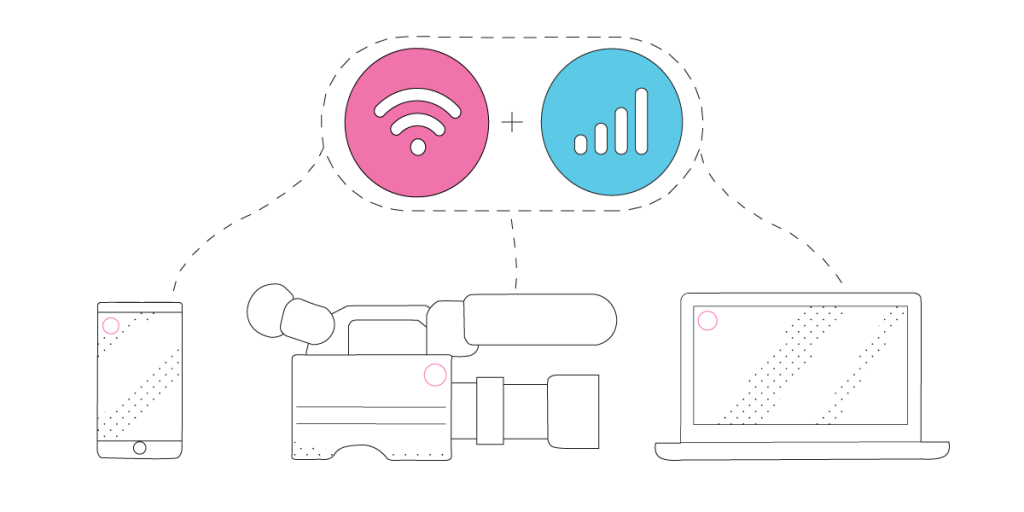
The reason for most Instagram live streaming IRL issues is a poor connection to the Internet. You can solve Instagram problems by combining your main Internet connection with another Internet source like a Starlink or DSL, 4G, 5G. Whether at home, work, or on-the-go, Speedify works with all live streaming software and social platforms to get you faster, more reliable and secure Internet.
In this article we’ll show you how you can live stream IRL on Instagram without any glitches like poor video quality, buffering, etc.
Should you have a backup 4G, 5G, Starlink, or cable internet connection?
Yes — every internet connection goes down, including Starlink, which drops for ~34 minutes a day on average. A backup connection from a different provider means one outage never takes you fully offline. The most common options are a 4G/5G cellular hotspot, a cable or DSL line, or a second satellite dish.
4G/5G cellular
Works anywhere. Just a SIM or hotspot — no installation needed.
Learn more →Cable / DSL
Best for fixed locations. Different network, so outages rarely overlap.
Learn more →Second Starlink
Adds redundancy and throughput for remote sites or heavy usage.
Learn more →Speedify bonds any two connections into one — automatic failover, more speed, no dropped calls.
Try Speedify free →What You Need for Instagram Live streaming IRL
The beauty of IRL streaming is that since there’s a plethora of things you could be broadcasting, there is much more flexibility in terms of the gear you can use. Nowadays, with the advanced smartphones available, you can easily center your IRL streaming setup around your iPhone or Android smartphone – you get both a great camera to use and the apps you need to stream.
Here is what you should plan for your tech stack to stream IRL on Instagram Live:
Must have gear:
- An iPhone 11 or newer / Android smartphone from 2019 or newer with a fully charged battery when you begin to IRL stream.
- A second phone with a mobile data plan / a MiFi device, preferably from a different carrier. You will use it to create a Wi-Fi hotspot for the streaming phone. This is not necessary if you’re live streaming from a location with reliable Wi-Fi service.
- The Instagram app so you can stream natively on Instagram Live.
- The Speedify app so you avoid any Internet connectivity issues while live streaming – extra lag, buffering, disconnects.
Nice to have equipment:
- External battery pack with cable to connect to the phone(s) – if you know you’ll be streaming somewhere cold or for longer than just a few minutes.
- External microphone / wireless headsets with microphone (AirPods, etc.) / wired headset with microphone – for better sound quality if you wish to be heard while speaking in a noisy environment.
5 Steps for IRL Streaming on Instagram Live
After checking the IRL streaming required gear, here’s how to put the pieces together and start broadcasting on Instagram Live:
- On your iPhone / Android phone you’re using to live stream IRL: make sure you have both Wi-Fi and your cellular data connections active.
Optional: If you’re using an external battery pack, make sure that’s connected to the streaming phone and, if possible, to the second phone.
Optional: If you’re using an external microphone or wireless headsets, connect those via Bluetooth. - Connect to Wi-Fi where you’re streaming from. If you’re traveling or if the only Wi-Fi available is a public Wi-Fi hotspot, then use the second phone / MiFi device to create a hotspot.
- Start Speedify and connect to the fastest server.
- Start the Instagram app, go to + and tap on Live. See more details on how to set it up here.
- You are now broadcasting on Instagram Live! You have the peace of mind to focus on what you’re streaming live rather than on issue that might come up with your Internet connection or your battery life.
Speedify – a Must-Have in Any Instagram Live Streaming IRL Tech Stack
Internet connectivity is what makes or breaks a successful IRL stream on Instagram Live. If you can’t get it together, you will lose your audience. That’s why it’s important to have a stable Internet connection whenever you’re broadcasting to the world.
Speedify is all about helping live streamers focus on the important things – their content – and not on basic ones like stable Internet connectivity. It is the only app that can combine multiple internet sources into one bonded super-connection for more stable and secure live streaming, video calling, online gaming and web browsing.
With Speedify, your IRL live streams will be prioritized over other types of traffic on your iPhone or Android smartphone. With that, you can be sure your Instagram Live IRL streams get the bandwidth and stability they need to provide the best video quality even if your phone decides it’s time to update its apps or run a backup job.
Now you know how to stream IRL on Instagram Live successfully! Next steps: put that into practice and ping us on Twitter, Facebook or Instagram with your latest IRL streams!
Alex and the Speedify team are always exploring the latest in networking and security technology—like 5G, 6G, WiFi 7, laser and satellite internet—and sharing it in new discussion content across YouTube, TikTok, Instagram, and LinkedIn every week.
Got a tech question? Let's go deeper! Pop into Speedify Office Hours live every Wednesday at 10 AM Eastern. Speedify CEO Alex Gizis and our network engineers are standing by to break down your questions about networks, tech updates, and Speedify features.


Speedify
Get started with Speedify today.
Combine Wi-Fi, 4G/5G cellular, Ethernet, Starlink, and more into one faster, steadier connection. Free to try — no credit card required.
🚀 Speed
Faster uploads and downloads by bonding all your connections at once.
📶 Stability
Automatic failover in under a second when any connection drops.
🔒 Security
AES-256 encryption on every connection, on every network you join.





15M+ downloads worldwide. 75K+ five-star reviews on iOS and Android.