
Outrageous Overages!
To avoid going over internet data caps and getting hit with overage charges, turn on your provider’s data alerts, use Wi-Fi whenever you can, and let Speedify limit how much 4G/5G cellular data you use while keeping you online.
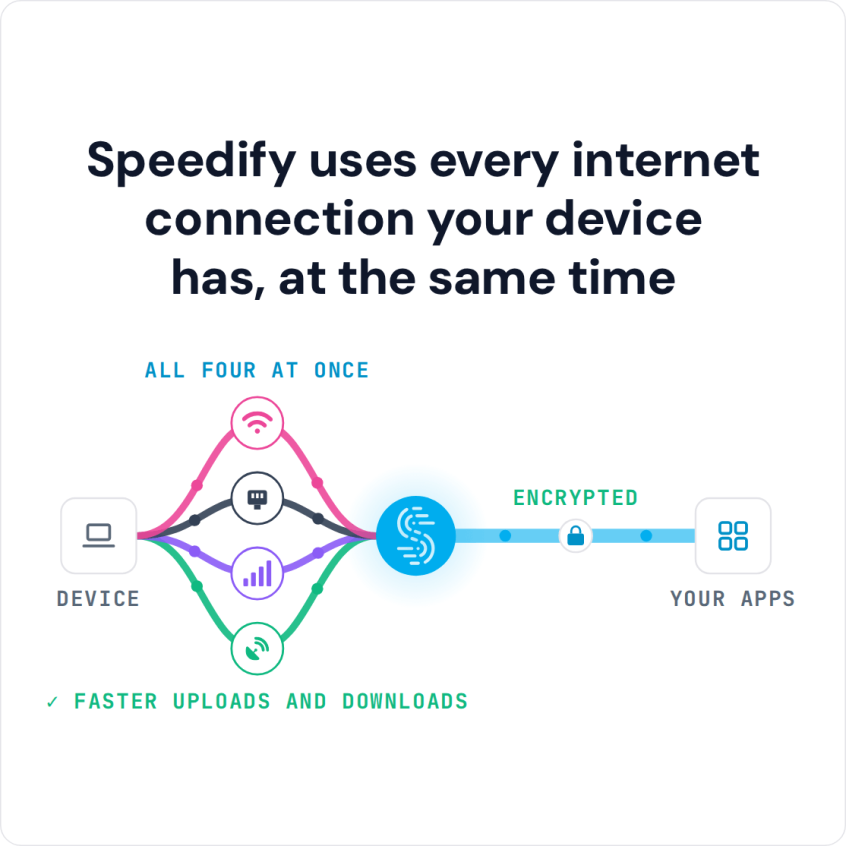
Speedify is an app that combines two or more internet connections at once, such as Wi-Fi and your phone’s 4G/5G cellular, for faster, more reliable internet; on a single connection it works as an encrypted VPN and cannot make that connection faster. Speedify also keeps cost in mind: you set daily and monthly data limits, and Speedify favors Wi-Fi so you stay under your carrier’s cap. Speedify runs on Android and iOS, as well as Windows, macOS and Linux.
Speedify uses every internet connection your device has, at the same time
How do I use WiFi and 4G/5G cellular at the same time with Speedify?

Pick your two internet connections and your device below and we'll take you to the step-by-step setup guide.


How to Set Up Speedify to Stay Under a 4G/5G Cellular Data Cap
- Download Speedify on your phone or computer (Windows, macOS, iOS, Android or Linux).
- Open Speedify and create a free account (the free tier includes 5 GB per month on Windows, macOS, iOS and Android), or sign in.
- Connect to Wi-Fi and keep 4G/5G cellular available as your second internet connection: on a phone, turn on cellular data; on a computer, tether a phone over USB or Personal Hotspot.
- In Speedify, set the Wi-Fi connection to Primary and the 4G/5G cellular connection to Secondary or Backup, so cellular carries traffic only when Wi-Fi is congested or unavailable.
- Set a daily or monthly data limit on the 4G/5G cellular connection so Speedify stops using it before you reach your carrier’s cap.
Turn On Your Provider’s Data Cap Alerts
Nowadays, most service providers offer free, automated tools to remind you about your monthly data allowance. But, before you get to thinking your home or mobile Internet provider is doing you a favor, you should know that most of the time these tools aren’t enabled by default. If you want an automatic SMS sent to your smart phone when your data plan reaches within 1 GB of its monthly limit, you’ve got to enable those notifications in your service plan’s account settings.
Use Wi-Fi Whenever You Can to Save Cellular Data
Knowing when you are close to your data cap is not enough on its own. You pay for internet service so you can stay productive at home and on the go, and running out a few megabytes short of your monthly limit defeats the point. Use Wi-Fi whenever you can: in coffee shops, hotels and at your office, switch to the free wireless network and save your 4G/5G cellular data for the times you need it most.
Set Connection Priorities in Speedify to Use Cellular Only When Needed
Keeping track of which network you are on is tedious, and Speedify can do it for you. Speedify combines multiple internet connections for faster downloads and uploads and fewer dropouts, and it lets you set a priority for each connection based on cost.
In Speedify, you can set each internet connection to one of these priorities:
- Primary: Speedify uses this internet connection all the time.
- Secondary: Speedify uses this connection only when connections set to Primary are congested or unavailable. This setting suits 4G/5G cellular or another costly internet connection that you want to use only when needed.
- Backup: Speedify uses this connection only when no Primary or Secondary connection is available.
- Never: Speedify does not use this connection.
Once each internet connection has the right priority, Speedify uses the free Wi-Fi around you first and turns to 4G/5G cellular only when it needs to, which helps you avoid overage charges.
Speedify
Get started with Speedify today.
Speedify combines Wi-Fi, 4G/5G cellular, Ethernet, Starlink and satellite into one faster, more reliable internet connection. Free to try: 5 GB a month with a free account. No credit card required.
🚀 Speed
Faster uploads and downloads, because Speedify uses all your internet connections at once.
📶 Stability
If one internet connection drops, Speedify moves your traffic to the others in milliseconds.
🔒 Security
AES-256 encryption on every internet connection, on any network you join.



15M+ downloads worldwide. 75K+ five-star reviews on iOS and Android.