
Don’t Lose Your Work Because of Slow Internet – Use Speedify to Combine Starlink, Wi-Fi, 4G / 5G Cellular and Other Connections at the Same Time
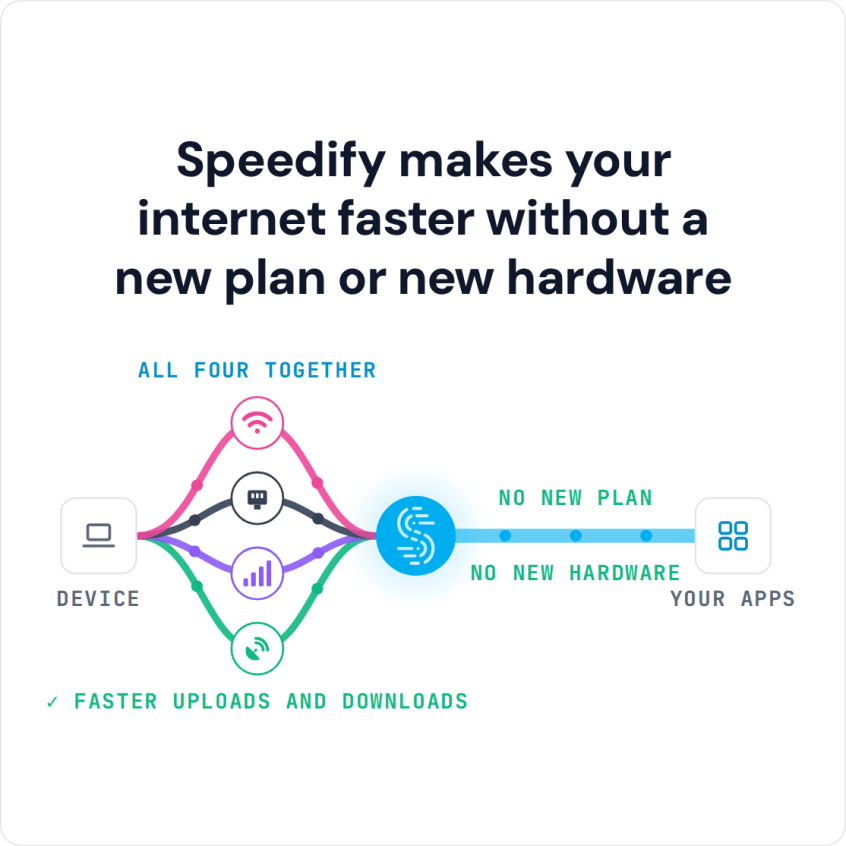
For a fast upload to Google Drive, use more than one internet connection at the same time: Wi-Fi and 4G/5G cellular together can upload files faster than either one alone. Speedify is an app that combines Wi-Fi, 4G/5G cellular, Ethernet, Starlink and satellite internet connections into one faster, more reliable connection, and encrypts your traffic like a VPN, so files finish uploading instead of stalling on one weak connection. On a single connection, Speedify still encrypts your traffic but cannot make the upload faster.
Slow uploads are a common Google Drive complaint. Below is why Drive uploads slow down, how Speedify speeds them up, and what else helps.
Speedify makes your internet faster without a new plan or new hardware
How do I use WiFi and 4G/5G cellular at the same time with Speedify?

Pick your two internet connections and your device below and we'll take you to the step-by-step setup guide.


Why Google Drive Uploads Are Slow
Most home and mobile connections upload far more slowly than they download, so a file that downloads in seconds can take minutes to reach Google Drive. A weak Wi-Fi signal or a connection that drops partway through slows it further, because the whole file travels over that one connection.
How to Upload Files Faster to Google Drive with Speedify
With Speedify on your phone, tablet or computer, Google Drive uploads and syncing use all of your internet connections at once. Leave Wi-Fi and 4G/5G cellular turned on and Speedify combines them, so uploads move faster and keep going when one connection weakens. On a Windows PC or Mac, Speedify can also add Ethernet or a tethered phone.
Set Up Speedify for Faster Google Drive Uploads in Five Steps
- Download Speedify on the phone, tablet or computer you upload from (Windows, macOS, iOS or Android).
- Open Speedify and create a free account (the free tier includes 5 GB per month), or sign in.
- Give Speedify a second internet connection: on a phone or tablet, keep Wi-Fi on and turn on 4G/5G cellular; on a computer, plug in Ethernet or tether your phone by USB (iPhone on Mac or Windows, Android on Windows).
- Connect. Speedify sends the upload over both connections at once and keeps it going on the other if one drops.
- Upload your files to Google Drive as usual.
Other Ways to Upload to Google Drive Faster
Zip large folders into one file before uploading, use Google Drive for desktop so big uploads keep going in the background, and pause other uploads, such as phone photo backups, while the Drive upload runs.
Speedify
Get started with Speedify today.
Speedify combines Wi-Fi, 4G/5G cellular, Ethernet, Starlink and satellite into one faster, more reliable internet connection. Free to try: 5 GB a month with a free account. No credit card required.
🚀 Speed
Faster uploads and downloads, because Speedify uses all your internet connections at once.
📶 Stability
If one internet connection drops, Speedify moves your traffic to the others in milliseconds.
🔒 Security
AES-256 encryption on every internet connection, on any network you join.



15M+ downloads worldwide. 75K+ five-star reviews on iOS and Android.