
Having Trouble Streaming Pandora?
Pandora buffering, where a station goes quiet and sits there loading, usually means your signal is fading, not that Pandora is broken. Streaming audio needs a steady trickle of data, and the moment your signal fades the app has nothing left to play.
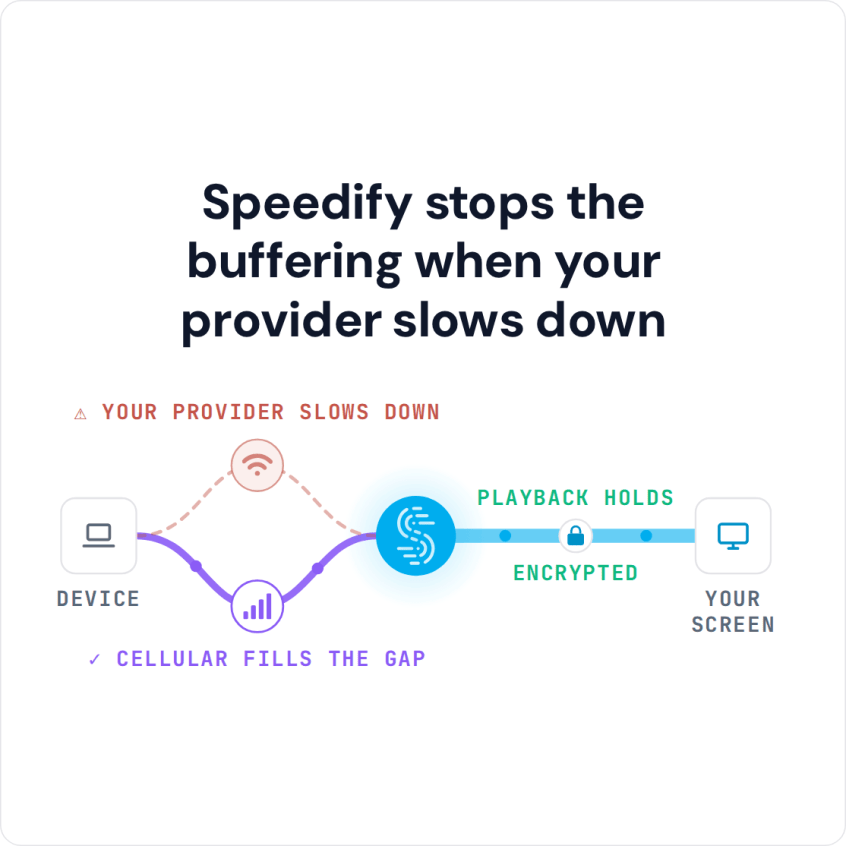
Speedify is an app that uses several internet connections at once (Wi-Fi, 4G/5G cellular, Ethernet, Starlink and others), so a weak signal on one is covered by another and the station keeps playing. That needs two or more internet connections, such as Wi-Fi plus your phone’s 4G/5G cellular; on a single connection Speedify works as an encrypted VPN and cannot stop that connection from dropping. The same fix helps when iHeartRadio keeps disconnecting.
Further down, you will find why Pandora stops to load, the simple fix for slow streaming audio, and what else Speedify does for your other apps.
How to Stop Pandora Buffering with Speedify
- Download Speedify on the phone you listen on (iPhone or Android).
- Open Speedify and create a free account (the free tier includes 5 GB per month), or sign in.
- Tap Allow when your phone asks to add a VPN configuration.
- Keep Wi-Fi on and turn on cellular data. Speedify uses both at once and moves the music to the working connection when one fades.
- Open Pandora and play your station as usual.
Why Pandora Keeps Buffering
When you experience buffering issues while listening to Pandora, the problem is probably not with the Pandora app or servers. The problem is probably with your internet connection.
When you are streaming music your device is asking for data to be sent from Pandora’s servers to your device. But, if your signal fluctuates or suddenly cuts out, the data your Pandora apps needs to deliver the music you want never gets to your device.
When the Pandora app is buffering, it is waiting to get enough data to continue playing the song. Streaming music needs a steady flow of data, so the worse the signal, the more buffering has to happen.
Pandora Buffering Problem on iPhone: Checks to Try First
On an iPhone, check that Pandora is allowed to use cellular data (Settings > Cellular, then find Pandora in the list), that Low Data Mode is off, and that the app is up to date. If you pay for higher quality audio, turn it off in Pandora’s settings while the signal is weak, so each song needs less data. If the station still stalls every time the Wi-Fi fades, the phone itself is the bottleneck: it uses one internet connection at a time.
The Easy Solution to Slow Streaming Audio
Speedify solves constant Pandora buffering by letting your phone use more than one connection. By default, iOS and Android devices only connect to the internet through one connection at a time: either cellular or Wi-Fi.
Speedify lets your phone connect over Wi-Fi and 4G/5G cellular at the same time, which gives Pandora more bandwidth to stream music.
The Speedify app works on iOS and Android devices and needs no technical skill to install and use. Once set up, it runs in the background, watches your internet connections and routes data with two goals: use Wi-Fi whenever possible instead of more expensive 4G/5G cellular data, and give you the fastest connection it can.
Speedify also has automatic failover: when a signal turns weak or spotty, the data moves to the remaining connection so the music keeps playing. Once the other connection recovers, Speedify starts using it again.
Encrypt Music Streaming on Public Wi-Fi
Speedify is also a VPN. Besides watching your phone’s internet connections, it encrypts all the data your phone sends and receives.
When you use Speedify you are not only getting faster Pandora streaming, you are also getting a secure connection. Speedify keeps your private information safe and protects you from snooping ISPs, hackers, and other cyber threats.
Speedify was also tested to keep battery use low. With two internet connections, the app speeds up Pandora and the rest of your internet apps as well.
If you love listening to music, you don’t want it to stop. Download Speedify and keep Pandora playing when one connection fades.
Speedify
Get started with Speedify today.
Speedify combines Wi-Fi, 4G/5G cellular, Ethernet, Starlink and satellite into one faster, more reliable internet connection. Free to try: 5 GB a month with a free account. No credit card required.
🚀 Speed
Faster uploads and downloads, because Speedify uses all your internet connections at once.
📶 Stability
If one internet connection drops, Speedify moves your traffic to the others in milliseconds.
🔒 Security
AES-256 encryption on every internet connection, on any network you join.



15M+ downloads worldwide. 75K+ five-star reviews on iOS and Android.