
Combine Starlink with Another Starlink Dish, 4G/5G Cellular or DSL in Speedify for More Reliable Internet
To improve Starlink reliability, use Starlink together with a second internet connection, like 4G/5G cellular, a DSL or cable line, or another Starlink dish. Starlink is fast: Starlink says most users get downloads over 100 Mbps. But one Starlink dish still has short drops each time it switches satellites, and it slows down in bad weather and at busy times.
Starlink users have already tested what works. Below: what they found and shared on YouTube, LinkedIn, blogs and Reddit, and how Speedify keeps your Starlink internet connection reliable.
Speedify adds a second internet connection to Starlink for faster uploads and downloads, and failover
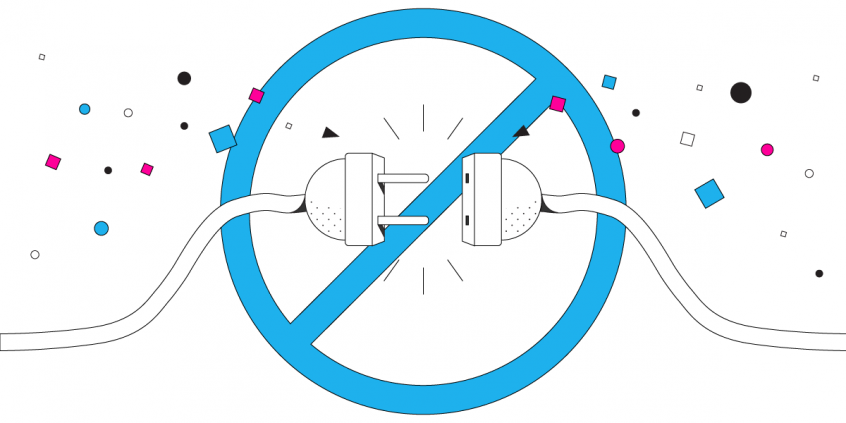
Starlink Internet Connection Drops Happen to Everyone
Speedify measures thousands of Starlink users in more than 140 countries. In September 2026, fixed Starlink dishes went offline for about 38 minutes a day on average, and Starlink dishes on RVs and boats for about 46 minutes a day.
All Starlink dishes also see short dropouts roughly every 15 seconds as the Starlink internet connection switches from one moving satellite to the next. Even a perfectly installed Starlink dish goes offline, and about 7 in 10 Starlink users on Speedify use Starlink together with a second internet connection, like 4G/5G cellular.
Two Internet Connections Are Better Than One, Even with Starlink
Joseph Cristina, a content creator and Starlink user, has tested a long list of routers that switch between or combine internet connections. The only one he found up to the job of making Starlink more reliable was a Peplink router, which comes with an expensive price tag. He then tested Speedify thoroughly and now recommends it: watch his video on YouTube.
A LinkedIn article by Chris Bunch on how he got Starlink working is full of hands-on details, including how he kept Starlink from dropping his calls.
His problem was an “odd blip for a second or so every now and again” on video calls. He looked at routers that switch between internet connections, but switching can take longer than simply waiting for Starlink to come back.
He settled on Speedify, which he uses to combine his steady but slow FTTC line (fiber to a street cabinet, then copper to the house) with his faster but less steady Starlink internet connection. That gives him internet that stays up.
What Nelson Found When He Used Starlink and Wi-Fi Together with Speedify
Another review of Starlink with Speedify appeared on Nelson’s log. The idea is the same as above: fix Starlink’s reliability problems by using a second internet connection at the same time.
Nelson found that with Speedify, much less of his data got lost along the way: less than on either internet connection alone, Starlink or his backup Wi-Fi.
His upload speed also went up noticeably: the backup Wi-Fi added to Starlink’s limited upload speed.
How Reddit Users Cover Starlink Drops with Speedify
In this Reddit post, one user describes the “pitiful DSL connection” they were about to cancel before getting Starlink. With Speedify, that DSL line turned out to be useful for covering Starlink’s outages.
In the same thread, another user describes a bigger setup: a DSL line (10 Mbps down, 1 Mbps up), a wireless line (20 Mbps down, 3 up) and a Starlink internet connection (50 Mbps down, 15 up). They use one router to combine the first two, and Speedify to use that together with Starlink.
Here’s another post in the same r/Starlink community on how to stop Starlink from dropping calls. You’ll find plenty of Speedify users there.
Improve Starlink Reliability with a Second Internet Connection and Speedify
Many people who contact Speedify about Starlink plan to keep their existing internet service alongside it. And their phones’ cellular data isn’t going anywhere, since they use their phones outside the home anyway.
Starlink users who rely on their internet add automatic switching to a second internet connection. Bad weather, busy times and the short drops when your Starlink dish switches satellites all come with Starlink, so one Starlink dish on its own will always have gaps.
Tip: a fast internet connection that also stays up is what makes live streaming, video calls and gaming work. Download Speedify and use your Starlink internet connection together with any other internet connection at the same time. Speedify needs that second internet connection: with Starlink alone, it can’t cover the drops.
Speedify
Get started with Speedify today.
Combine Wi-Fi, 4G/5G cellular, Ethernet, Starlink, and more into one faster, steadier connection. Free to try — no credit card required.
🚀 Speed
Faster uploads and downloads by bonding all your connections at once.
📶 Stability
Automatic failover in under a second when any connection drops.
🔒 Security
AES-256 encryption on every connection, on every network you join.



15M+ downloads worldwide. 75K+ five-star reviews on iOS and Android.