
How to Get Faster Upload Speed for Streaming and Big Uploads
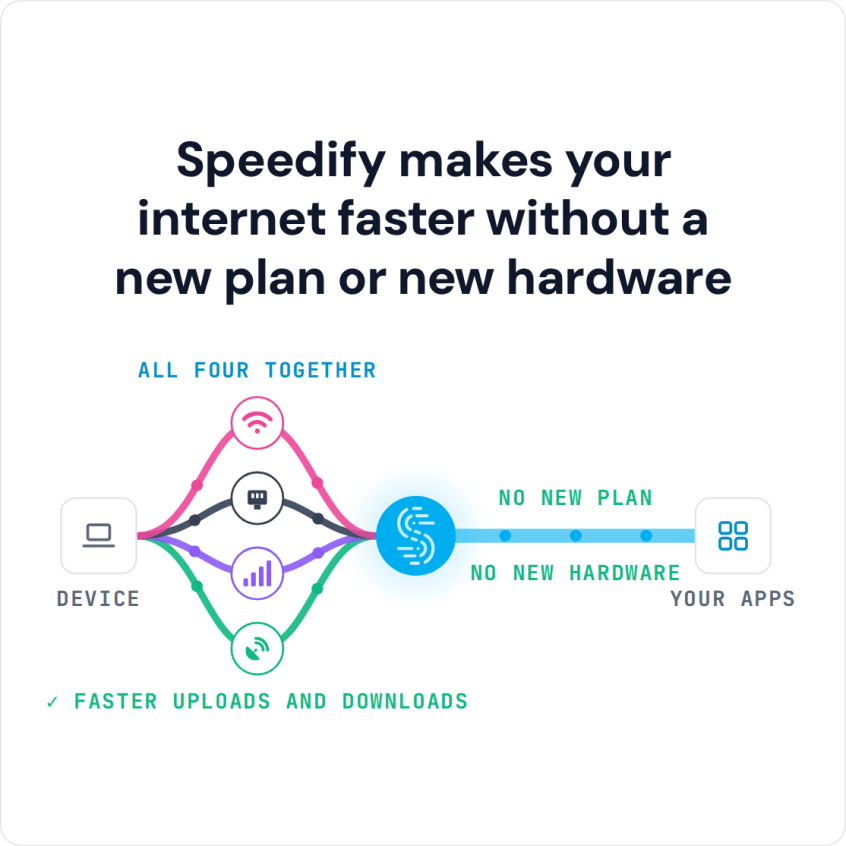
To get a faster upload speed for livestreams and big file transfers, use more than one internet connection at once instead of waiting on a single provider’s thin upload lane. Speedify is an app that combines Wi-Fi, 4G/5G cellular, Ethernet, Starlink and satellite internet connections, so the upload capacity of each one adds together.
With Speedify, two modest upload speeds combine into one that can actually push footage, backups, and live video without stalling.
Speedify makes your internet faster without a new plan or new hardware
How do I use WiFi and 4G/5G cellular at the same time with Speedify?

Pick your two internet connections and your device below and we'll take you to the step-by-step setup guide.


Why Upload Speed Is the Bottleneck for Creators and Remote Workers
- Asymmetric plans. Most residential connections allocate far more capacity to download than upload, since providers assume browsing matters more than publishing.
- Cloud backups and large files. Creators pushing raw footage or remote workers syncing large project files run into that thin upload pipe constantly.
- Live streaming. A stream is entirely dependent on sustained upload, so any upload shortfall shows up immediately as buffering or dropped frames for viewers.
How a Second Internet Connection Adds Upload Capacity
A single connection has a fixed upload ceiling set by the internet provider or carrier, and no settings change raises it. Adding a second internet connection and combining it with the first, rather than keeping it idle for failover, adds that connection’s upload capacity to the first. Two connections that each upload at 5 Mbps can combine to close to 10 Mbps, which neither connection could offer alone.
How Speedify Combines Wi-Fi and 4G/5G Cellular for Faster Uploads
Speedify splits outgoing traffic across Wi-Fi and 4G/5G cellular simultaneously, sending different pieces of a large upload or a live stream over each connection and reassembling them correctly on arrival. When one connection’s upload capacity dips, whether from congestion or signal loss, Speedify shifts more of the load to the other automatically, without requiring any manual intervention mid-transfer.
Speedify’s cellular sharing feature goes further: a second phone running Speedify on the same Wi-Fi network shares its 4G/5G cellular connection, adding its upload capacity to the device doing the streaming.
Speedify Settings for Large File Transfers and Live Streams
Speedify’s Streaming Mode, which is on by default, gives live video and calls priority, keeping bitrate steady even when other apps on the same network compete for bandwidth. For a large one-time file transfer, the default settings already combine every connection’s capacity, so no special setting is needed: the goal there is raw throughput rather than protecting one continuous stream.
Realistic Upload Gains, Cellular Data Use and Setup Steps
Combining two connections roughly doubles available upload only when both are healthy at the same time, and the real gain depends on what each connection can sustain on its own. Data sent over 4G/5G cellular still counts against your plan’s data cap, so if you stream for hours, keep an eye on usage, especially when cellular carries most of the load. Getting set up takes four steps:
- Download Speedify on the computer or phone handling uploads or live streaming. The free tier includes 5 GB per month with a free account, enough to test the combined upload speed.
- Connect two internet connections. On a phone, keep Wi-Fi and 4G/5G cellular both turned on. On a computer, add a phone’s 4G/5G cellular by USB tethering, or join the phone’s hotspot if the computer is on Ethernet; Android USB tethering does not work with Speedify on a current Mac. You can also pair a second phone with Speedify’s cellular sharing feature.
- Run Speedify’s built-in speed test to confirm the combined upload figure before an important transfer.
- Start the live stream or upload. Streaming Mode is on by default, so live video gets priority without extra settings.
One limit matters: Speedify needs at least two working connections to add any capacity, and it cannot create upload bandwidth that neither connection has. Two connections that are already full are still full when combined; they just share the load.
Faster Upload Speeds: FAQ
Does Speedify increase download speed too, or only upload?
Both. Speedify combines traffic in both directions, so download speed improves along with upload whenever two or more connections are combined.
Can Speedify combine a home connection with a mobile hotspot?
Yes. On a computer, Speedify combines home Ethernet with a phone’s Wi-Fi hotspot, or home Wi-Fi with a phone connected by USB tethering, and adds the phone’s upload capacity to the combined connection. A computer with one Wi-Fi adapter cannot join home Wi-Fi and the hotspot at the same time.
How much faster is upload after combining two internet connections?
It depends on each connection’s own health, but two moderately fast connections typically combine to something close to their added total.
Does combining internet connections use more cellular data than normal?
Yes, compared with using Wi-Fi alone: every byte Speedify sends over 4G/5G cellular counts against the cellular plan, so cellular data use grows with the share of the load cellular carries. On a capped plan, set the cellular connection’s priority to Secondary or Backup in Speedify so it carries less of the everyday traffic.
Speedify
Get started with Speedify today.
Speedify combines Wi-Fi, 4G/5G cellular, Ethernet, Starlink and satellite into one faster, more reliable internet connection. Free to try: 5 GB a month with a free account. No credit card required.
🚀 Speed
Faster uploads and downloads, because Speedify uses all your internet connections at once.
📶 Stability
If one internet connection drops, Speedify moves your traffic to the others in milliseconds.
🔒 Security
AES-256 encryption on every internet connection, on any network you join.



15M+ downloads worldwide. 75K+ five-star reviews on iOS and Android.