


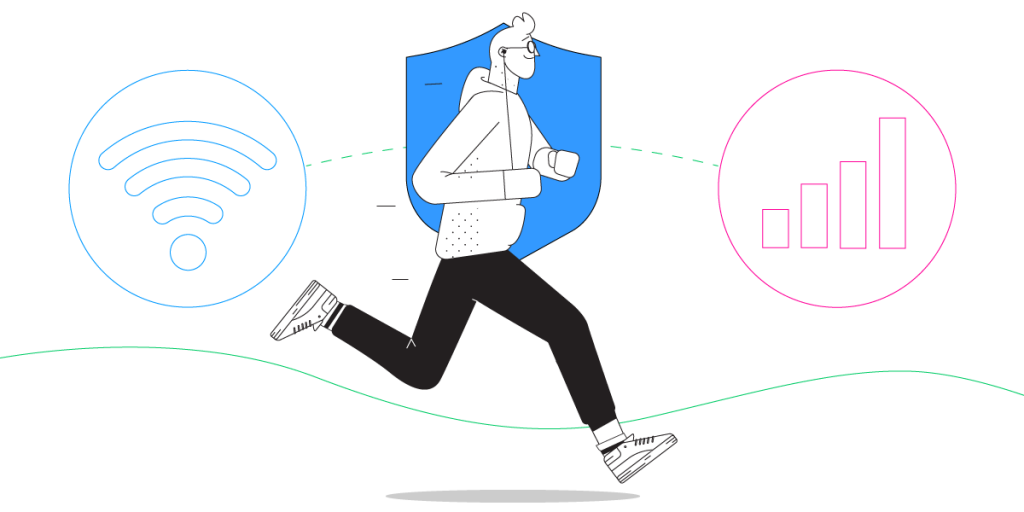
Unbreakable VPN Connection for iPhone 17 by Combining Wi-Fi and 4G / 5G Cellular at One with Speedify
Setting up an iPhone 17 VPN connection should not be a manual process where you should go around the iPhone 17 Control Center in iOS and take 10 steps to create a VPN profile. Some VPN apps can do this automatically upon installation, so you don’t have to worry about it and can just get started as soon as possible.
Plus – if you’re going to setup a VPN profile on your iPhone 17, that will only help you with privacy and security, but what about that inherent Internet connection slowdown that all traditional VPNs generate?
Speedify delivers an unbreakable VPN connection by intelligently bonding multiple internet sources, ensuring continuous uptime and encrypted protection.
Should you have a backup 4G, 5G, Starlink, or cable internet connection?
Yes — every internet connection goes down, including Starlink, which drops for ~34 minutes a day on average. A backup connection from a different provider means one outage never takes you fully offline. The most common options are a 4G/5G cellular hotspot, a cable or DSL line, or a second satellite dish.
4G/5G cellular
Works anywhere. Just a SIM or hotspot — no installation needed.
Learn more →Cable / DSL
Best for fixed locations. Different network, so outages rarely overlap.
Learn more →Second Starlink
Adds redundancy and throughput for remote sites or heavy usage.
Learn more →Speedify bonds any two connections into one — automatic failover, more speed, no dropped calls.
Try Speedify free →Speedify – the iPhone 17 VPN for Speed, Security and Mobility
VPNs have not changed much in the past ten years. Almost all VPN systems slow down your Internet connection because of the security protocols they run. But, there is now a new generation VPN that runs faster and does much more than getting you privacy and security for your data.
Speedify is the flagship of this new generation of VPNs, a true VPN for mobility. Speedify solves all of the biggest VPN problems while still delivering state-of-the-art data security and privacy. It allows your iPhone 17 to connect to the Internet through both a Wi-Fi and a mobile data connection at the same time. This means that you have more bandwidth. Your Internet connection becomes blazing fast.
Speedify works in the background monitoring the quality of your connections. With a standard VPN if your Wi-Fi signal became unstable you would immediately be disconnected. But, with Speedify if one connection goes down (e.g. Wi-Fi), all the traffic is automatically rerouted to the other connection (mobile data, in this case) until the first connection (Wi-Fi) comes back online.
How to Setup an iPhone 17 VPN Connection in One Step
Only Step: From your iPhone 17 or iPad, head on to the Apple Store and download Speedify (you can also use our website for other platforms: Android, Windows, macOS, Linux and OpenWrt). After it gets installed on your iPhone device, you can start using it.
Speedify engineers are constantly working together with Apple to make the VPN setup process as simple as possible, so you will not get any pesky permissions notifications popping up on your screen.
Speedify also takes your privacy seriously with the next generation fast VPN: Speedify does not log anything you do online while using the service, so you can rest assured that your communication is 100% safe!
Forget About iOS PPTP VPN Setup Tutorials – Just Get Speedify!
As mentioned before, Speedify saves you a lot of time you would waste when manually setting up VPN profiles, as it does it automatically upon installation. Plus – thanks to its patent pending technology of combining Wi-Fi and 4G / 5G simultaneously, You can avoid buffering issues and disconnects when streaming movies or doing your own live streaming on Facebook or Twitch. You will get lightning fast page downloads. you also get the confidence of knowing that your FaceTime call won’t suddenly be disconnected because of your VPN or Wi-Fi issues. Speedify works with all your iOS apps on iPhone 17 making sure they get a fast and reliable Internet connection with no additional setup necessary.
The Internet is still a dangerous place. The best way to protect yourself is to always use a VPN on your iPhone. Thanks to Speedify, you can now stay safe with a VPN that won’t slow you down or disconnect you.
Get started with Speedify today for FREE. Get it from the AppStore – no technical skills needed, no strings attached and absolutely no logging of data!
Alex and the Speedify team are always exploring the latest in networking and security technology—like 5G, 6G, WiFi 7, laser and satellite internet—and sharing it in new discussion content across YouTube, TikTok, Instagram, and LinkedIn every week.
Got a tech question? Let's go deeper! Pop into Speedify Office Hours live every Wednesday at 10 AM Eastern. Speedify CEO Alex Gizis and our network engineers are standing by to break down your questions about networks, tech updates, and Speedify features.


Speedify
Get started with Speedify today.
Combine Wi-Fi, 4G/5G cellular, Ethernet, Starlink, and more into one faster, steadier connection. Free to try — no credit card required.
🚀 Speed
Faster uploads and downloads by bonding all your connections at once.
📶 Stability
Automatic failover in under a second when any connection drops.
🔒 Security
AES-256 encryption on every connection, on every network you join.





15M+ downloads worldwide. 75K+ five-star reviews on iOS and Android.