
Faster Game-day Connections on DraftKings
When the DraftKings app is not working or will not refresh in the last few seconds before kickoff, a lineup that locks at a fixed minute costs you the entry, not just your patience. The same goes for CBS players when the CBS Fantasy app stops working before kickoff.
Speedify is an app that runs DraftKings over Wi-Fi and 4G/5G cellular together, so a slow moment on one connection does not land right when the lineup has to be in. That needs both connections at once: on one connection, Speedify works as an encrypted VPN and can be a little slower.
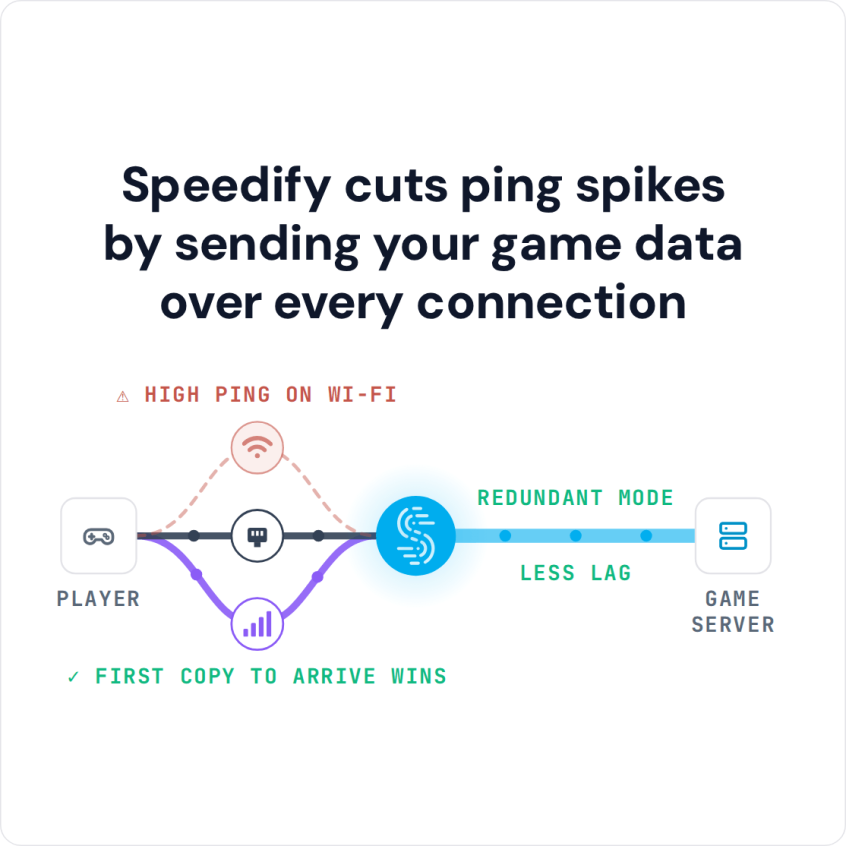
Speedify cuts ping spikes by sending your game data over every connection
This post covers why the DraftKings app stops working or slows down, what to check first, and how Speedify keeps the app responsive when it matters. One thing first: DraftKings checks your location before real-money contests and can reject connections that come through a VPN server. The site’s rules decide, so check them, and if DraftKings flags the connection, turn Speedify off while you play.
How to Keep the DraftKings App Loading with Speedify
- Download Speedify on your phone (iOS or Android).
- Open Speedify and create a free account (the free tier includes 5 GB per month), or sign in.
- Keep Wi-Fi on and turn on cellular data, so the phone has a second internet connection.
- Tap Connect. Speedify sends traffic over Wi-Fi and 4G/5G cellular at once and moves it to the working connection when one weakens.
- Open DraftKings and use it as usual. If its location check flags the connection, turn Speedify off while you play.
Why DraftKings Is So Slow or Not Working, and What to Check First
When the DraftKings app is not working, first check whether DraftKings itself is down (outage trackers and its social accounts report problems quickly). Then update the app, close and reopen it, and restart the phone. If the live stream in the app buffers and other apps are slow too, the connection is the problem: weak Wi-Fi at home, or a crowded network at a bar or stadium. That is where Speedify helps, by combining Wi-Fi with your phone’s 4G/5G cellular so the app keeps loading when one connection slows down. The same goes for Yahoo Fantasy Sports on game day.
Speedify
Get started with Speedify today.
Speedify combines Wi-Fi, 4G/5G cellular, Ethernet, Starlink and satellite into one faster, more reliable internet connection. Free to try: 5 GB a month with a free account. No credit card required.
🚀 Speed
Faster uploads and downloads, because Speedify uses all your internet connections at once.
📶 Stability
If one internet connection drops, Speedify moves your traffic to the others in milliseconds.
🔒 Security
AES-256 encryption on every internet connection, on any network you join.



15M+ downloads worldwide. 75K+ five-star reviews on iOS and Android.