



Which Routers Run Speedify, and How to Check Yours
Speedify runs on routers, not just phones and laptops, which lets it bond every connection for an entire network at once. The catch is that Speedify installs on a specific kind of router: one running OpenWrt or GL.iNet firmware on the right CPU. This guide explains what makes a router compatible in 2026, lists the device families that work, and shows how to confirm your own hardware before you buy or flash anything.
Once Speedify is on a compatible router, Speedify combines Wi-Fi, 4G/5G cellular, Ethernet, Starlink and other satellite into one connection for the whole LAN. Speedify’s channel bonding technology uses up to 95% of the combined capacity and fails over in under a second if a connection drops.
Should you have a backup 4G, 5G, Starlink, or cable internet connection?
Yes — every internet connection goes down, including Starlink, which drops for ~34 minutes a day on average. A backup connection from a different provider means one outage never takes you fully offline. The most common options are a 4G/5G cellular hotspot, a cable or DSL line, or a second satellite dish.
4G/5G cellular
Works anywhere. Just a SIM or hotspot — no installation needed.
Learn more →Cable / DSL
Best for fixed locations. Different network, so outages rarely overlap.
Learn more →Second Starlink
Adds redundancy and throughput for remote sites or heavy usage.
Learn more →Speedify bonds any two connections into one — automatic failover, more speed, no dropped calls.
Try free →Speedify Feature · Pair & Share
Cellular sharing that works better than a mobile hotspot.


Speedify Feature · Pair & Share
Speedify Pair & Share: share cellular between your devices, both ways
Most hotspots give. Speedify's Pair & Share gives and takes. Two devices running Speedify pair up and each uses the other's cellular connection simultaneously, so you both get faster uploads, faster downloads, and a steadier connection. No extra hardware, no new data plans, no setup beyond a tap.
Learn how Speedify's Pair & Share works ›More speed
Every device you pair with adds its cellular to yours, and yours to theirs.
Stays connected
If a paired device drops out, Speedify keeps you online on the remaining links.
Always private
Every shared connection runs through AES-256 encryption. Your traffic is yours.
No new gear
Runs on devices already running Speedify, over your local network. Pair once, reconnects automatically.



Speedify Router Compatibility at a Glance
| Router type | Runs Speedify? | Notes |
|---|---|---|
| OpenWrt on x86_64 (Intel or AMD) | Yes | OpenWrt 19.07 through 23.05; includes x86 mini-PCs |
| OpenWrt on aarch64 (Cortex A53 or A72) | Yes | Includes Raspberry Pi and Banana Pi boards |
| GL.iNet firmware on supported CPUs | Yes | Many GL.iNet models qualify out of the box |
| GL.iNet firmware on mipsel devices (e.g. Beryl MT1300) | Not directly | Flash mainline OpenWrt first, then run Speedify |
| MIPS processors | No | Not currently supported |
| DD-WRT firmware | No | Not currently supported |
| Stock vendor firmware (most consumer routers) | Not directly | Flash OpenWrt if the device is supported |
What Makes a Router Compatible with Speedify
Three things decide whether a router can run Speedify.
- The operating system. Speedify installs on OpenWrt or GL.iNet firmware. It does not run on stock vendor firmware or on DD-WRT.
- The CPU architecture. Speedify needs an x86_64 (Intel or AMD) or aarch64 (Cortex A53 or A72) processor. MIPS chips, common in older budget routers, are not supported.
- The OpenWrt version. Speedify has been tested on OpenWrt 19.07 through 23.05.
The authoritative, always-current list lives in Speedify’s supported routers article, and the full operating-system support matrix is in Speedify’s supported operating systems article.
Device Families That Run Speedify Today
In practice, most people run Speedify on one of a few hardware types: single-board computers like the Raspberry Pi and Banana Pi, small x86 mini-PCs acting as routers, and many GL.iNet travel and home routers. Each gives you a real router that bonds connections and still does everything a normal router does. For the hardware background, see Speedify’s guide to what a router is and how it works.
How to Check or Set Up Your Router
If your router already runs a supported OpenWrt or GL.iNet build, follow Speedify’s OpenWrt and GL.iNet setup guide to install Speedify over SSH. If it runs stock firmware, check whether the model is supported in the OpenWrt firmware selector, flash OpenWrt, then install Speedify. Running Speedify on a router also requires a Speedify Router License, separate from a personal subscription.
Software Bonding vs Dedicated Hardware
A Speedify router does in software what dedicated bonding appliances do in expensive single-purpose boxes: combine multiple WANs, fail over instantly, and prioritize real-time traffic. The difference is that you pick the hardware, the router still works as your everyday router, and every connection stays encrypted.
Routers That Run Speedify: FAQ
Can I run Speedify on any router?
No. Speedify needs a router running OpenWrt or GL.iNet firmware on an x86_64 or aarch64 CPU. Stock firmware, DD-WRT, and MIPS processors are not supported.
Does Speedify work on a Raspberry Pi?
Yes. The Raspberry Pi is one of the most common Speedify router platforms, since it uses a supported aarch64 CPU.
My GL.iNet router uses a mipsel chip. Can it run Speedify?
Not on GL.iNet firmware, but you can flash mainline OpenWrt onto supported mipsel devices and run Speedify that way.
Do I need a special license to run Speedify on a router?
Yes. A Speedify Router License is required, separate from a personal Speedify subscription.

Get started with Speedify today!
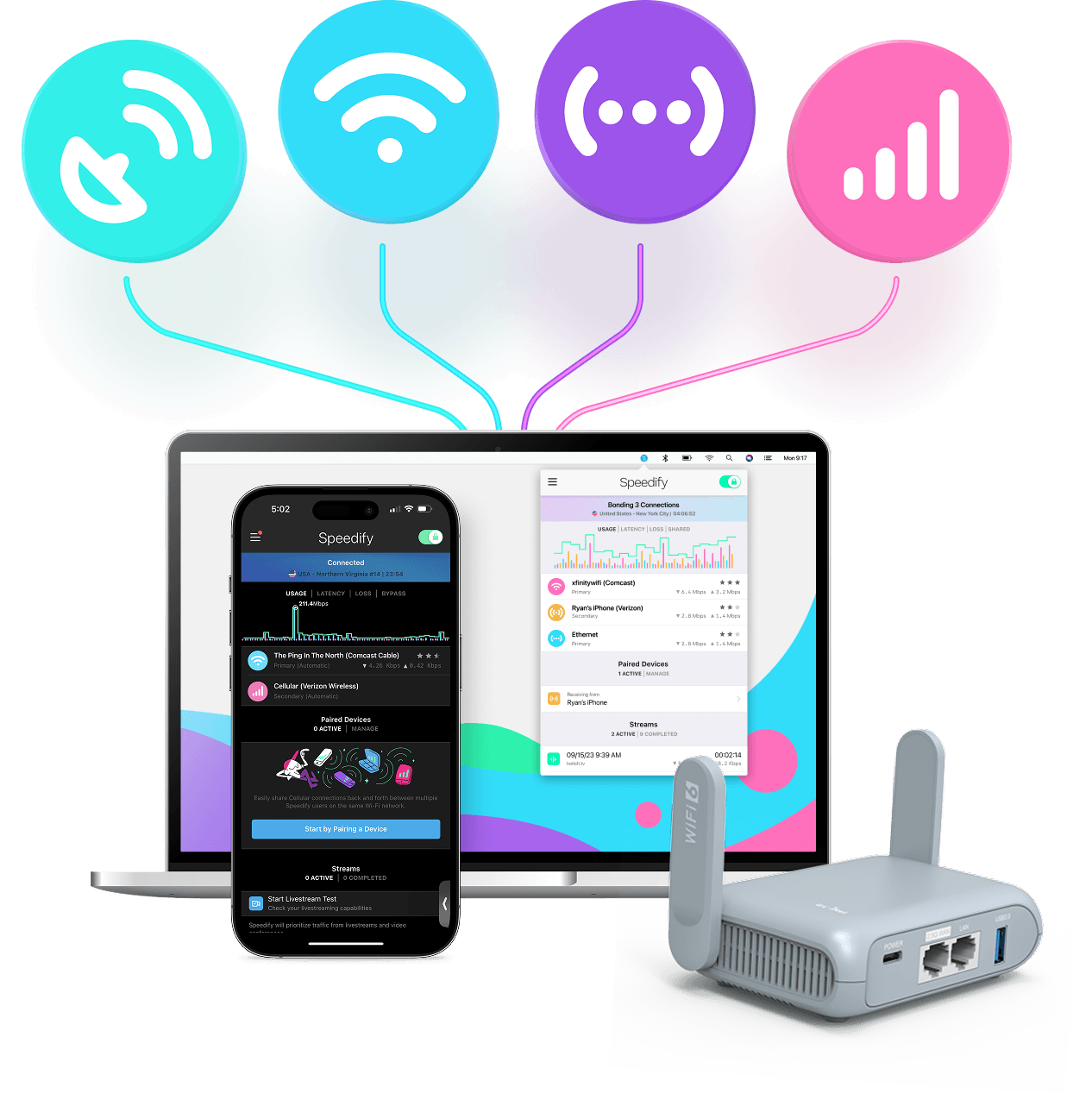
With Speedify you can combine Wi-Fi, 4G / 5G cellular, Ethernet, Starlink and other satellites into one bonded super-connection to improve livestreaming, video calling, gaming, web browsing, and everything else you do online.






Speed
Stability
Security
Speedify engineers love talking tech on YouTube, Tiktok, and Instagram!
Alex Gizis and the Speedify engineers discuss and explain technology including Starlink satellites, Wi-Fi 7 routers, Apple networking features, fiber optics, broadband internet, 5G mobile networks, AI, networking protocols, and much more. Follow Speedify on YouTube, TikTok, Instagram, and LinkedIn!
Alex and the Speedify team are always exploring the latest in networking and security technology—like 5G, 6G, WiFi 7, laser and satellite internet—and sharing it in new discussion content across YouTube, TikTok, Instagram, and LinkedIn every week.
Got a tech question? Let's go deeper! Pop into Speedify Office Hours live every Wednesday at 10 AM Eastern. Speedify CEO Alex Gizis and our network engineers are standing by to break down your questions about networks, tech updates, and Speedify features.

