
Are your iCloud backups Slow? Does Syncing to iCloud take forever?
An iCloud backup that never finishes is usually an upload problem. Backups run in the background over one connection, and phones are conservative about when they will use cellular data for them at all.
Speedify is an app that lets an iPhone or iPad back up over Wi-Fi and 4G/5G cellular data together, so the upload has more room and finishes instead of restarting.
Take a look at why iCloud backups and syncing take so long, the device setting that limits them, how Speedify speeds them up, and how safe your iCloud data actually is.
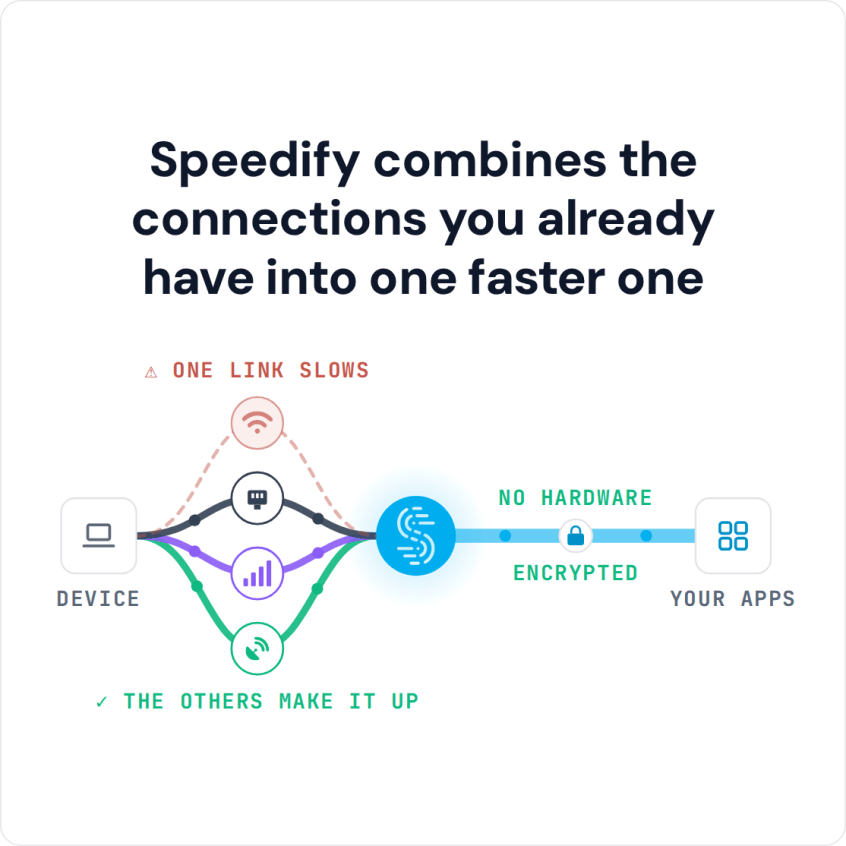
Speedify combines the connections you already have into one faster one
Your iOS Device is Set Up for Limited Connectivity
More often than not, the issue with slow iCloud is your internet connection. iOS devices are set up for limited connectivity. Your phone or tablet only connects to the internet through either its wifi or cell signal.
If you are have any signal disruptions, during a sync or backup, it will delay all iCloud activity. Your Photostream may not update, your videos may not transfer, and your backups may take hours, or even fail altogether. It doesn’t take much to disrupt the signal. Bad weather, heavy usage, or interference from other wireless devices can all weaken or disrupt your signal.
Each of these issues contributes to a painfully slow iCloud experience.
Speedify Solves Slow iCloud Problems
Speedify solves your slow iCloud issues by changing the defaults on your device for handling data. Instead of limiting your device to just wifi or just cell signal, Speedify allows your device to use both connections at the same time. This delivers lightning fast results. Pictures and even videos sync faster, backups run smoothly and finish quickly.
Speedify continuously monitors your internet connections and signal strength as it runs in the background. If one of your connections fails, Speedify uses its auto failover to reroute all the data traffic to the other internet connection until the first connection can safely be reestablished.
This means that a minor disruption in your wifi signal won’t cause your backup to crash or abort. When you are using Speedify, you may not even notice anything is wrong with the wifi because the app works to keep the data flowing and makes any connection transitions seamless.
Speedify uses its industry leading mobile VPN technology to make sure all your internet connected apps work as quickly as possible.
How Vulnerable is Your iCloud Data?
Speedify’s mobile VPN does more than just solve your slow iCloud problem. It also protects your device and your data from snoops and malicious hackers.
Your iCloud account contains a ton of data about you. If hackers got access to your iCloud account, they could cause you a lot of problems. Speedify protects you from compromised wifi networks and helps keep your iCloud data safe and secure through the use of cutting-edge digital encryption.
When you use Speedify to improve your iCloud performance, you are also taking an important step in protecting yourself from cyber threats.
If you want to get the most out of your device, fix your slow iCloud problems, and keep your data more secure, you need to download and run Speedify right away.
Speedify
Get started with Speedify today.
Combine Wi-Fi, 4G/5G cellular, Ethernet, Starlink, and more into one faster, steadier connection. Free to try — no credit card required.
🚀 Speed
Faster uploads and downloads by bonding all your connections at once.
📶 Stability
Automatic failover in under a second when any connection drops.
🔒 Security
AES-256 encryption on every connection, on every network you join.



15M+ downloads worldwide. 75K+ five-star reviews on iOS and Android.