
With the hopes of creating a nationwide public WiFi network, Comcast has been pushing new Xfinity WiFi routers into its customers’ homes that broadcast a public wireless network in addition to the home Internet connection. It’s an interesting idea that has been embraced by some, but has raised questions about security with others. For a bandwidth-obsessed engineer, the obvious question was where the heck the extra bandwidth for the public hotspot was coming from, and what hidden electricity costs might come with it.
The Speedify team ran some tests with one of these dual-signal routers in the office, and found that it was indeed costing Xfinity customers several dollars extra per month to support the public hotspot with this particular router. Not a huge deal on the individual level, but when multiplied out by Comcast’s millions of residential customers, it seemed like subscribers might potentially be footing a bill in the tens of millions to roll out the ISP’s public WiFi network. A few weeks ago, Speedify published a blog post with the findings, and it must have tickled the beast, because within an hour or two, Comcast was on the phone.
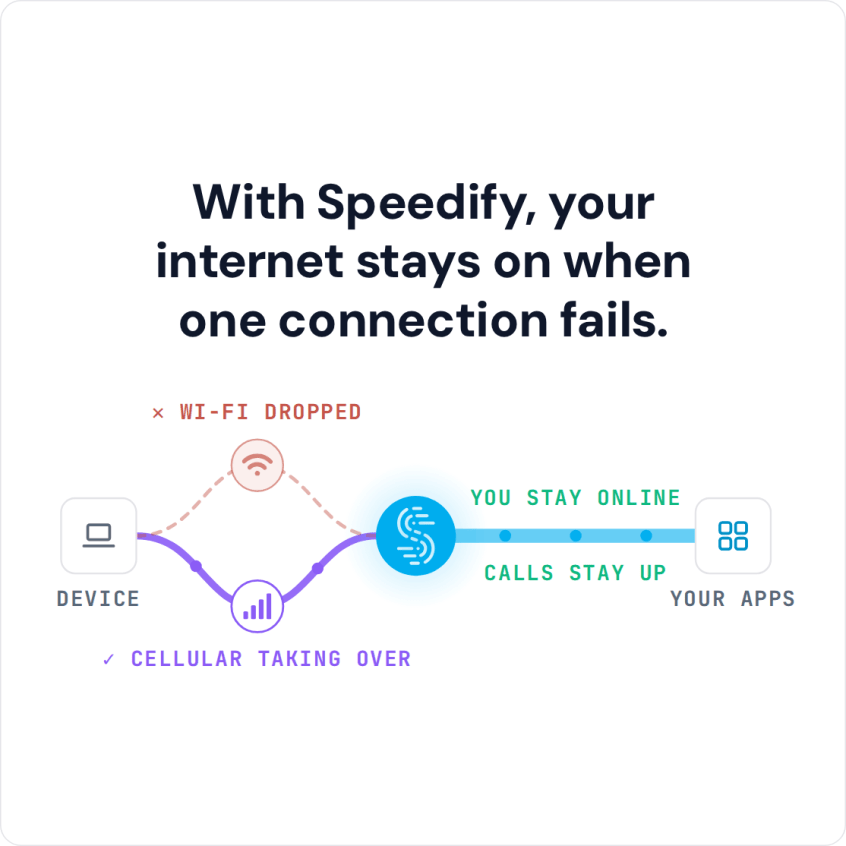
With Speedify, your internet stays on when one connection fails.
Comcast Calling
You rent a router from Comcast, and it quietly broadcasts a second public Wi-Fi network on top of your own home connection, powered by your electricity, running through your hardware, and open to anyone walking past. Comcast says it costs you nothing. Speedify rented one and measured it.
Speedify is an app for your phone, computer or tablet that uses more than one internet connection at the same time (your home Wi-Fi and your phone’s 4G/5G cellular together, for instance), so a router busy serving strangers stops being the thing that decides how fast your uploads and downloads run. On the home connection alone, Speedify works as an encrypted VPN and cannot make that connection faster. This post covers what the measurements showed and what the rental really costs.
Comcast Asked Speedify to Retest with Its Newer Router
After that post, Comcast told Speedify the test had not used its latest home router and offered the newest model for a retest. A few days later, an Xfinity technician replaced the old hardware with a Cisco DPC3939B (the XB3 is the residential version; the office got the BWG business version). According to Comcast, the business and home versions are the same hardware running slightly different software.
The new Xfinity router replaces four separate components the office used before:
- Cable modem for the Xfinity Hotspot
- Wi-Fi access point for the Xfinity Hotspot
- Cable modem gateway for the business account
- Linksys access point the office supplied
The DPC3939B packs a lot into one box, but it is also about the size of those four components taped together.
The Data
Most importantly, the power usage of this box is certainly different than the older devices:
| Amps | Vrms | PF | KWh | KWh / year | Cost in Middle Atlantic (2013) | |
| Idle | 0.22 | 122 | 0.56 | 0.015 | 131 | $21.28 |
| Xfinity Under Load | 0.28 | 122 | 0.56 | 0.019 | 174 | $29.05 |
It Uses a Lot of Power Just Sitting There
The idle power is as high as the peak power from the old devices Speedify complained about last time. Meanwhile, the new router under Xfinity public WiFi load only translates to about $8 extra in electricity costs per year, which no longer seems like much next to the $20-28 per year it’s pulling while idle. The bottom-line is that the new box uses more electricity than a traditional router, but it’s worth noting that the new router is a combination of all the separate hardware components you used to need to get online. Maybe this points to a shift in how people think about routers themselves. Clearly, WiFi routers have become as necessary and ubiquitous an appliance in the home as your refrigerator or microwave. If they haven’t already, the electricity costs will just become part and parcel with the general necessities of modern living.
But, There’s More…
After testing out the new Xfinity router, the team used it as the office’s main Internet connection to see how well it actually worked. That’s when the trouble started… Google Talk sessions were getting disconnected and Hangouts were being cut off mid-stream. It took hours on the phone, and multiple visits from Comcast techs to discover that IPv6, which was turned on by default in the router, did not work with Google. Oops.
But even with IPv6 deactivated, the Internet still seemed slow. The team discovered that the router’s firewall, which was ‘inactive’ in the control panel, was actually logging hundreds of thousands of discarded packets from inside the office network. It seems like there’s still some ways to go in making sure the new Xfinity routers are stable. Monitoring the connection also showed that the box rebooted itself twice over the weekend, and once more the next morning (one of them was Comcast updating the software, which is good news).
Ultimately, this is the 1.0 version of the new Xfinity router, and that is understandable. It takes time and iteration to make sure a new product is working smoothly for all users. Despite these reservations, the public hotspot idea is an innovative one, but one that’s not quite there yet. Walt Mossberg put it well while discussing open home WiFi in a post for re/code a few days ago: “Companies like Comcast…are moving in the right direction. But there are strings attached.”
Speedify
Get started with Speedify today.
Speedify combines Wi-Fi, 4G/5G cellular, Ethernet, Starlink and satellite into one faster, more reliable internet connection. Free to try: 5 GB a month with a free account. No credit card required.
🚀 Speed
Faster uploads and downloads, because Speedify uses all your internet connections at once.
📶 Stability
If one internet connection drops, Speedify moves your traffic to the others in milliseconds.
🔒 Security
AES-256 encryption on every internet connection, on any network you join.



15M+ downloads worldwide. 75K+ five-star reviews on iOS and Android.