
Speedify Turns a Second Starlink Dish into More Speed and a Real Backup, Not Just a Spare
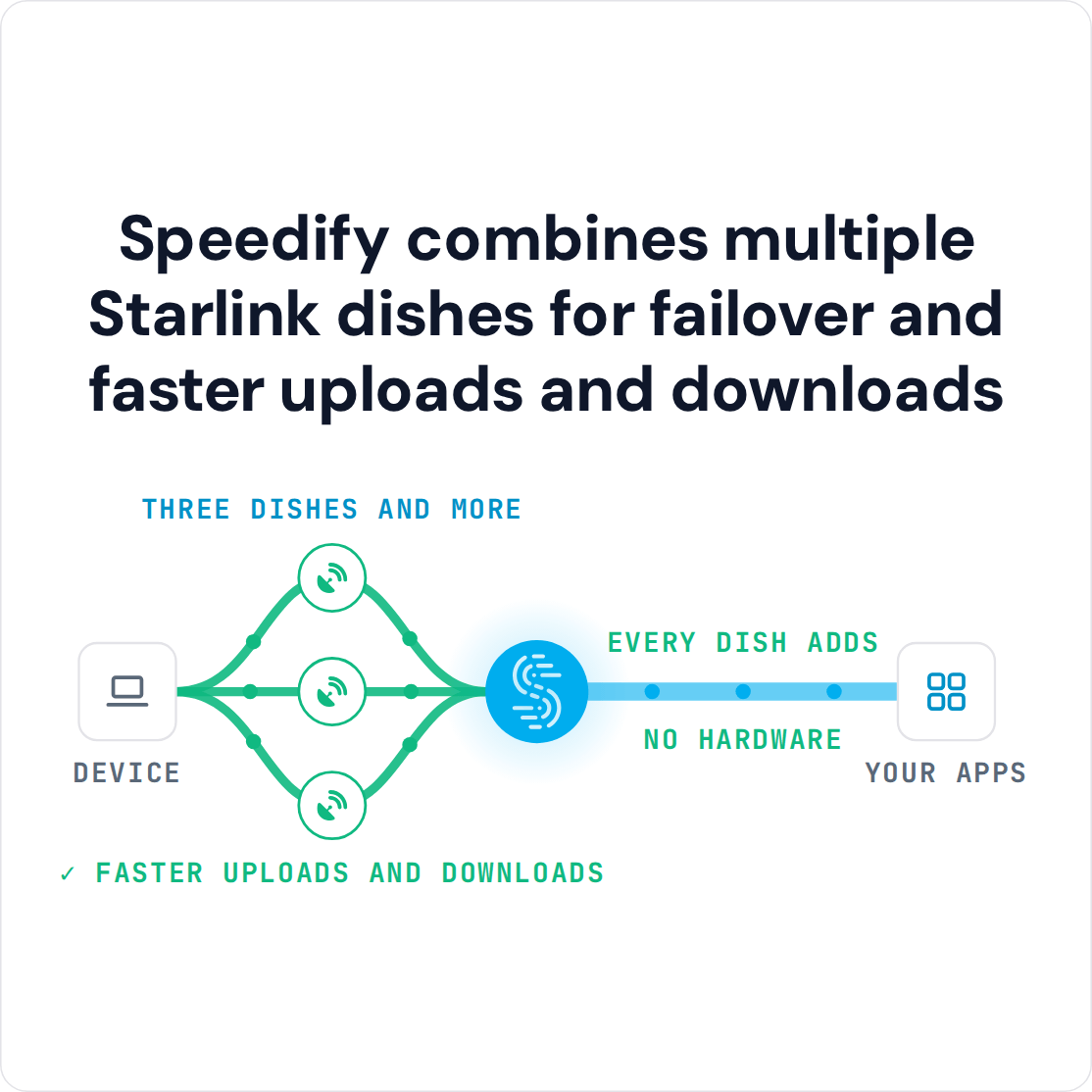
Install a second Starlink dish for faster downloads and uploads and fewer dropouts every day, not just as a spare. Used together with Speedify, both Starlink dishes carry your traffic at the same time, so you get nearly the full speed of both and stay online when one drops.
Set up on its own, a second Starlink dish is a separate internet connection you switch to by hand when the first one fails, and it earns its cost only on the rare day something breaks. A second dish covers drops from something blocking one dish or a dish failing, but not the short dropout at each satellite switch, which hits both dishes at once: 4G/5G cellular covers those. With only one Starlink dish, Speedify works as an encrypted VPN and cannot stop it from dropping. Here are six reasons to install a second Starlink dish, and how Speedify makes both Starlink dishes work together.
Starlink Internet Connection Dropouts Happen to Everyone
Speedify measures thousands of Starlink users in more than 150 countries. From 29 September to 12 October 2026, fixed Starlink dishes went offline for about 37 minutes a day on average, and Starlink dishes on RVs and boats for about 61 minutes a day.
Starlink also switches each dish to a new satellite every 15 seconds, and a switch can cause a short dropout. Even a perfectly installed Starlink dish goes offline, and about 7 in 10 Starlink users on Speedify use Starlink together with a second internet connection, like 4G/5G cellular.
6 Reasons to Install a Second Starlink Dish and Use Both at Once
- More download and upload speed. Speedify uses both Starlink dishes for the same download or upload, so you get nearly the full speed of both combined, instead of one Starlink dish sitting idle.
- Cover for short drops. Your Starlink dish moves to a new satellite about every 15 seconds, and a tree or roofline partly in the way adds more short drops. With two Starlink dishes in different spots, something blocking one rarely blocks the other, and Speedify carries your traffic on the clear one. Satellite switches happen on both Starlink dishes, so for those a 4G/5G cellular connection gives you more cover. More on that in how Speedify prevents disconnections from Starlink satellite switches.
- A spare when the hardware fails. With one Starlink dish, one Starlink router and one power supply, any single failure takes you offline until a replacement arrives, which can take days in a rural area. A second Starlink dish keeps you online.
- Less trouble from bad weather. Heavy rain weakens the signal of both Starlink dishes, but with two you have the speed of both to fall back on, and snow piling up on one Starlink dish doesn’t take you offline.
- More open sky. Two Starlink dishes mounted in different spots see around trees, hills and rooflines that would block one.
- More room at busy times. When the Starlink network near you is busy in the evening, the combined speed of two Starlink dishes leaves more room for video, uploads and calls.
How Two Starlink Dishes Work at Once
Speedify uses all your internet connections at the same time. It splits your traffic across both Starlink internet connections, so the two Starlink dishes work as one faster internet connection. If a Starlink dish drops out because something blocks it, or because it breaks, Speedify moves all your traffic to the other Starlink dish, so what you’re doing keeps going. Speedify also encrypts everything you send, over both Starlink dishes.
Both Starlink dishes still use the same Starlink network, so an outage of the whole Starlink network takes both down. A 4G/5G cellular connection added to Speedify keeps you online even then.
Three Situations Where a Second Starlink Dish Pays Off
A family living full time in an RV. The family parks where the cell signal is weak or gone. One Starlink dish handles a calm evening, but trees and a passing storm can cut it off. Two Starlink dishes used together with Speedify, mounted in different spots, keep school, work and streaming going as the family moves.
An event photographer. A photographer shooting a wedding at a remote venue has to send the photos to the client the same day. Upload speed is what holds things up, and one dropped internet connection means a failed upload. Two Starlink dishes used together with Speedify add up their upload speed and keep the upload going if one Starlink dish stalls.
An emergency response team. A team setting up in a flood or fire zone has no local internet to rely on. One Starlink dish going down isn’t an inconvenience there: it cuts off communication in the middle of a crisis. Two Starlink dishes used together with Speedify keep maps, dispatch and coordination online when one Starlink dish fails.
How to Set Up a Second Starlink Dish with Speedify
You need a second Starlink subscription, a computer or a router that works with Speedify that can connect to both Starlink dishes, and Speedify installed on it. Connect both Starlink dishes, set each Starlink internet connection to Primary in Speedify, and Speedify starts using both right away. With both Starlink dishes carrying your traffic, you get faster downloads and uploads and stay online when one Starlink dish drops, so the second Starlink dish you bought for emergencies earns its keep every day.
For businesses and field teams: Speedify can combine the Starlink dishes and cellular connections at each of your sites and in each vehicle. Contact Us to plan the setup for your team.
For individuals and families: Download Speedify to use both Starlink dishes at the same time.
Speedify
Get started with Speedify today.
Speedify combines Wi-Fi, 4G/5G cellular, Ethernet, Starlink and satellite into one faster, more reliable internet connection. Free to try: 5 GB a month with a free account. No credit card required.
🚀 Speed
Faster uploads and downloads, because Speedify uses all your internet connections at once.
📶 Stability
If one internet connection drops, Speedify moves your traffic to the others in milliseconds.
🔒 Security
AES-256 encryption on every internet connection, on any network you join.



15M+ downloads worldwide. 75K+ five-star reviews on iOS and Android.