
How to Live Stream from Sports Events Without Internet Issues: Use Speedify to Combine Multiple Phones’ Personal Hotspots at the Same Time
A packed stadium is one of the hardest places to broadcast from – a few thousand phones in the stands share the same cell towers and the same venue Wi-Fi, so the upload speed your camera feed needs vanishes right as the game starts.
Speedify is an app that sends one stream over several internet connections at once, such as your phone’s Wi-Fi and its 4G/5G cellular data together, so a crowded tower cannot take the broadcast down by itself. But if cellular data is also slow, you can also use Speedify to create a pool of multiple phone hotspots so everyone gets faster and more reliable internet. Below you will find why venues choke uploads, and how using Speedify’s cellular sharing feature to pair your phone with the phones beside you pools their cellular data for extra upload room.
Reasons Why Live Streaming from Sports Events Is Challenging
In order to live stream from sports events, you need Internet connectivity that you can rely on. Here are a few reasons why you usually don’t get that by only using one connection:
- 4G / 5G cellular network congestion – if there are a lot of other people live streaming the event, sending video files to family or communicating with others by video calls, the limited bandwidth available will be even smaller.
- Crowded Wi-Fi hotspot – same as above – if there is a public Wi-Fi hotspot available in the area, it will most likely be crowded by all the people trying to do the same thing as you – live stream from sports events.
That’s why it’s important to use Speedify to combine multiple Internet connections – if one of them becomes sub-par, Speedify enables the others to compensate it and provide fast, reliable and secure connectivity.
Speedify: a Must Have when Live Streaming from Sports Events to Get Faster, More Reliable and Secure Internet Connectivity
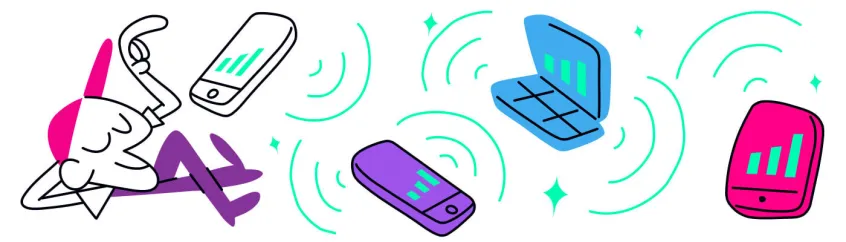
The easiest way for this is to use Speedify’s Pair & Share functionality. This allows you to combine multiple personal hotspots together to increase internet upload and download speeds for everyone.
Speedify’s Pair & Share is a new kind of personal hotspot. Instead of just one device sharing its internet, all paired devices can both share and receive connections at the same time.
Here’s what you need to do in order to use Speedify’s Pair & Share functionality,:
- Get the Speedify app on all your devices and connect to the same Wi-Fi network. This can be created by one of your devices or you can use a public Wi-Fi network.
- Make sure you have Pair & Share enabled on all devices. Start by pairing a device to share and receive.
- You are now taking advantage of both your and others’ Internet connectivity for faster, more reliable and secure Internet while live streaming from sports events.
Traffic between devices is fully encrypted, and you always maintain full control over which devices can do what – set permissions, limits, or unpair from other devices at any time.
For more details, check out our knowledge base article series on Pair & Share.
Speedify’s Pair & Share Functionality Helps You Fix Slow and Unreliable Wi-Fi or 4G / 5G Cellular for Live Streaming from Sports Events
Forget about Internet issues: as long as you have more than one phone to help, preferably from a different carrier, then you should be all good when using Speedify to join all available connections with the Pair & Share functionality.
Related reading:
Speedify
Get started with Speedify today.
Combine Wi-Fi, 4G/5G cellular, Ethernet, Starlink, and more into one faster, steadier connection. Free to try — no credit card required.
🚀 Speed
Faster uploads and downloads by bonding all your connections at once.
📶 Stability
Automatic failover in under a second when any connection drops.
🔒 Security
AES-256 encryption on every connection, on every network you join.



15M+ downloads worldwide. 75K+ five-star reviews on iOS and Android.