
Stuck with slow Wi-Fi at a coffee shop, hotel, or home? Run Wi-Fi and 4G/5G cellular at the same time for faster upload and download speeds and a connection that stays online even if one drops out.
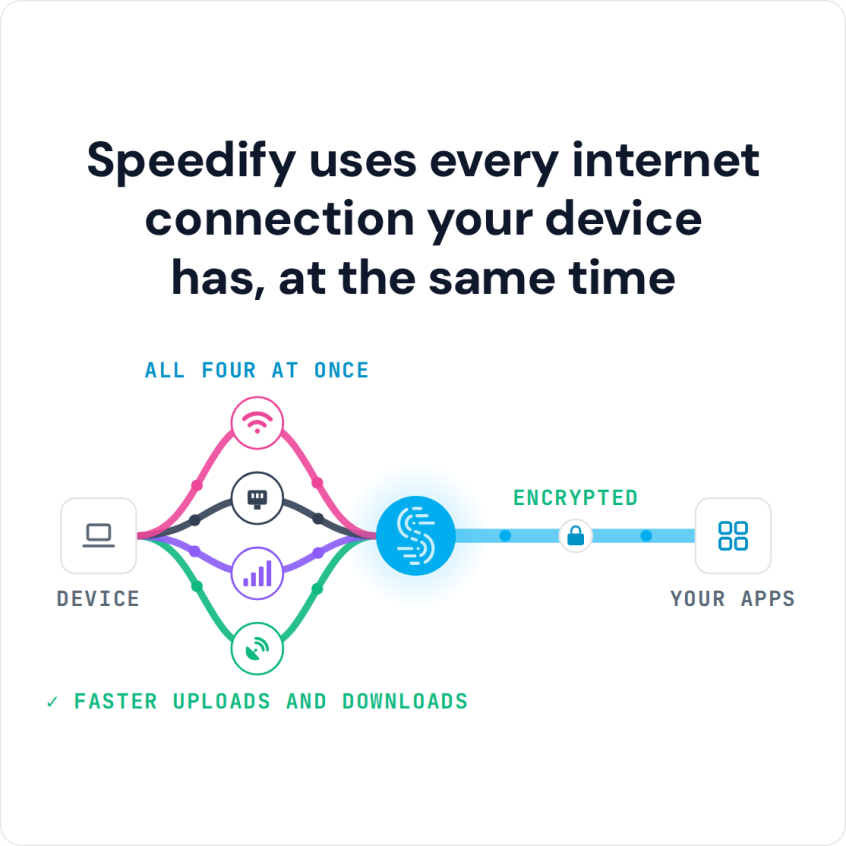
Speedify is an app that combines two or more internet connections at once, such as your computer’s Wi-Fi and a tethered phone’s 4G/5G cellular, and splits your traffic across both. Speedify runs on Windows and macOS.
Speedify uses every internet connection your device has, at the same time
To combine Wi-Fi and 4G/5G cellular on your computer, first add a second internet connection in one of these ways:
- Tether your smart phone: your phone is probably in your pocket with a 4G/5G cellular plan. Connect the phone to your computer with a USB cable and turn on Personal Hotspot (iPhone) or USB tethering (Android) to share its internet connection. HowToGeek has quick guides for iPhones and Android devices. Android USB tethering does not work on a current Mac: the HoRNDIS driver it needs stops at macOS 10.14 Mojave, and Speedify needs macOS 11.5 or later, so on a Mac, tether an iPhone instead.
- Connect to a mobile 4G/LTE/5G modem, or USB adapter: if you have a MiFi device or a portable 4G/5G dongle, connect it to your computer with its USB or Ethernet cable. Here is how to connect a 4G/5G dongle to a laptop.
- Join a second Wi-Fi network: if another Wi-Fi network is in range, add a second Wi-Fi adapter to your computer (USB versions are inexpensive) and connect to it too. On a Mac, USB Wi-Fi adapters only work on an Intel Mac running macOS 11 Big Sur (Speedify needs 11.5 or later). See the guide to joining two Wi-Fi networks at once.
Once you have two or more internet connections, download Speedify to get started. After you install and open Speedify, it combines your active connections automatically. If you tether a phone, you can set a data limit on the 4G/5G cellular connection to avoid overage fees from your mobile carrier.
How do I use WiFi and 4G/5G cellular at the same time with Speedify?

Pick your two internet connections and your device below and we'll take you to the step-by-step setup guide.


Speedify
Get started with Speedify today.
Combine Wi-Fi, 4G/5G cellular, Ethernet, Starlink, and more into one faster, steadier connection. Free to try — no credit card required.
🚀 Speed
Faster uploads and downloads by bonding all your connections at once.
📶 Stability
Automatic failover in under a second when any connection drops.
🔒 Security
AES-256 encryption on every connection, on every network you join.



15M+ downloads worldwide. 75K+ five-star reviews on iOS and Android.