
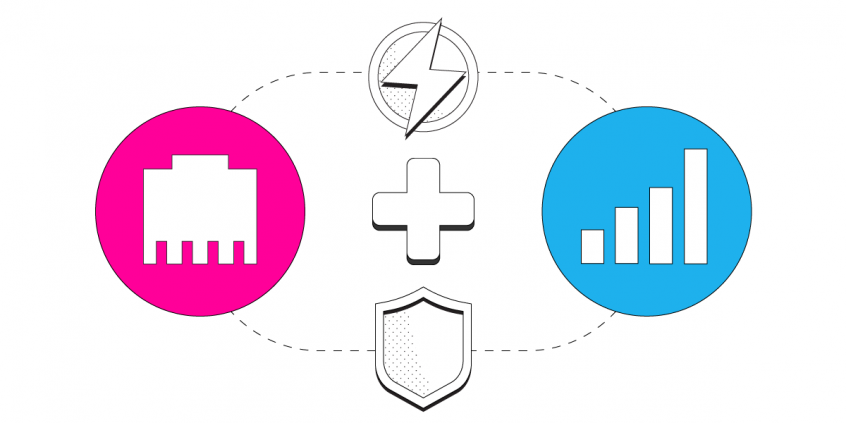
How to Combine Ethernet and 4G/5G Mobile Data on Your PC or Mac with Speedify

Setting up your Mac or PC to use a 4G or 5G mobile broadband card and Ethernet at the same time is a very simple task. In fact, any computer running Windows 10+ or Mac OS 10+ can connect to any combination of available Internet connections. In most cases, setting up multiple Internet connections on your computer doesn’t even require any extra hardware.

If you’re trying to connect multiple Internet connections for faster speeds, note that your various connections must come from different Internet sources. For example, Wi-Fi and Ethernet networks that are connected to the same router cannot be combined for increased bandwidth using channel bonding applications like Speedify, because they both share the same upstream network.

Should you have a backup 4G, 5G, Starlink, or cable internet connection?

Yes — every internet connection goes down, including Starlink, which drops for ~34 minutes a day on average. A backup connection from a different provider means one outage never takes you fully offline. The most common options are a 4G/5G cellular hotspot, a cable or DSL line, or a second satellite dish.

Speedify bonds any two connections into one — automatic failover, more speed, no dropped calls.

Try free →

Speedify Feature · Pair & Share

Cellular sharing that works better than a mobile hotspot.

Speedify Pair & Share in action at a baseball stadium — 26.1 Mbps across 6 shared connections
Live  Your phone · bonded across Wi-Fi, cellular, and 2 paired devices
YOUR PHONE Your traffic, split BONDED · 107 Mbps LANES · 4 · 2 PAIRED DROPS · 0 Wi-Fi Your network 40 Mbps Cellular AT&T 22 Mbps Friend 01 PAIRED · Verizon 26 Mbps Friend 02 PAIRED · T-Mobile 19 Mbps SPEED SERVER Reassembles your bonded session NET 107 Mbps
Your own Wi-Fi and cellular Paired devices, shared both ways Bonded and reassembled at the Speed Server

Speedify Feature · Pair & Share

Speedify Pair & Share: share cellular between your devices, both ways

Most hotspots give. Speedify's Pair & Share gives and takes. Two devices running Speedify pair up and each uses the other's cellular connection simultaneously, so you both get faster uploads, faster downloads, and a steadier connection. No extra hardware, no new data plans, no setup beyond a tap.

Learn how Speedify's Pair & Share works ›

More speed

Every device you pair with adds its cellular to yours, and yours to theirs.

📱

Stays connected

If a paired device drops out, Speedify keeps you online on the remaining links.

🔒

Always private

Every shared connection runs through AES-256 encryption. Your traffic is yours.

🎉

No new gear

Runs on devices already running Speedify, over your local network. Pair once, reconnects automatically.

How do I use Wi-Fi and 4G/5G cellular at the same time with Speedify?

Pick your two internet connections and your device below and we'll take you to the step-by-step setup guide.

I want to combine

Use the selectors below to find the setup guide for your exact combination of connections.

Or view articles for

Get started with Speedify today

Free to try on every device. No credit card required.

15M+ downloads worldwide · 75K+ five-star reviews · 500TB+ bonded per week

Step 1: Connect Your Ethernet Cable

Find your PC or Mac’s Ethernet port and connect the Ethernet cable. If your computer doesn’t have a built-in Ethernet port, you can use a low-cost USB-to-Ethernet adapter.

Step 2: Connect Your 4G or 5G Mobile Broadband Card

Refer to your mobile broadband provider’s instructions to connect your mobile Internet device to your computer. If your device is a USB dongle and you’ve already installed the appropriate drivers on your computer, you can simply plug in your 4G or 5G card. For a mobile hotspot device, just connect to your computer’s Wi-Fi as you normally would.

Step 3: Combine Ethernet and 4G or 5G with Speedify

Now that you have both Ethernet and your 4G or 5G mobile broadband network connected to your computer simultaneously, you might want to combine both for faster and more reliable Internet. This is where Speedify comes in. Speedify is a cloud service for Mac & PC users that combines all the Internet connections available to your computer to create a single fast super-connection.

To get started with Speedify, simply download it here. Then, log into your Speedify trial using the email and password combination we emailed to you, and once Speedify is running, you’ll see both Ethernet and mobile broadband connections detected. That means you’re using both for their combined speed and reliability.

Image

Get started with Speedify today!

With Speedify you can combine Wi-Fi, 4G / 5G cellular, Ethernet, Starlink and other satellites into one bonded super-connection to improve livestreaming, video calling, gaming, web browsing, and everything else you do online.

Download Speedify
Download Speedify on the Apple App StoreGet Speedify on the Google Play Store

Speed

Get faster uploads and downloads for everything you do online.

Stability

Avoid buffering and disconnects while streaming, gaming, and browsing.

Security

Keep your personal data safe from hackers, snoops and cyber criminals

Speedify engineers love talking tech on YouTube, Tiktok, and Instagram!

Alex Gizis and the Speedify engineers discuss and explain technology including Starlink satellites, Wi-Fi 7 routers, Apple networking features, fiber optics, broadband internet, 5G mobile networks, AI, networking protocols, and much more. Follow Speedify on YouTube, TikTok, Instagram, and LinkedIn!

Alex and the Speedify team are always exploring the latest in networking and security technology—like 5G, 6G, WiFi 7, laser and satellite internet—and sharing it in new discussion content across YouTube, TikTok, Instagram, and LinkedIn every week.

Got a tech question? Let's go deeper! Pop into Speedify Office Hours live every Wednesday at 10 AM Eastern. Speedify CEO Alex Gizis and our network engineers are standing by to break down your questions about networks, tech updates, and Speedify features.

Image

