
Use Speedify to Increase Your Bandwidth with 2 Wireless Connections from 2 Different Sources: Starlink, 4G / 5G Mobile Hotspot, DSL
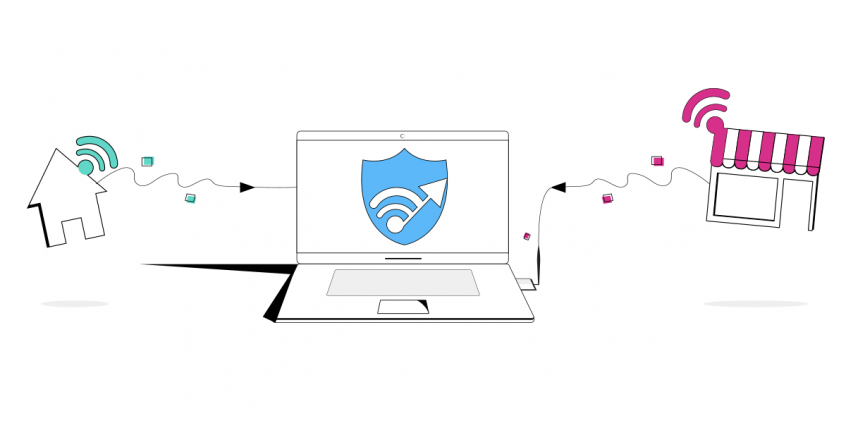
You can always boost your slow and unreliable Internet connectivity: combine it with another Internet source like another Starlink, 4G, 5G, DSL. Whether at home, work, or on-the-go, Speedify works with all live streaming software and social platforms to get you faster, more reliable and secure Internet.
In this article we'll show you how you can use the Speedify app to connect to multiple Wi-Fi networks simultaneously and get faster, more reliable Internet.
Step One: Connect to Your Primary Wi-Fi Network
Just connect your Mac or PC to Wi-Fi like you normally would using your computer’s internal Wi-Fi card.
Step Two: Connect to Your Secondary Wi-Fi Network
Since most computer’s today only come equipped with a single Wi-Fi card, you’ll need to purchase a low-cost USB Wi-Fi adapter to connect to a secondary Wi-Fi network. Once you plug in the USB Wi-Fi adapter, you should be able to choose and connect to another wireless network from the connections pane on your PC. On a Mac this can be a little tricky, because OS X does not support external adapters natively. So you’ll have to install a third-party wireless manager. Once both adapters are connected to separate Wi-Fi networks, you’re ready to go!
Step Three: Combine Two Wi-Fi Networks with Speedify
Now that you have both Wi-Fi networks connected to your computer, you’ll need Speedify to actually use them simultaneously. Speedify is the only app that combines all of your Internet connections to keep you online when it matters most. It works on iOS, Android, Mac, PC, Linux and routers to bond all the Internet connections available into a single fast and reliable super-connection. Moreover, it also keeps your private information safe and protects you from snooping ISPs, hackers, and other cyber threats.
To get started with Speedify, simply download and install the software on your device. Once Speedify is running, you’ll see both Wi-Fi connections detected. That means you’re using both for their combined speed and reliability.
Don’t let the bandwidth of an additional Wi-Fi network in the proximity go to waste – use them both with Speedify! Get started now for FREE – no strings attached, no email sign-up necessary!





Speed
Stability
Security
Speedify devs love talking tech on YouTube, Tiktok, and Instagram!
Alex Gizis and the Speedify devs discuss and explain technology including Starlink satellites, Wi-Fi 7 routers, Apple networking features, fiber optics, broadband internet, 5G mobile networks, AI, networking protocols, and much more. Follow Speedify on YouTube, TikTok, Instagram, and LinkedIn!
Alex and the Speedify team are always exploring the latest in networking and security technology—like 5G, 6G, WiFi 7, laser and satellite internet—and sharing it in new discussion content across YouTube, TikTok, Instagram, and LinkedIn every week.
Got a tech question? Let's go deeper! Pop into Speedify Office Hours live every Wednesday at 10 AM Eastern. Speedify CEO Alex Gizis and our network engineers are standing by to break down your questions about networks, tech updates, and Speedify features.
