
Already Have Bonded DSL Installed and Looking for a Good Modem?
Instead of buying an expensive bonded DSL modem/router, you can turn a computer you already own into one that combines two or more DSL lines for more bandwidth and a connection that stays up if one line drops. The tool that does this is Speedify, software that bonds two or more internet connections at once for faster upload and download speeds and automatic failover.
This guide shows how to set it up and share the bonded connection to your other devices over Wi-Fi or Ethernet.
Speedify runs on the router and bonds the connections for everything behind it
How do I use WiFi and 4G/5G cellular at the same time with Speedify?

Pick your two internet connections and your device below and we'll take you to the step-by-step setup guide.


What is Broadband Bonding and Bonded DSL?
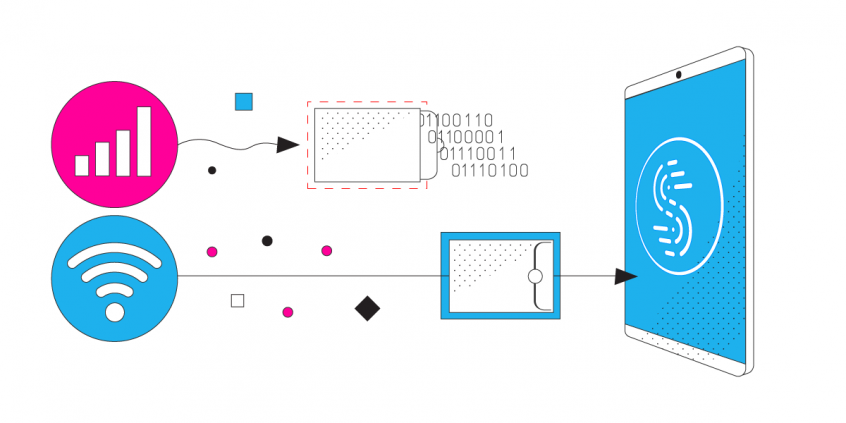
Broadband bonding takes two or more separate Internet connections and combines them together into a single, incredibly fast pipe. You can combine any type of connections together.
In our case of bonded DSL, you can combine two or more ADSL or VDSL connections to get a pipe much faster that either of them could ever offer. With only one DSL line, you can combine ADSL with 4G/5G instead.
When you use a bonded DSL modem wireless router, your connected devices will treat all connections as a single link to the Internet. You can effectively multiply your bandwidth.
This means you never have to deal with buffering videos or music. You never have connection issues. You don’t have to worry about your neighbors taking up too much bandwidth when you use broadband bonding.
Why Speedify Channel Bonding Software Is Better than Bonding DSL Modem Wireless Routers
Bonded DSL modem wireless routers are dedicated networking devices that connect to ADSL or VDSL connections from Internet service providers and manage to use them at the same time for their aggregated bandwidth. However, there are a few caveats you should consider if you’re looking for such a device:
- compatibility with your ISP
- supported protocols
- frequency of firmware upgrades
- how easy it is to configure them
- cost
Speedify is a software-based solution for bonded DSL connections. Instead of buying an expensive piece of hardware, you can download Speedify for free on iOS, Android, Windows, and Mac devices. Just connect your computer to the available DSL connections and Speedify will do its combining job.
How to Turn Your Computer into a Bonded DSL Modem Wireless Router
Share the combined super-pipe via WiFi to all your devices. Turn your PC into a bonded DSL modem wireless router.
Here are the steps you need to take:
- Get all your ADSL / VDSL connections active on a Windows PC. You may connect one DSL connection via Wi-Fi and the other via wired Ethernet to your PC. If you have more, you can use USB Wi-Fi adapters.
- Run Speedify to combine DSL connections
- Run Connectify Hotpot to share the bonded DSL connection via Wi-Fi to your other devices.
Speedify
Get started with Speedify today.
Combine Wi-Fi, 4G/5G cellular, Ethernet, Starlink, and more into one faster, steadier connection. Free to try — no credit card required.
🚀 Speed
Faster uploads and downloads by bonding all your connections at once.
📶 Stability
Automatic failover in under a second when any connection drops.
🔒 Security
AES-256 encryption on every connection, on every network you join.



15M+ downloads worldwide. 75K+ five-star reviews on iOS and Android.