
Two Drone Data Streams With Different Connectivity Needs
Drone-in-a-box connectivity splits into two kinds of data that share almost nothing. Telemetry from the autopilot (position, attitude, battery, radio status) runs at a few kilobytes per second. Telemetry goes stale within seconds and needs a live cellular connection during the flight. Imagery from the camera runs to gigabytes per flight, often more than a cellular uplink can send while the drone is in the air. Imagery is just as useful the next morning, so full-resolution files wait for base Wi-Fi.
A drone-in-a-box system keeps the drone in a weatherproof dock and flies scheduled missions with nobody on site. Every operator of such a system faces the same split: data needed now, and data able to wait for the dock.
The short version: send telemetry and a low-resolution preview live over every available internet connection. Queue full-resolution imagery for base Wi-Fi. Leave flight control and the lost-connection failsafe on the autopilot. Beyond-visual-line-of-sight (BVLOS) approval is a separate regulatory question that no network answers.
This article covers how the split works, with rough numbers, and where a second cellular carrier fits. The article also shows how Speedify combines the internet connections on the drone’s companion computer. Speedify is software that combines every network a machine can reach (Wi-Fi, 4G/5G cellular, Ethernet, Starlink and satellite) into one connection. Speedify runs on the companion computer beside the mission software.
Why the Dock Is the Easy Part of Drone-in-a-Box Connectivity
The dock has power and a fixed backhaul; the drone in flight has neither. A dock usually connects over Ethernet, fiber, site Wi-Fi or a cellular router on a mast. In flight, the payload budget limits every radio and antenna on board. The inspection route goes wherever the asset goes, including the edge of cellular coverage.
At the edge of coverage, no single carrier is strongest along a whole route. A route along a pipeline or a transmission line can pass from good coverage on one carrier to good coverage on another within a few minutes. Altitude changes the picture again, because cell tower antennas tilt down toward the ground.
What Goes Live Over Cellular During an Inspection Flight
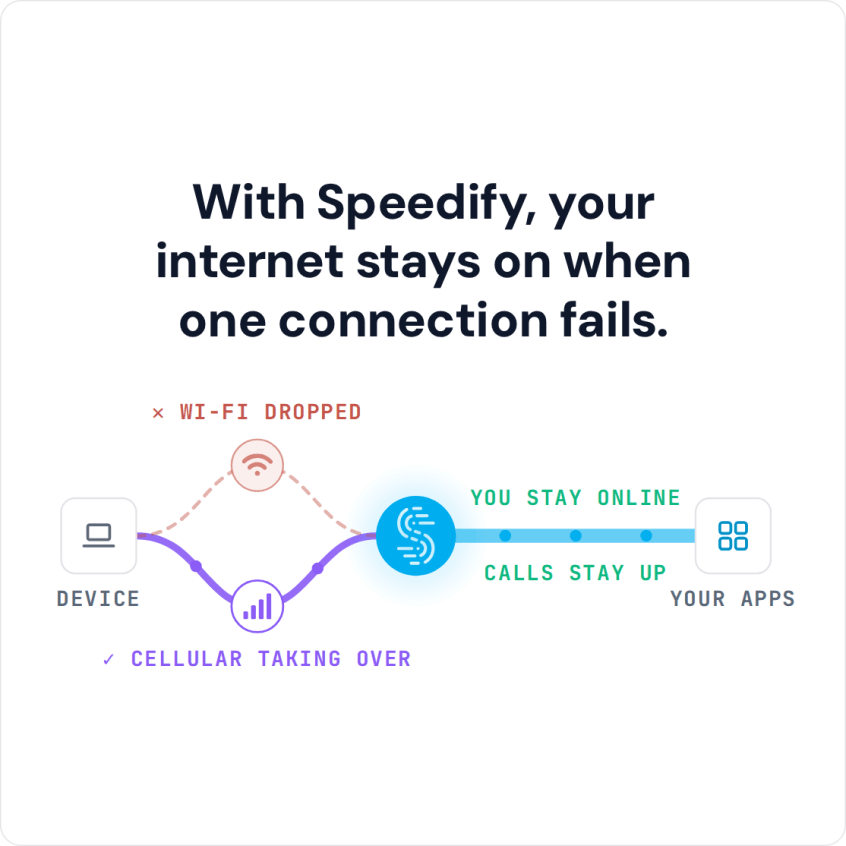
The live connection carries the small, urgent traffic: position and health telemetry, alerts, and a low-resolution preview. The preview shows the operator what the drone sees. Two cellular carriers combined through Speedify keep the traffic flowing when one carrier fades. The mission software does not need to know which carrier carried which packet.
Telemetry and alerts can also go out over two internet connections at once, with the first copy to arrive delivered and the other discarded. Redundancy halves the usable bandwidth for that traffic. The price is small for a few kilobytes per second of telemetry and large for video.
Large segments help on fast internet connections and hurt on slow ones. A 48 kB segment takes 193 ms to send at 2 Mbps, longer than the reorder timeout allows. Speedify caps segment size and aggregation per connection. The caps took a combination of 2 Mbps connections from 45 kB per frame to 4 kB, the case at the edge of cellular coverage.
For a drone fleet, the Speedify server fits best in the cloud, at a Speedify Dedicated Server in the region of the operations center. Every carrier can reach the server, and the extra hop stays short.
Flight control is a different matter. Flight control stays on the autopilot, the same way motion control stays on a ground robot. Both ArduPilot and PX4 ship a lost-connection failsafe that returns or lands the aircraft after a configurable timeout. The network carries mission data, not control, and Speedify is not certified as a safety communication channel.
Why Full-Resolution Drone Imagery Waits for Base Wi-Fi
Full-resolution imagery waits because the cellular uplink is slower than the flight and costs money per gigabyte. Some rough arithmetic, with round numbers for illustration: a flight that captures 1,000 images at about 10 MB each produces 10 GB. Over a cellular uplink sustaining 10 Mbps, 10 GB takes more than two hours, longer than the flight. Over base Wi-Fi or the dock’s wired backhaul, the same upload is cheap and fast.
Research on robot data offloading at Stanford points the same way: send what is new and useful, and leave the rest for later. The drone queues full-resolution files during the flight and uploads the files after landing. The Speedify embedded daemon reports changes to the drone’s internet connections as the changes happen, so the upload can start the moment base Wi-Fi appears. Large transfers continue through changes of connection instead of restarting.
Cost tiers keep the split automatic. Base Wi-Fi can be the Primary internet connection and cellular Secondary or Backup. A Backup connection carries traffic only when nothing cheaper works. Speedify never places a redundant copy on a cost tier the original packet was barred from, so redundancy cannot quietly spend metered cellular.
BVLOS Approval Is a Separate Question From Drone Connectivity
No network answers the BVLOS question; regulators do. In the United States, routine BVLOS still runs through waivers while the FAA works on the proposed Part 108 rule. In the United Kingdom, the CAA’s roadmap targets routine BVLOS operations by 2027. In Canada, BVLOS work needs a Special Flight Operations Certificate.
Reliable command and telemetry connectivity is part of what regulators look at, so a stable combined connection supports a BVLOS application. Speedify makes no claim about approval.
What to Measure Before Adding a Second Cellular Modem to a Drone
- CPU, memory and power the companion computer can spare during a mission, measured with the mission software running.
- Weight and antenna placement for a second cellular modem, and interference with the autopilot’s own radios.
- Signal from each carrier along each regular route, at flight altitude, not on the ground.
- Live traffic volume per flight, and full-resolution data volume per flight.
- Where the Speedify server should sit relative to the operations center.
The Speedify daemon for embedded Linux ships as one static binary of about 4 MB. The binary has no runtime dependencies, and the web interface is compiled in. A companion computer gains one file and no libraries.
The answers depend on the airframe, so the reliable way to get the answers is a pilot on your own drones. Speedify for physical AI explains how Speedify fits drones and ground stations. Contact Us to book a demo with the Speedify team or to plan a pilot on your own hardware.
Speedify Business Solutions
Speedify Teams
Speedify for Routers

Speedify Embedded Solutions and Integrations
Add Speedify to your own app or hardware with the Speedify SDK. Your product then combines internet connections, fails over automatically when one drops, and encrypts the traffic, using the same technology as the Speedify app.