
Unbreakable VPN Connection to Bypass WiFi Login by Combining Starlink, Wi-Fi, 4G, 5G, and DSL with Speedify
There is no reliable way to bypass a Wi-Fi login page altogether; what you can do is get through it without turning your VPN off, and Speedify does that. Turning your VPN off to reach the sign-in page leaves your traffic exposed on a network anyone can join, and at hotels, airports and restaurants that is the usual workaround.
Speedify is an app that encrypts your internet traffic like a VPN and combines Wi-Fi, 4G/5G cellular, Ethernet, Starlink and satellite internet connections, so the sign-in page opens without your encryption being switched off. The speed and failover gains need two or more connections, such as hotel Wi-Fi plus your phone’s 4G/5G cellular; on one connection, Speedify works as an encrypted VPN and can be a little slower.
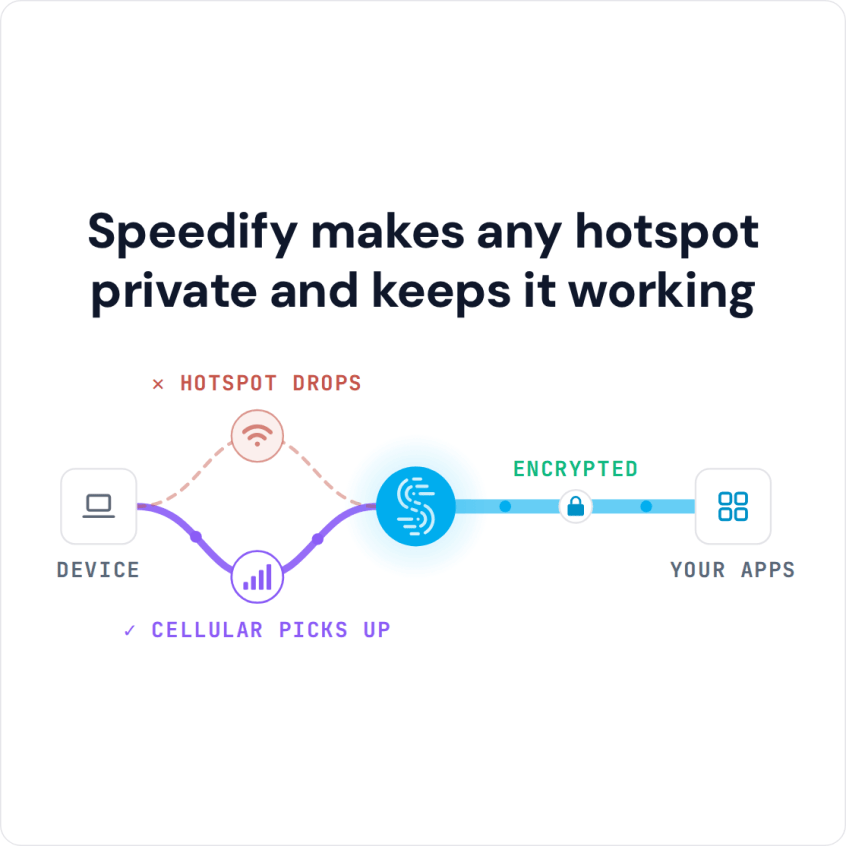
Speedify makes any hotspot private and keeps it working
See how Wi-Fi sign-in pages block VPNs, and how using Speedify lets you log in while the rest of your internet traffic stays encrypted.
Why the Wi-Fi Login Page Does Not Load When a VPN Is On
Once you connect to a VPN server, the local redirect a captive portal uses to show its login page cannot reach you. A VPN creates an encrypted tunnel between you and the VPN server and blocks traffic outside that tunnel, and the hotspot will not carry the tunnel’s traffic until you sign in. Each side waits for the other.
Some people try to bypass the Wi-Fi login page by running a VPN on port 53, the port used for DNS, as described in this Reddit thread. The thread itself concludes that it is unreliable, because many enterprise captive portals intercept DNS traffic too. Using it to skip a paid login also breaks the network’s terms.
Wi-Fi Bypass Tricks for Login Pages and Why They Fail
There is no foolproof way to skip a Wi-Fi login page or voucher: the network keeps internet access closed until you sign in, accept the terms or enter the code. If you do not want to sign in, use your phone’s 4G/5G cellular connection instead. And with an ordinary VPN, there is no foolproof way to use the login page with the VPN on: you either give up your privacy for a moment or do not use the network at all.
On Android, the same holds: the network stays closed until you sign in, and the sign-in page opens in the built-in Captive Portal Login app. If the page does not appear, open a website that starts with http:// (not https) to bring it up.
Some networks let the VPN reconnect after you sign in through the captive portal, but not all of them do.
Speedify takes a different route: it shows you the Wi-Fi login page while your other traffic stays encrypted. Here is how it works.
How Speedify Handles a Wi-Fi Login Page Step by Step
When you join a Wi-Fi hotspot with a login page, Speedify will:
- Show you a notification asking if you want to log in.
- Keep you connected over 4G/5G cellular, so your other online activities (like Microsoft Teams or Slack calls, streaming and gaming) continue over the cellular connection, protected by Speedify, without dropped calls or streams.
- If you click the notification prompting you to connect to the Wi-Fi hotspot, Speedify will pop up the login screen in a window.
- Once you log in successfully, Speedify will immediately start using the Wi-Fi connection, switching from cellular to Wi-Fi without stopping anything you are doing online.
Speedify does this by combining internet connections: it uses multiple Internet connections at once, in this example Wi-Fi and 4G/5G cellular on your smartphone or laptop.
On the next hotspot with a login page, you can sign in without switching your encryption off.
Wi-Fi That Blocks Apps and Games or Limits Your Speed
Some searches for a Wi-Fi bypass are about a different problem: a school, work, hotel or public network that blocks certain apps, games or websites, or caps your speed. Speedify encrypts your traffic and sends it to a Speedify server, so the network sees only an encrypted connection to that server, not the apps and sites you open; it cannot promise to work on every network. If the Wi-Fi is slow or capped, Speedify can add your phone’s 4G/5G cellular connection alongside it, so uploads and downloads use both. Speedify is not designed to unblock geo-restricted content, but connecting to a server in another country may make some location-restricted sites accessible; some services block VPN servers, so try another server, and if every server in a region is blocked, Speedify cannot restore access.
Speedify
Get started with Speedify today.
Speedify combines Wi-Fi, 4G/5G cellular, Ethernet, Starlink and satellite into one faster, more reliable internet connection. Free to try: 5 GB a month with a free account. No credit card required.
🚀 Speed
Faster uploads and downloads, because Speedify uses all your internet connections at once.
📶 Stability
If one internet connection drops, Speedify moves your traffic to the others in milliseconds.
🔒 Security
AES-256 encryption on every internet connection, on any network you join.



15M+ downloads worldwide. 75K+ five-star reviews on iOS and Android.