
Unbreakable VPN Connection for iOS 18 by Combining Wi-Fi and 4G / 5G Cellular with Speedify
Getting a fast, private internet connection on iOS 18 takes one app install, not a hand-built VPN profile.
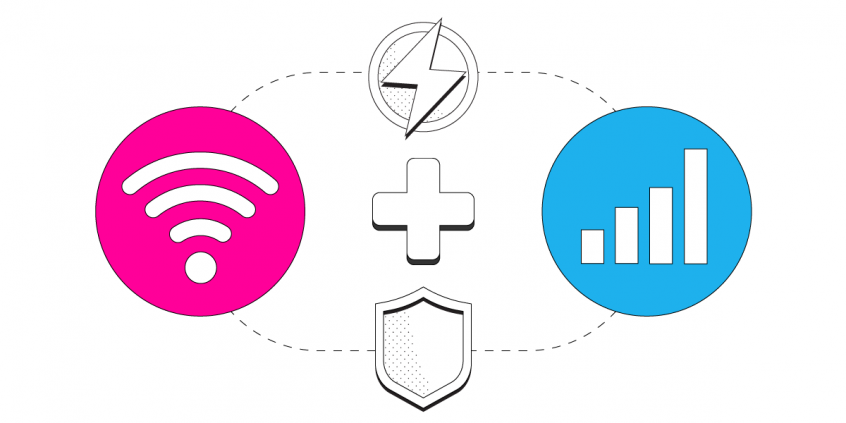
Speedify runs as a VPN on your iPhone or iPad, encrypting everything that leaves the device, and sends that traffic across Wi-Fi and 4G/5G cellular data at the same time rather than picking one. Uploads and downloads speed up instead of slowing down, and your traffic shifts automatically to whichever internet connection is still working.
The guide below covers installing Speedify on iOS 18 and why that is quicker than building a VPN profile by hand – your iPhone traffic stays private and your internet connection holds as you move around.
Speedify – the Fast VPN for iOS 18
VPNs have not changed much in the past ten years. Almost all VPN systems slow down your Internet connection because of the security protocols they run. But, there is now a new generation VPN that runs faster and does much more than getting you privacy and security for your data.
Speedify is the flagship of this new generation of VPNs. Speedify solves all of the biggest VPN problems while still delivering state-of-the-art data security and privacy. It allows your iOS 18 mobile device to connect to the Internet through both a Wi-Fi and a mobile data connection at the same time. This means that you have more bandwidth. Your Internet connection becomes blazing fast and stable.
Speedify works in the background monitoring the quality of your connections. With a standard VPN if your Wi-Fi signal became unstable you would immediately be disconnected. But, with Speedify if one connection goes down (e.g. Wi-Fi), all the traffic is automatically rerouted to the other connection (mobile data, in this case) until the first connection (Wi-Fi) comes back online.
How to Setup a Fast VPN Connection on iOS 18
Expecting an exhaustive step-by-step setup guide that goes through the iPhone Control Center? With Speedify, there’s only one step required: from your iPhone or iPad, head on to the Apple Store and download Speedify (you can also use our website for other platforms: Android, Windows, macOS). After it gets installed on your iOS 18 device, you can start using it.
Speedify engineers are constantly working together with Apple to make the VPN setup process as simple as possible.
Speedify also takes your privacy seriously with the next generation fast VPN for iOS 18: Speedify does not log anything you do online while using the service, so you can rest assured that your communication is 100% private and safe!
Forget About iOS 18 PPTP VPN Setup Tutorials and Manually Creating VPN Profiles – Just Get Speedify!
As mentioned before, Speedify saves you a lot of time you would waste when manually setting up VPN profiles on iOS 18, as it does it automatically upon installation. Plus – thanks to its patent pending technology of combining WiFi and 4G/5G simultaneously, you can avoid buffering issues and disconnects when streaming movies or doing your own live streaming on Facebook or Twitch. You will get lightning fast page downloads. you also get the confidence of knowing that your FaceTime call won’t suddenly be disconnected because of your VPN or WiFi issues. Speedify works with all your iOS 18 apps on your iPhone and iPad, making sure they get a fast and reliable Internet connection with no additional setup necessary.
The Internet is still a dangerous place. The best way to protect yourself is to always use a fast VPN on your iOS 18 device. Thanks to Speedify, you can now stay safe with a VPN that won’t slow you down or disconnect you.
Get started with Speedify today for FREE. Get it from the AppStore – no technical skills needed, no strings attached and absolutely no logging of data!
Speedify
Get started with Speedify today.
Combine Wi-Fi, 4G/5G cellular, Ethernet, Starlink, and more into one faster, steadier connection. Free to try — no credit card required.
🚀 Speed
Faster uploads and downloads by bonding all your connections at once.
📶 Stability
Automatic failover in under a second when any connection drops.
🔒 Security
AES-256 encryption on every connection, on every network you join.



15M+ downloads worldwide. 75K+ five-star reviews on iOS and Android.