
Unblock YouTube Videos and Bypass Regional Filters
To watch YouTube without a filter on school or work Wi-Fi, the network has to stop seeing which videos you open: an encrypted connection to a server does that, so the filter sees only the connection, not the videos. A “not available in your country” message is a different block, a licensing or legal decision based on the country your connection appears to come from. If you are traveling and a video you watch at home is blocked, connect through a server in your home country.
Speedify is an app that combines Wi-Fi, 4G/5G cellular, Ethernet, Starlink and satellite internet connections into one faster, more reliable connection, and encrypts your traffic like a VPN. Speedify sends your traffic through a Speedify server in the country you choose, such as your home country while you are abroad, and the combined internet connections give the video the bandwidth to play with less buffering.
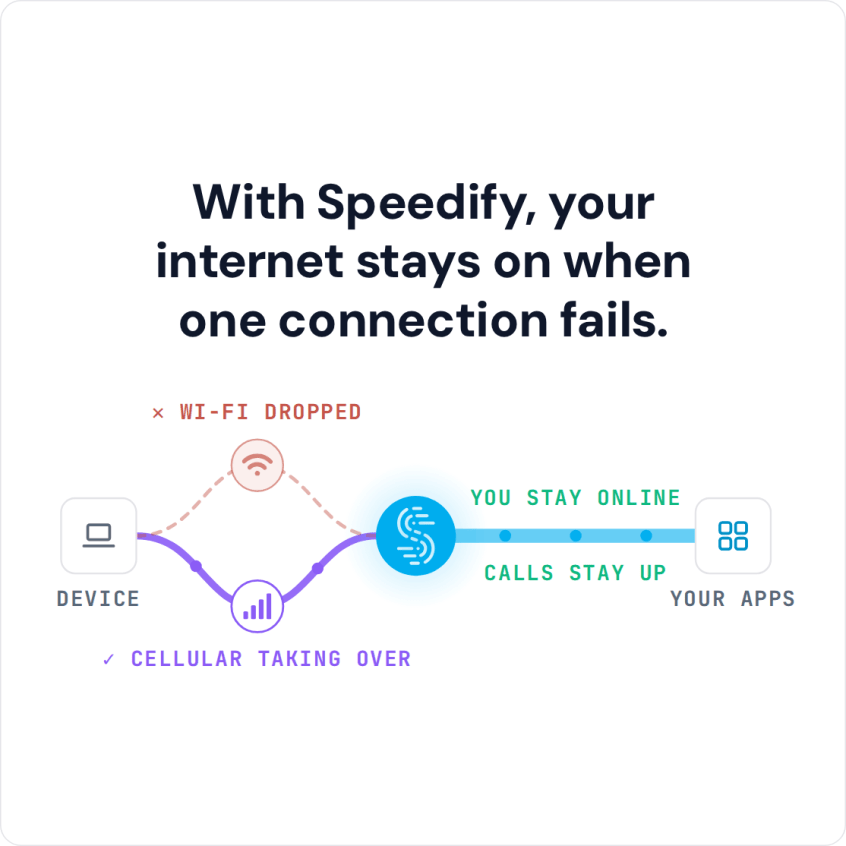
With Speedify, your internet stays on when one connection fails.
Read below how to watch YouTube without the filter in three steps, and why YouTube uses regional filters at all.
How to Watch YouTube Without the Filter in 3 Steps
Here is all it takes:
- Download Speedify on your PC, Mac, iPhone or Android smartphone.
- Open Speedify and connect. If you are traveling and want the YouTube you see at home, choose a server in your home country (in the app, go to Servers and pick the country).
- Open YouTube in your browser or the YouTube app and play the video.
Speedify works as a VPN built for phones and laptops on the move: it encrypts your traffic and sends it through the Speedify server you picked, so YouTube sees that server’s IP address instead of yours. YouTube then treats you as a viewer in that country and shows the videos allowed there.
On a school, work or public Wi-Fi network that filters YouTube, Speedify also helps: the network sees only an encrypted connection to a Speedify server, not the videos you open.
Speedify takes no technical expertise to set up and run: download the app, open it and connect. Your browsing is then safe from snoops on the network you use, and while you travel the same steps reach your other video services from home. Speedify’s free tier gives you 5 GB per month with a free account; paid plans add servers in more than 50 locations, so you have more countries to choose from.
Why YouTube Uses Regional Filters to Block Videos
YouTube blocks content in certain countries for two reasons. One, YouTube blocks content that does not comply with the laws of the country. The more restrictive the laws of a country are, the more videos YouTube’s regional filters will block in that country. The regional filters typically do this blocking automatically. There may be nothing wrong with the video you want to see, but because YouTube would rather be safe than sorry, its algorithms sometimes incorrectly filter videos.
The second reason a video may be blocked is licensing restrictions. Content creators and distributors use the settings on their video to keep it from being shown in certain regions. A creator may be using intellectual property that it has licensed, but that license may only apply to certain regions. This is the same issue with the streaming-video giant Netflix. Because of complicated licensing issues some content is not allowed to be shown by certain distributors in certain regions. YouTube and other streaming services set their own regional rules in their terms of service.
Speedify Doesn’t Slow Down Your YouTube Connection Like Other VPNs
A VPN is a common way to keep watching your usual YouTube while you travel, but most VPNs also slow down your connection to the point that watching videos can be painful. A standard VPN sends all your traffic through one encrypted tunnel over one internet connection, and that detour costs speed.
Speedify works differently. Speedify gives you the same encryption and IP address masking, but sends your traffic over every internet connection you have at once, such as Wi-Fi and 4G/5G cellular, instead of the single-connection tunnel most VPNs still use. That way a VPN does not have to mean slower video.
If you want your usual YouTube videos while you travel, or YouTube on a network that filters it, without constant buffering or the connection suddenly going out, Speedify keeps the video playing over every internet connection you have.
Speedify
Get started with Speedify today.
Combine Wi-Fi, 4G/5G cellular, Ethernet, Starlink, and more into one faster, steadier connection. Free to try — no credit card required.
🚀 Speed
Faster uploads and downloads by bonding all your connections at once.
📶 Stability
Automatic failover in under a second when any connection drops.
🔒 Security
AES-256 encryption on every connection, on every network you join.



15M+ downloads worldwide. 75K+ five-star reviews on iOS and Android.