
Share Cellular Data Between Multiple Devices for Failover
One phone means one internet connection, and a carrier with a weak spot in your building is all it takes to lose a call or an upload. A second phone on a different carrier removes that single point of failure, because two carriers rarely fade in the same place at once.
Speedify is an app that runs your internet over Wi-Fi, 4G/5G cellular data, wired Ethernet, Starlink and other internet connections at the same time, and its Cellular Sharing Feature lets nearby phones lend their mobile data. Keep reading to set up two or more phones as automatic backup, and to see what using Speedify does the moment one drops out.
Speedify keeps your devices online when Wi-Fi drops.
Why Get Failover Using Multiple Phones?
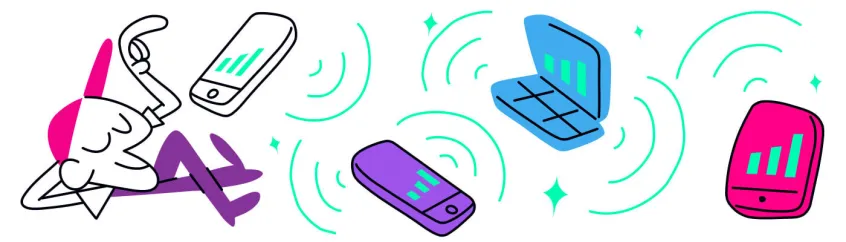
Failover using multiple phones creates a redundant internet connection system. When your cellular or WiFi connection fails, the system automatically switches to another phone’s connection, ensuring uninterrupted internet access. Think of it as having multiple backup generators for your internet connection.
Using cellular data makes this failover strategy available anywhere, as long as there’s cellular signal. You are not dependent on Wi-Fi hotspot ranges or cables to power your Internet. The only requirement is having at least one more phone – your own or other’s.
Best Practices for Failover Using Multiple Phones
In order to maximize the efficiency of your failover solution using multiple phones, there are a couple of things you should consider:
- Use more devices: you don’t necessarily need to have your own devices in order to get failover using multiple phones. You can use your family, friends and coworkers’ phones.
- Carrier diversity: it’s best if the phones involved in the failover setup are running on different carriers. If one of them has poor coverage in a specific spot, the others can compensate for that.
Real-World Scenarios for Failover Using Multiple Phones
It’s always important to have an uninterrupted internet connection, but sometimes it’s critical; here are some of these situations.
Remote work
When working from home or remote locations, you can’t afford connection drops during important video calls or presentations. Failover using multiple phones ensures continuous connectivity for productive business operations.
Content creation and live streaming
Live streaming requires a fast and reliable Internet connection, without dropouts. And even if you’re not streaming live, you still need good connectivity when uploading content to publish.
Mobile business operations
Food trucks, pop-up shops, and mobile service providers rely on stable internet for payment processing and customer service. Multiple phone failover keeps their operations running smoothly. For a full setup, see the best internet for food trucks.
Emergency response
First responders and emergency teams need reliable communications in critical situations. Phone-based failover provides essential backup connectivity when primary systems fail.
Speedify Enables Easy Failover Using Multiple Phones
Speedify has a dedicated feature called Pair & Share, which enables combining multiple personal hotspots together to increase internet bandwidth and minimize latency for everyone. In other words, it gets you and everybody else who is sharing that failover using multiple phones.
All you have to do is have Speedify running on all phones, connect to the same WiFi network and then pair all phones to share cellular data between them. Here is a getting started guide for that.
By pairing devices, you can effectively distribute your cellular connection across them, improving overall performance, especially when other network options like WiFi may be slow or unstable.
Takeaway: Make Sure You’re Always Connected with Speedify
Whether you’re a remote professional, content creator, or someone who needs reliable internet access on the go, being able to get failover using multiple phones will get you better Internet. With tools like Speedify’s Pair & Share, managing multiple connections becomes effortless, allowing you to focus on what matters most—your work, creativity, or communication needs.
Speedify
Get started with Speedify today.
Combine Wi-Fi, 4G/5G cellular, Ethernet, Starlink, and more into one faster, steadier connection. Free to try — no credit card required.
🚀 Speed
Faster uploads and downloads by bonding all your connections at once.
📶 Stability
Automatic failover in under a second when any connection drops.
🔒 Security
AES-256 encryption on every connection, on every network you join.



15M+ downloads worldwide. 75K+ five-star reviews on iOS and Android.