
Speedify’s Audio Tracking Lets You Align a Starlink Dish Without Watching the Screen
Aiming a Starlink dish usually means one hand on the Starlink dish and your eyes on a phone screen that’s hard to read outdoors. Speedify’s Alignment Wizard is a Starlink alignment tool that uses sound instead: it beeps faster as your Starlink dish gets closer to its target direction, so you don’t need to look at a screen.
Speedify is an app that uses all of your internet connections at the same time, including one or more Starlink dishes. Below: how aiming a Starlink dish by ear works in Speedify, and when it helps most.
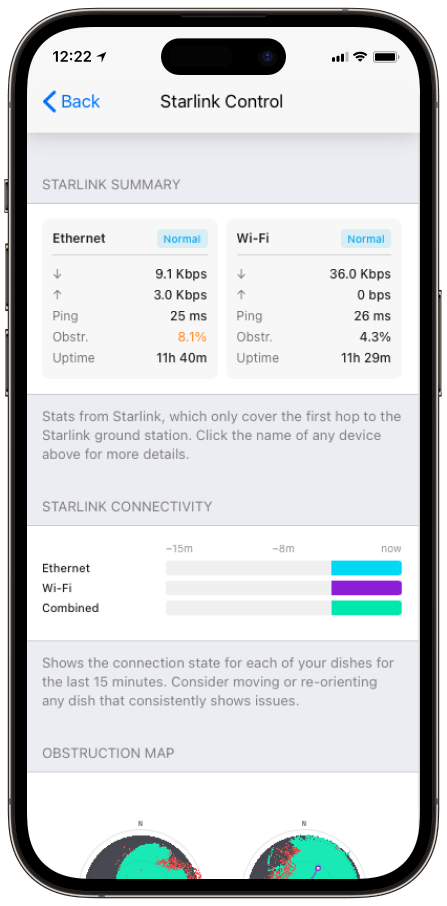
Monitor your Starlink dish performance inside Speedify.
Starlink Internet Connection Dropouts Happen to Everyone
Speedify measures thousands of Starlink users in more than 150 countries. From 29 September to 12 October 2026, fixed Starlink dishes went offline for about 37 minutes a day on average, and Starlink dishes on RVs and boats for about 61 minutes a day.
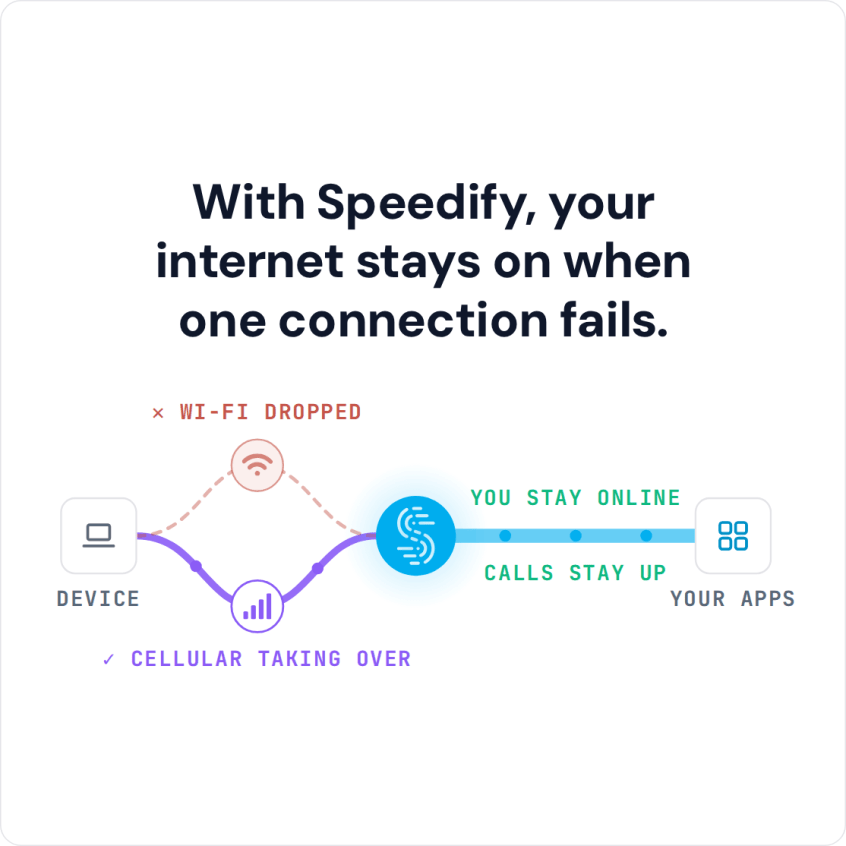
Starlink also switches each dish to a new satellite every 15 seconds, and a switch can cause a short dropout. Even a perfectly installed Starlink dish goes offline, and about 7 in 10 Starlink users on Speedify use Starlink together with a second internet connection, like 4G/5G cellular.
How to Aim a Starlink Dish by Ear with Speedify’s Alignment Wizard
Before you aim, run Check for Obstructions in the Starlink app to find a spot with a clear view of the sky. The Alignment Wizard then helps you point the Starlink dish from that spot.
Open the Starlink Control Center in Speedify, the screen that shows speed, obstructions, uptime and alerts for each Starlink dish. On its Dish Orientation card (the panel that shows which way each dish points), select the Starlink dish you want to aim, and its Alignment Wizard opens. Then:
- Speedify works out the target direction for the Starlink dish you picked.
- As you turn the Starlink dish by hand, Speedify measures how far its current direction is from the target.
- The beeps get faster as that gap closes, and turn into a steady fast tone when the Starlink dish reaches the target.
Your hands stay on the Starlink dish and your eyes stay on the mount, not on a screen you can’t reach.
When Aiming a Starlink Dish by Ear Helps Most
Sound helps most where Starlink dishes usually go: on a roof, on a pole, on top of a boat, or anywhere the screen is out of sight while your hands are busy. With two Starlink dishes, turn on the “Bonding Alignment” setting in the Alignment section of the Starlink Control Center first: the Alignment Wizard then gives each Starlink dish its own target direction, and you can turn each one to it without climbing down to check. Starlink’s advice on giving each Starlink dish a clear view of the sky sets the goal, and the beeps help you reach it.
Why a Well-Aimed Starlink Dish Gives You Steadier Internet with Speedify
A good aim gives your Starlink dish a clearer view of the sky, and less blocking its view means fewer short drops. With two Starlink dishes and the “Bonding Alignment” setting turned on, each Starlink dish faces a different part of the sky. Speedify uses the Starlink dishes together as one internet connection and sends your traffic over both at the same time. If something blocks one, Speedify switches your traffic to the other automatically.
With a single Starlink dish, the Alignment Wizard still helps you aim it, but Speedify needs a second internet connection, like 4G/5G cellular or another Starlink dish, to add speed or keep you online through drops. A second Starlink dish covers drops caused by something blocking one dish’s view. A second dish does not cover satellite switches: every Starlink dish switches satellites on the same 15-second schedule, so 4G/5G cellular is what keeps you online through those.
Who Gets the Most from Aiming a Starlink Dish by Ear
- People mounting a Starlink dish on a roof or a pole. No more squinting at a phone propped on a ladder.
- Boat crews. Aiming a Starlink dish mounted high on a boat is easier by ear than by eye.
- Anyone aiming two Starlink dishes apart. Turn on the “Bonding Alignment” setting so each Starlink dish gets its own target, and the beeps make the second Starlink dish quick to set without checking the screen every few seconds.
After Aiming, Combine Starlink with a Second Internet Connection
Aiming by ear gets each Starlink dish to its target direction with your eyes on the Starlink dish. Speedify then uses your well-aimed Starlink dishes, or Starlink and 4G/5G cellular, together as one faster, more reliable internet connection. For the full set of tools, see how to use Speedify’s Starlink Control Center.
Speedify
Get started with Speedify today.
Speedify combines Wi-Fi, 4G/5G cellular, Ethernet, Starlink and satellite into one faster, more reliable internet connection. Free to try: 5 GB a month with a free account. No credit card required.
🚀 Speed
Faster uploads and downloads, because Speedify uses all your internet connections at once.
📶 Stability
If one internet connection drops, Speedify moves your traffic to the others in milliseconds.
🔒 Security
AES-256 encryption on every internet connection, on any network you join.



15M+ downloads worldwide. 75K+ five-star reviews on iOS and Android.