
Speedify Self-Hosted Servers Give You More Control Over Your Bonding Server
Running your own VPN server at home is an appealing idea. You get an address that is yours alone, traffic that stays on hardware you control, and no monthly bandwidth meter watching over your shoulder. For a home lab enthusiast it is a genuinely good project, and it is more work than most tutorials admit.
Speedify is an app that combines several internet connections at once into one faster, steadier connection, and its Self-Hosted Servers let you run the server end yourself, on your own hardware or cloud account, without building a VPN from scratch or maintaining it alone. Find out what running a server at home really involves, where self-hosting earns its keep, and where handing the server side to Speedify makes more sense.
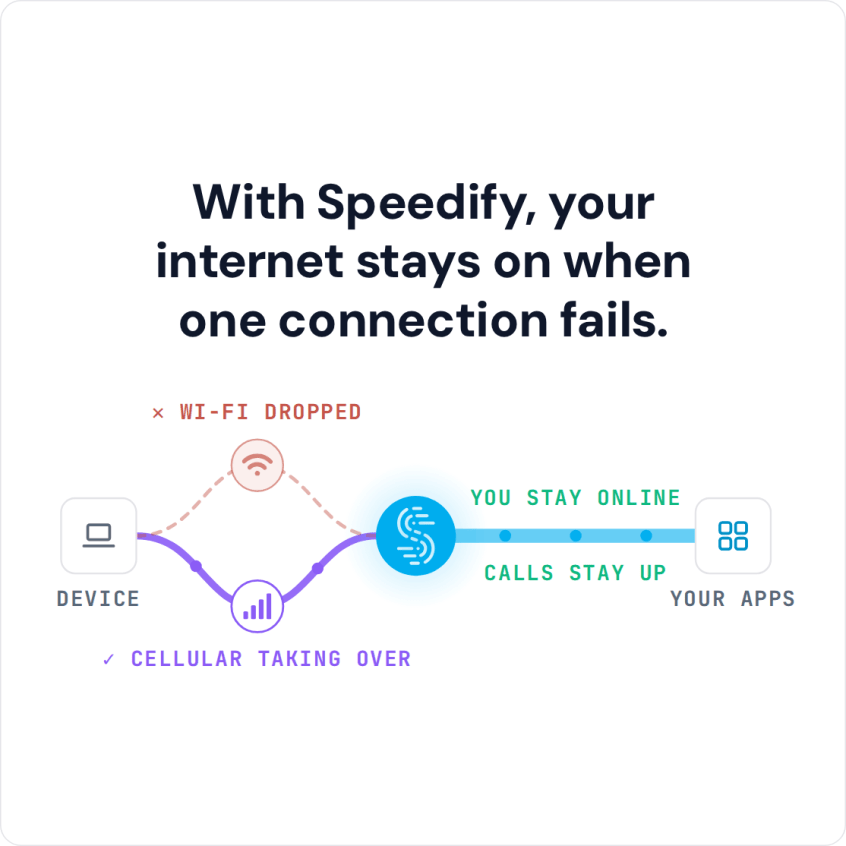
With Speedify, your internet stays on when one connection fails.
What Running a VPN Server at Home Involves
The basic setup is straightforward: a machine that stays on, the server software, and a way for the outside world to reach it. The complications show up around that last part:
- A reachable address: many home internet plans use dynamic IPs or hide you behind a shared carrier address through carrier-grade NAT, so your server may not be reachable from outside without extra work.
- Always-on hardware: the server has to stay powered and online, which means a device you do not turn off.
- Maintenance: software updates and security patches become your job, because a neglected server is a risk, not a convenience.
- One location, one connection: a home server gives you a single endpoint riding on your home internet, with no failover if that connection drops.
Where Self-Hosting Makes Sense, and Where It Doesn’t
If tinkering is the point and you enjoy running your own infrastructure, hosting at home is rewarding. If you mainly want a reliable connection with an address you control and you would rather not babysit a server, a rented host or a managed option is usually the better fit. The honest answer for most people is somewhere in between: they want the control of self-hosting without building everything from scratch.
A Simpler Way to Self-Host with Speedify
A Speedify Self-Hosted Server gives you the self-hosting payoff without asking you to assemble a VPN by hand. Speedify packages the server as a Docker container, so you can run it on a spare x86_64 machine at home or on an inexpensive cloud instance. The requirements are light: 2 CPU cores, 4GB of RAM, 20GB of storage, and a static public IP. The Speedify Self-Hosted Server setup guide walks through it.
Once it is running, the Speedify app combines Wi-Fi, 4G/5G cellular, Ethernet, Starlink and satellite into a single connection that terminates on your server, with automatic failover and AES-256-GCM or ChaCha20-Poly1305 encryption. You get unlimited bandwidth, since Speedify imposes no caps, plus a static IP and port forwarding for any home service you want to reach from outside.
Traffic through your self-hosted server does not count against your Speedify data plan, and the Individual plan covers up to 5 devices at once, which is plenty for a household.
Use Speedify’s Own Server Network Instead
If self-hosting sounds like more than you want to take on, you do not have to. Speedify works out of the box with its shared global network (more than 50 locations on paid plans), and a Speedify Dedicated Server gives you a managed private server with a static IP and an SLA when you want one without the upkeep. Self-hosting is the option for when control is the whole point.
Compare the options on the Speedify store.
Get Started with Speedify to Run Your VPN Server at Home
Download Speedify to combine all your connections today, then add a Speedify Self-Hosted Server when you want to run your own endpoint on your own hardware.
Speedify
Get started with Speedify today.
Speedify combines Wi-Fi, 4G/5G cellular, Ethernet, Starlink and satellite into one faster, more reliable internet connection. Free to try: 5 GB a month with a free account. No credit card required.
🚀 Speed
Faster uploads and downloads, because Speedify uses all your internet connections at once.
📶 Stability
If one internet connection drops, Speedify moves your traffic to the others in milliseconds.
🔒 Security
AES-256 encryption on every internet connection, on any network you join.



15M+ downloads worldwide. 75K+ five-star reviews on iOS and Android.