
School Network Restrictions? Get Speedify VPN for Unblocked Content at School with Faster Upload and Download Speeds
You open a research page on school Wi-Fi and the filter blocks it. Campus networks screen traffic before your request ever leaves the building, which is why students look for a VPN unblocked for school.
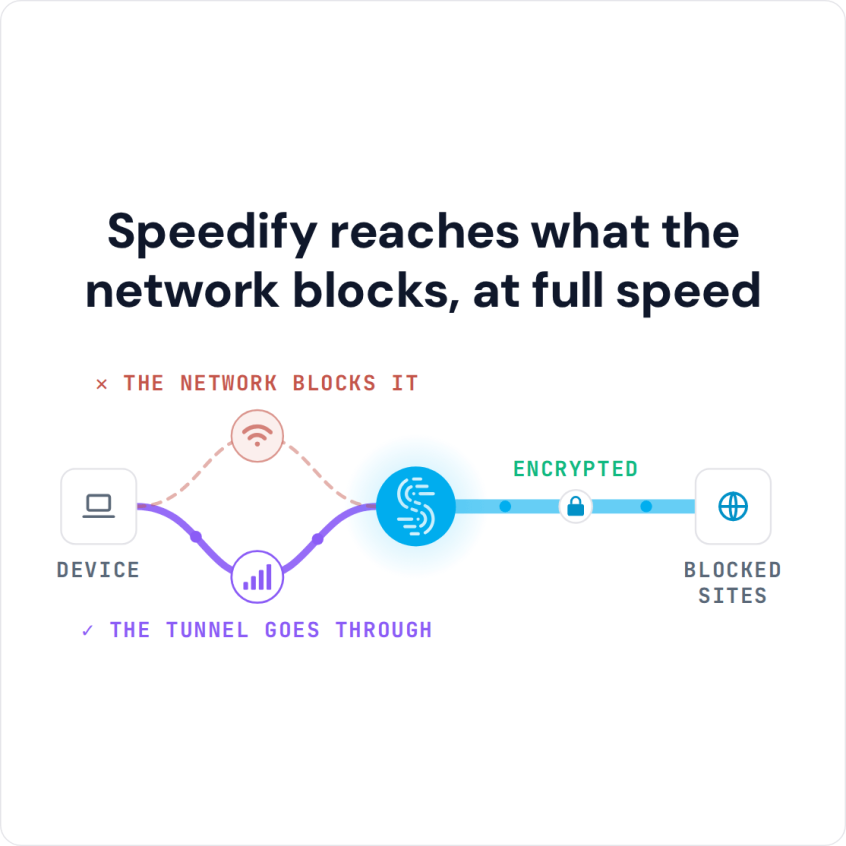
Speedify is an app that works like a VPN: it scrambles your internet traffic and sends it through a Speedify server elsewhere on the internet, so the school filter cannot read what you are loading. Speedify runs on campus Wi-Fi, 4G/5G cellular, wired Ethernet, Starlink and other internet connections at the same time, so pages load quickly instead of crawling. That needs two or more internet connections, such as campus Wi-Fi plus your phone’s 4G/5G cellular; on a single connection, Speedify works as an encrypted VPN, can be a little slower and cannot stop that connection from dropping.
Speedify reaches what the network blocks, at full speed
This article explains how school networks block websites, what to look for in a VPN unblocked for school, and how Speedify gets pages open and loading quickly. Check your school’s acceptable use policy first.
Why Students Need a VPN Unblocked for School
Schools and universities block websites for various reasons, from reducing bandwidth consumption to preventing distractions and maintaining network security. However, these restrictions often go too far, blocking legitimate educational resources, research databases, communication tools, and entertainment platforms you might need during your free time.
A VPN unblocked for school helps you bypass these restrictions by encrypting your internet traffic and routing it through external servers. The encryption hides which sites you visit from the school’s network filters, giving you access to the content you need. Beyond unblocking websites, VPNs also protect your privacy on public educational networks, where your data could otherwise be monitored or vulnerable to security threats.
How to Unblock Websites at School with Speedify in Five Steps
- Download Speedify on the laptop or phone you use at school. Speedify runs on Windows, macOS, iOS, Android and Linux.
- Open Speedify and create a free account (the free tier includes 5 GB per month; Linux needs a paid plan), or sign in.
- On a phone, tap Allow when your phone asks to add a VPN configuration.
- Speedify connects to a Speedify server automatically. The school network now sees only an encrypted connection to that server, not the apps and sites you open.
- Open the website or app that was blocked and use it as usual.
How to Choose the Right VPN for Educational Networks
Not all VPNs work equally well on educational networks. When selecting a VPN unblocked for school, consider these essential factors:
Connection Speed: Educational institutions often have high-speed internet, but VPNs can slow down your connection. Look for VPNs with minimal speed loss to maintain smooth browsing and streaming.
Reliability: Your VPN needs to stay connected through the school day without frequent disconnections, even when campus Wi-Fi is busy.


Security Features: Strong encryption protocols protect your data from potential monitoring and ensure your online activities remain private.
Device Compatibility: Choose a VPN that works across all your devices: laptops, smartphones, and tablets. This way you can stay connected wherever you study.
Ease of Use: Students need straightforward apps that don’t require technical expertise to configure and use effectively.
The Problem with Free VPNs
While free VPN services might seem attractive to budget-conscious students, they come with drawbacks that make them a poor fit for school networks. The drawbacks below apply to VPNs with no paid service behind them, not to a free tier you use to test a paid VPN before buying.
Free VPNs typically offer severely limited bandwidth, meaning you’ll hit data caps quickly when streaming videos or downloading research materials. They also provide slower connection speeds due to overcrowded servers, making them frustrating for everyday use.
More concerning are the privacy risks. Some free VPN providers collect and sell your browsing data to advertisers, defeating the purpose of using a VPN. Others inject ads into your browsing experience or contain malware that compromises your device security.
Additionally, free VPNs are more easily detected and blocked by school networks. Their limited server networks and outdated technology make them ineffective for consistently accessing restricted content. When it comes to getting a reliable VPN unblocked for school, free options rarely deliver. The same applies if you just want to watch YouTube videos unblocked at school.
Understanding the Legal Side of Using VPNs at School
Before using a VPN unblocked for school, it’s important to understand the legal and policy implications. Using a VPN is legal in most countries, including the United States and most of Europe. However, educational institutions have their own acceptable use policies that govern network access.
Review your school or university’s network policy carefully. While using a VPN isn’t illegal, violating your institution’s terms of service could result in consequences ranging from warnings to loss of network privileges. Some institutions explicitly prohibit circumventing network security measures.
That said, not every school has a specific policy against VPN use. If yours does not, use your VPN responsibly: avoid illegal downloads, academic dishonesty and anything that could compromise network security.
Why Speedify Stands Out for Educational Networks
When you need a VPN unblocked for school that actually works, Speedify adds three things a standard VPN does not: combined internet connections, failover between campus Wi-Fi and 4G/5G cellular, and cellular sharing with nearby phones.
Combining internet connections is what sets Speedify apart from traditional VPNs. Speedify uses your school’s Wi-Fi and your phone’s 4G/5G cellular at the same time, which gives you more bandwidth. When one network slows down or becomes unstable, Speedify automatically shifts traffic to the other so pages keep loading.
With Speedify you get speed-optimized servers that minimize the performance impact typical of VPN connections, which matters when you are working on time-sensitive assignments or streaming educational content. Speedify also uses encryption that hides which sites you open from the school network.
For students moving between classes, libraries and dorms, Speedify switches between campus networks and 4G/5G cellular without dropping your connection. The app needs no technical knowledge to set up.
Speedify’s cellular sharing feature also lets nearby phones share their 4G/5G cellular connection with your computer or phone over Wi-Fi, so you and your classmates can pool cellular internet when campus Wi-Fi is weak.
Speedify has a free tier with 5 GB per month on a free account, so you can test it on your campus network before paying. The Individual plan costs $89.99 per year, or as little as $4.99 per month on a 3-year plan. Speedify’s privacy policy states that your data is not logged or sold, which matters on a school network.
Speedify
Get started with Speedify today.
Speedify combines Wi-Fi, 4G/5G cellular, Ethernet, Starlink and satellite into one faster, more reliable internet connection. Free to try: 5 GB a month with a free account. No credit card required.
🚀 Speed
Faster uploads and downloads, because Speedify uses all your internet connections at once.
📶 Stability
If one internet connection drops, Speedify moves your traffic to the others in milliseconds.
🔒 Security
AES-256 encryption on every internet connection, on any network you join.



15M+ downloads worldwide. 75K+ five-star reviews on iOS and Android.