
Unbreakable VPN Connection to Fix Slow Private Internet Access by Combining Starlink, Wi-Fi, 4G, 5G, and DSL with Speedify
A slow PIA VPN is partly expected: Private Internet Access says on its own support pages that users can see speed drops of 10% to 75% compared with their internet provider’s speed. The rest comes from the server you pick, how busy it is, and the one internet connection carrying everything. You are not the only one seeing it.
Speedify is an app that combines Wi-Fi, 4G/5G cellular, Ethernet, Starlink and satellite internet connections into one faster, more reliable connection, and encrypts your traffic like a VPN. The speed gain needs two or more internet connections, such as Wi-Fi plus a phone’s 4G/5G cellular. On a single connection, Speedify works as an encrypted VPN and can be a little slower, like any VPN.
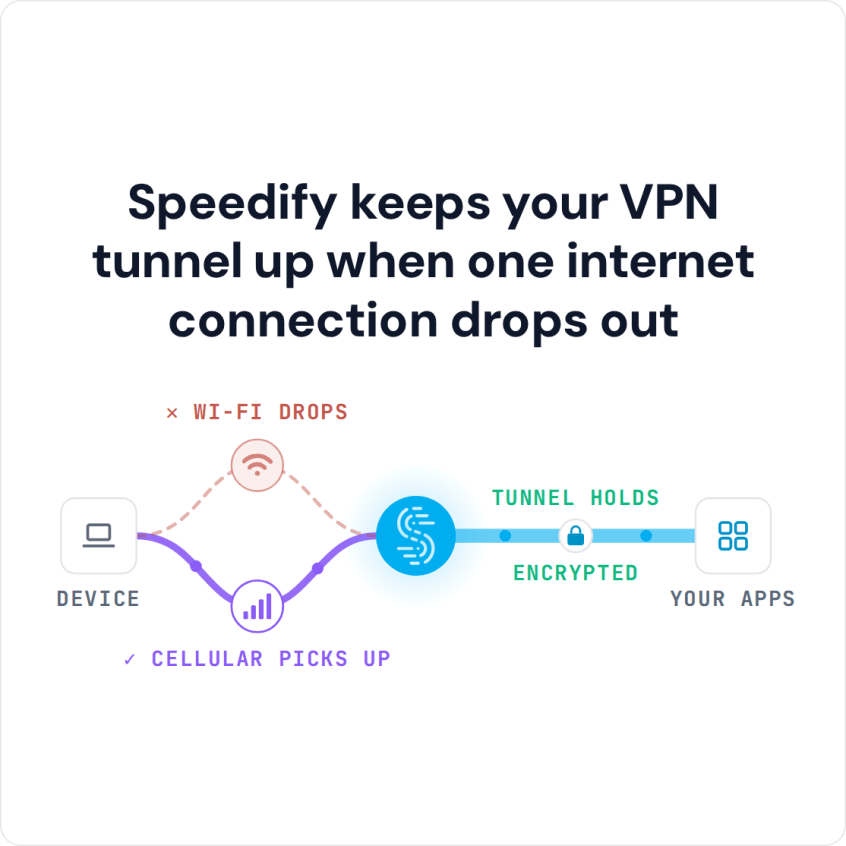
Speedify keeps your VPN tunnel up when one internet connection drops out
Start with why Private Internet Access runs slowly, then the fixes, then how to set up Speedify with two internet connections so encryption costs you less speed.
Why Private Internet Access Is Slow
Private Internet Access’s support page on slow speeds says users can see connection speed drops of 10% to 75% while connected. If your slowdown is within that range, troubleshooting may not remove it.
Other causes of slow PIA connections include:
- ISP issues
- Unreliable network
- Geographic location
- Internet Port issues
First, find out whether your network is the cause. Public or shared Wi-Fi is often unreliable, so try a different network or a wired Ethernet connection. If PIA is still slow, move on to the next check.
Try connecting to the Internet with PIA turned off. Test the speed of your Internet connection. If the connection is slow even when PIA is not activated, the issue is most likely your ISP.
How to Fix Slow Private Internet Access VPN Connections
If the network and your internet provider are not the cause, you may have a port conflict. Follow PIA’s instructions for your operating system to make sure the ports Private Internet Access uses are free and not used by other apps at the same time.
Another common cause of slow PIA Internet connections is the number of people trying to connect to the same servers as you are in a given geographic area. Think of it like a freeway. If there are too many cars, traffic will eventually start to slow down.
If a crowded server is the cause, pick a different server region in the PIA app, ideally one close to you, or disconnect and reconnect so PIA can choose a less crowded server. Switching the protocol in PIA’s settings (PIA offers WireGuard and OpenVPN) can also help.
When Private Internet Access Is Still Too Slow: Add a Second Internet Connection
PIA is a VPN app that encrypts your traffic, and like most VPN apps it runs over one internet connection. Speedify was designed with speed as a primary goal: with two or more internet connections, you do not have to choose between speed and security.
You can download Speedify from the App Store, Google Play or speedify.com. Speedify is a VPN for mobility: it keeps your traffic encrypted and away from prying eyes on public Wi-Fi, and keeps you online as your device moves between networks.
Set Up Speedify with Two Internet Connections in Five Steps
- Download Speedify on the computer or phone you use (Windows, macOS, iOS, Android or Linux).
- Open Speedify and create a free account (the free tier includes 5 GB per month; Linux needs a paid plan), or sign in.
- Turn Private Internet Access off first: a phone runs only one VPN at a time, and two VPN apps on a computer can get in each other’s way. On a phone, tap Allow when it asks to add a VPN configuration.
- Add a second internet connection: on a phone, keep 4G/5G cellular turned on while you use Wi-Fi; on a computer, use Wi-Fi or Ethernet plus a tethered phone or a USB 4G/5G adapter.
- Speedify connects to a Speedify server automatically and uses both internet connections at once. If one drops, your traffic moves to the other and the VPN stays connected.
How Speedify Uses Wi-Fi and 4G/5G Cellular Together
Speedify allows your desktop and mobile devices to use multiple internet connections simultaneously. You can be connected over Wi-Fi and 4G/5G cellular at the same time. Speedify encrypts your traffic and manages the performance of each connection in the background while you use the internet.
Speedify reroutes your traffic if one connection becomes unreliable, and you can set each connection’s priority, for example Secondary for 4G/5G cellular so Speedify leans on Wi-Fi and saves your data plan. That helps when traveling, Twitch gaming or Facebook live streaming.
Speedify keeps no record of the sites you visit, though it does record connection details such as your IP address, device ID, connection time and data used. Get started today for free: a free account includes 5 GB per month on Windows, macOS, iOS and Android.
Speedify
Get started with Speedify today.
Speedify combines Wi-Fi, 4G/5G cellular, Ethernet, Starlink and satellite into one faster, more reliable internet connection. Free to try: 5 GB a month with a free account. No credit card required.
🚀 Speed
Faster uploads and downloads, because Speedify uses all your internet connections at once.
📶 Stability
If one internet connection drops, Speedify moves your traffic to the others in milliseconds.
🔒 Security
AES-256 encryption on every internet connection, on any network you join.



15M+ downloads worldwide. 75K+ five-star reviews on iOS and Android.