
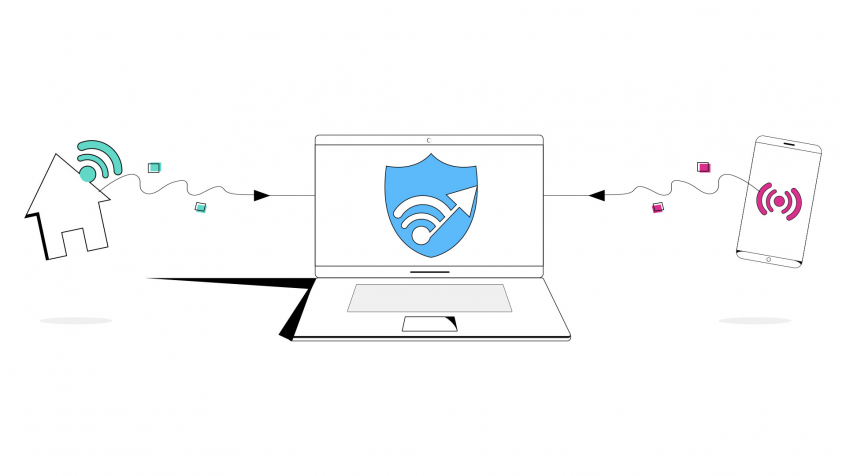
Use Your Home Internet, Tethered Smartphone and Any Other Connections Together at Once on Your Mac
Want faster upload and download speeds and more reliable internet on your Mac? Run your home Wi-Fi or Ethernet together with a tethered phone’s 4G/5G cellular at the same time.
Speedify is an app that combines two or more internet connections at once – such as Wi-Fi and cellular data – so you get faster uploads and downloads and stay online if one connection drops out.
Speedify uses every internet connection your device has, at the same time
How do I use WiFi and 4G/5G cellular at the same time with Speedify?

Pick your two internet connections and your device below and we'll take you to the step-by-step setup guide.


How to Combine 2 or More Connections on macOS at the Same
Speedify can bond any number or combination of Internet connections and will intelligently distribute your online traffic among them for optimal performance. Plus, if you get disconnected from one of your connections in the middle of an important video call or file transfer, Speedify will seamlessly failover to your other working Internet connection(s) without skipping a beat.
NOTE: For best results, use Internet connections from different sources. In general, joining the same upstream network multiple times (such as the same router via Ethernet and Wi-Fi) will not improve performance.
Here’s what you have to do to combine connections on macOS:
- Connect your Mac device to all available networks. This includes wired Ethernet, Wi-Fi, tethered smartphones, and any other types. Make sure the connections are enabled to be used in macOS.
- If you’re using any USB network adapter dongles (for extra cellular or Wi-Fi networks, for example), make sure to install them in macOS according to the instructions from the manufacturer.
- Get Speedify from the Apple Store. Once running, Speedify will automatically detect all your active connections and combine them for increased speed, security, and stability.
If your device or network requires additional configuration (such as running dialer software for mobile broadband networks or logging into captive portals on Wi-Fi and Ethernet networks at hotels or airports) as soon as you perform the required steps Speedify will be start using it.
Combine Connections on macOS with Speedify for Reliable, Fast and Secure Internet
Speedify is a fast bonding VPN that gets you a fast, stable and secure Internet connection on your Mac. It achieves this with channel bonding technology that uses all of your available connections in macOS instead of switching between them.
You get more bandwidth, which allows all of your apps to run faster. Speedify runs in the background, proactively monitoring the quality of your connections. It is equipped with auto failover so when one of your connection drops, it routes all the data through the other one(s), if available, until the connection is restored. All of this activity is automated. You don’t have to do anything, and you most likely won’t even notice anything different is happening.
As a VPN, Speedify provides advanced encryption, without forcing you to sacrifice speed or reliability. Speedify works on all Mac computers running macOS 10.12 and later. That includes macOS Sierra, macOS High Sierra, macOS Mojave, macOS Catalina, and macOS Big Sur.
Please check the updated system requirements on our download page.
Speedify is also available in the App Store. It only takes a few minutes to setup and requires no advanced technical skills or knowledge to use. And then – boom: you can combine connections on macOS!
Speedify
Get started with Speedify today.
Combine Wi-Fi, 4G/5G cellular, Ethernet, Starlink, and more into one faster, steadier connection. Free to try — no credit card required.
🚀 Speed
Faster uploads and downloads by bonding all your connections at once.
📶 Stability
Automatic failover in under a second when any connection drops.
🔒 Security
AES-256 encryption on every connection, on every network you join.



15M+ downloads worldwide. 75K+ five-star reviews on iOS and Android.