
Speedify 13.2 is Here – Are You Using the Latest Version?
In April we launched Speedify 13.2, which brings an important update to the Bypass capabilities, expanding the available options to around 70 sites and services. The new version improves even more the performance of our app when it comes to Starlink Internet, among the usual bug fixes and general improvements.
Every Wednesday, as usual, our engineers go live in front of our users and answer their questions related to using the app, best practices and feature requests. This month we got a lot of questions related to live streaming and Starlink. Read below a selection of those.
Should you get a backup connection for Starlink?
Yes. Starlink goes down every day — an always-on dish averages about 34 minutes of downtime daily from routine satellite handoffs. A second connection keeps you online when Starlink drops.
What’s the best backup connection for Starlink?
A 4G/5G cellular hotspot or SIM is the most practical backup for most Starlink users — it works anywhere Starlink works, requires no installation, and uses a different network so outages rarely overlap. Cable or DSL broadband is a strong option if you have it at a fixed location. A second Starlink dish is also possible if you need maximum throughput.
How do you use two internet connections at once with Starlink?
Speedify combines Starlink with any other connection — cellular, cable, Wi-Fi, or a second dish — into one bonded connection. Speedify runs on your phone, laptop, or router. When Starlink drops, Speedify moves your traffic to the backup instantly, so calls don’t cut out and downloads don’t stall. Speedify is free to try.
71% of Speedify’s Starlink users already run a second connection. Speedify’s Starlink Index tracks real-world Starlink performance data from thousands of dishes.
See the full dataset →Use Speedify to stay online during Starlink satellite handoffs every 15 seconds
Research confirms Starlink switches between satellites every 15 seconds on a fixed schedule. Each satellite handoff is a potential dropout, and on a congested network or with any obstruction, those Starlink dropouts become real interruptions.
Speedify fixes Starlink connection drops by combining your Starlink internet connection with another satellite dish, Wi-Fi, 4G/5G cellular, or wired Ethernet at the same time. When Starlink drops, Speedify keeps your traffic moving on the backup internet connection instantly.

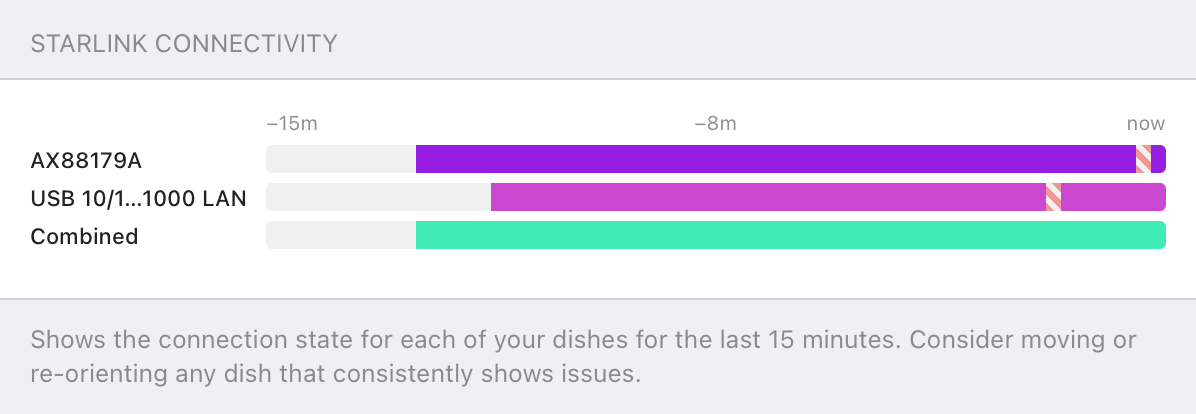
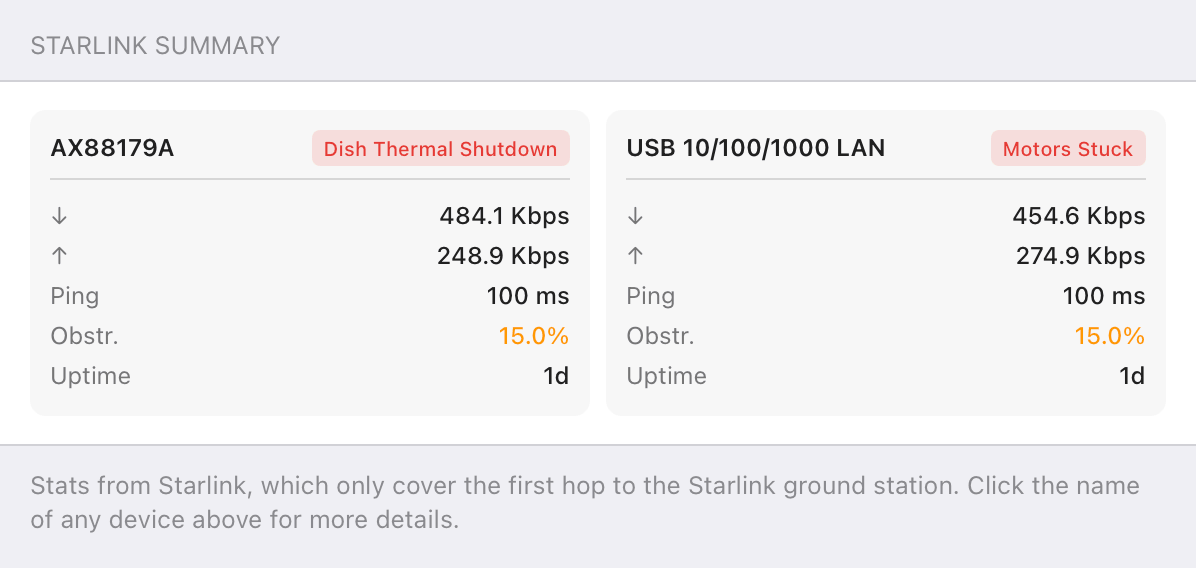
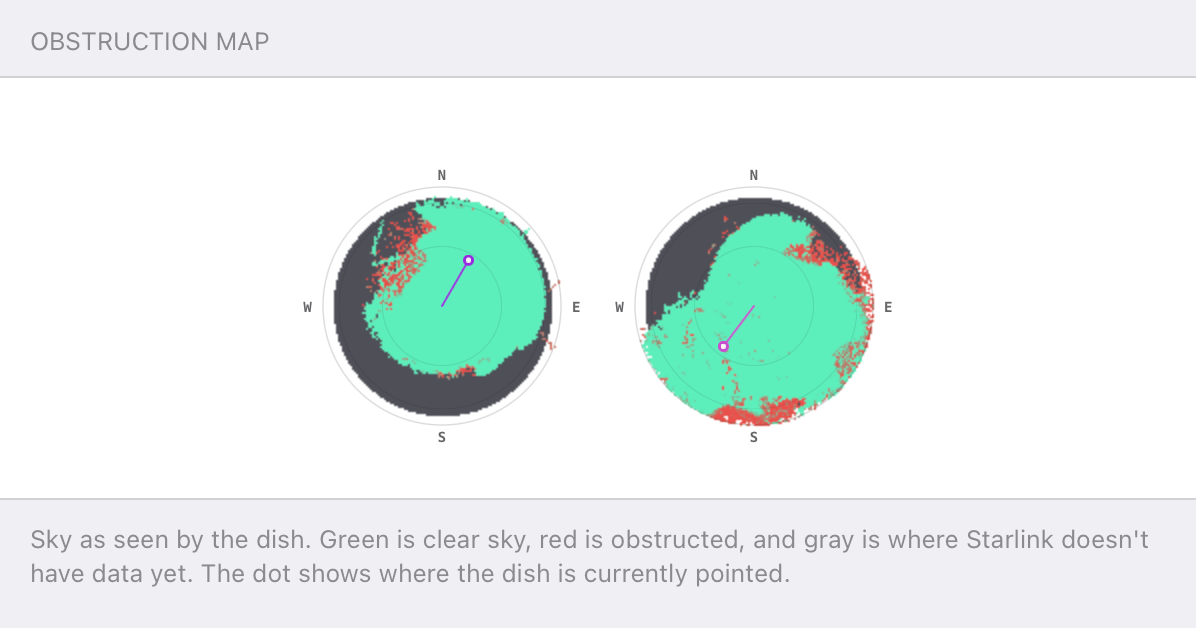
Speedify alerts you about your Starlink dish status
Speedify software alerts you about your Starlink dish status as soon as your dish experiences an issue - e.g. when your actuator motor is stuck, the mast is not vertical or there's a thermal throttle.
Speedify's Starlink Control Center helps you monitor all your Starlink dishes, read obstruction maps, and align multiple dishes all in the Speedify app. Get a real-time view of each dish's health and optimize the position of each Starlink dish, so you get the best possible performance out of your Starlink connections.
Using Speedify for Failover
If you’re looking for failover / LRT (link resilience technology), Speedify has its own version in our Redundant mode! LRT is a technology used to help improve connections by using multiple connections simultaneously, so if one fails, it jumps over to the other – this is what our Redundant mode does.
One of the questions we get a lot is if you can use the failover feature without the VPN. The answer is: no. This is because in order to do the bonding and the seamless failover, you need to have a VPN server as the intermediate point to do the talking to the servers on the internet, so even if one connection drops, your traffic still looks like it’s coming from the Speedify servers.
How to Get More Reliable Starlink Internet with Speedify
When it comes to testing Speedify with various scenarios, we have a wide variety of connections available! We have a “test town” where we can emulate any internet connection in any scenario, running servers 24/7 with Speedify clients, going through different combinations of connections and scenarios.
One of the places where we use this is our 24/7 Twitch stream. It uses Starlink Internet with an emulated DSL connection for a more realistic scenario; you can listen to chill music from Slip.stream, use chat commands for some fun, and keep an eye on the Starlink stats on screen while seeing Speedify in action. We have learned a lot from this during the last 6 month.
Tune In Every Wednesday for Speedify Office Hours – Live Customer Support
The Speedify engineering team steps forward every Wednesday, usually at 2 PM Eastern US time. Our colleagues will answer live questions from you, discuss the latest launches and trends, and offer tips and tricks to get the most our of Speedify.
Make sure you tune in for 30 minutes and find out how to get faster, more reliable and secure Internet connectivity for live streaming, video conferencing, online gaming and browsing in general.
Get started with Speedify today!
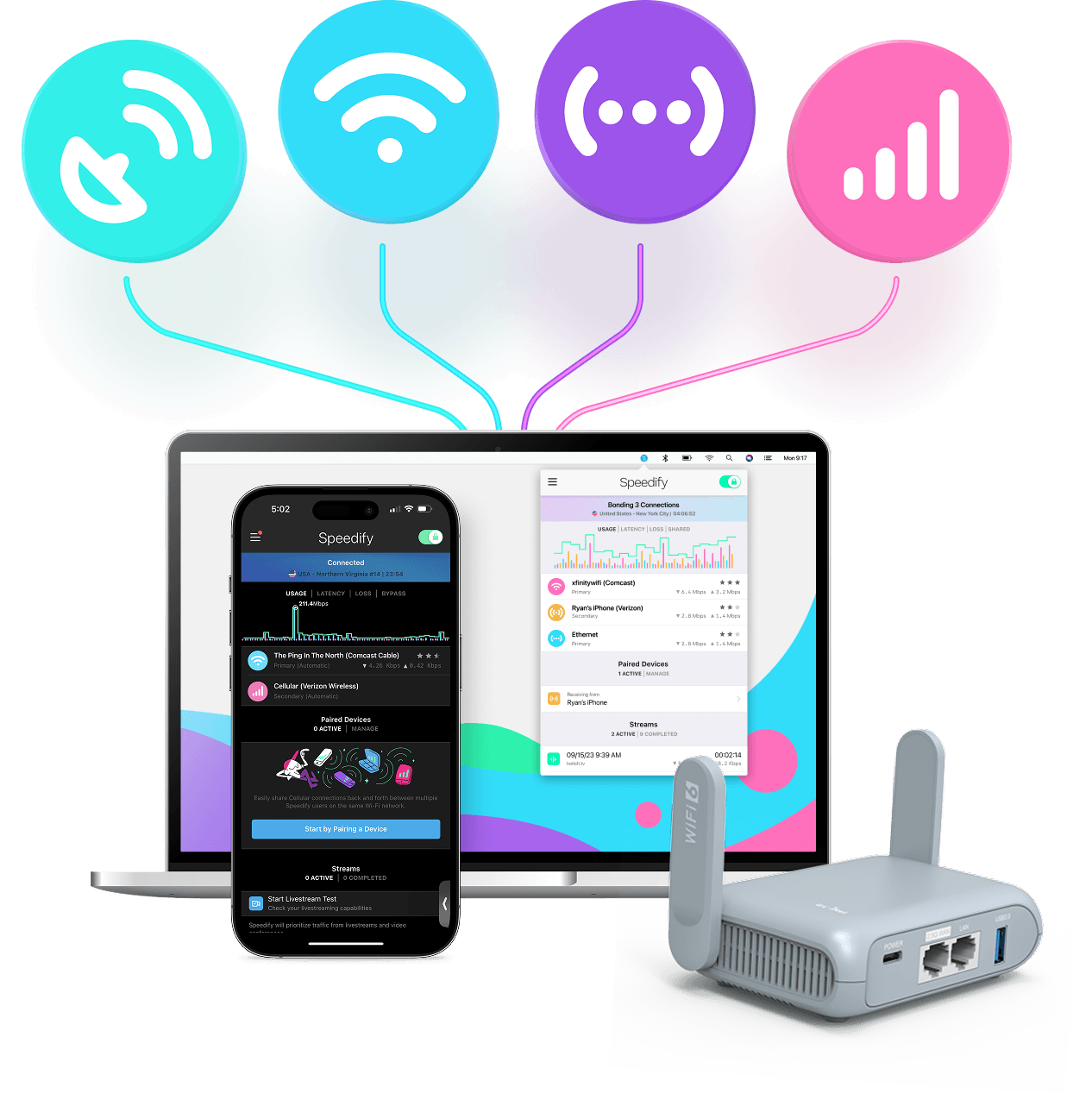
With Speedify you can combine Wi-Fi, 4G / 5G cellular, Ethernet, Starlink and other satellites into one bonded super-connection to improve livestreaming, video calling, gaming, web browsing, and everything else you do online.




Speed
Stability
Security
Speedify engineers love talking tech on YouTube, Tiktok, and Instagram!
Alex Gizis and the Speedify engineers discuss and explain technology including Starlink satellites, Wi-Fi 7 routers, Apple networking features, fiber optics, broadband internet, 5G mobile networks, AI, networking protocols, and much more. Follow Speedify on YouTube, TikTok, Instagram, and LinkedIn!
Alex and the Speedify team are always exploring the latest in networking and security technology—like 5G, 6G, WiFi 7, laser and satellite internet—and sharing it in new discussion content across YouTube, TikTok, Instagram, and LinkedIn every week.
Got a tech question? Let's go deeper! Pop into Speedify Office Hours live every Wednesday at 10 AM Eastern. Speedify CEO Alex Gizis and our network engineers are standing by to break down your questions about networks, tech updates, and Speedify features.
