
How to Choose the Best VPN for Torrenting
A torrenting VPN earns its place for one plain reason: without one, your internet provider and every other computer sharing the same file can see your IP address, the number that identifies your home internet connection.
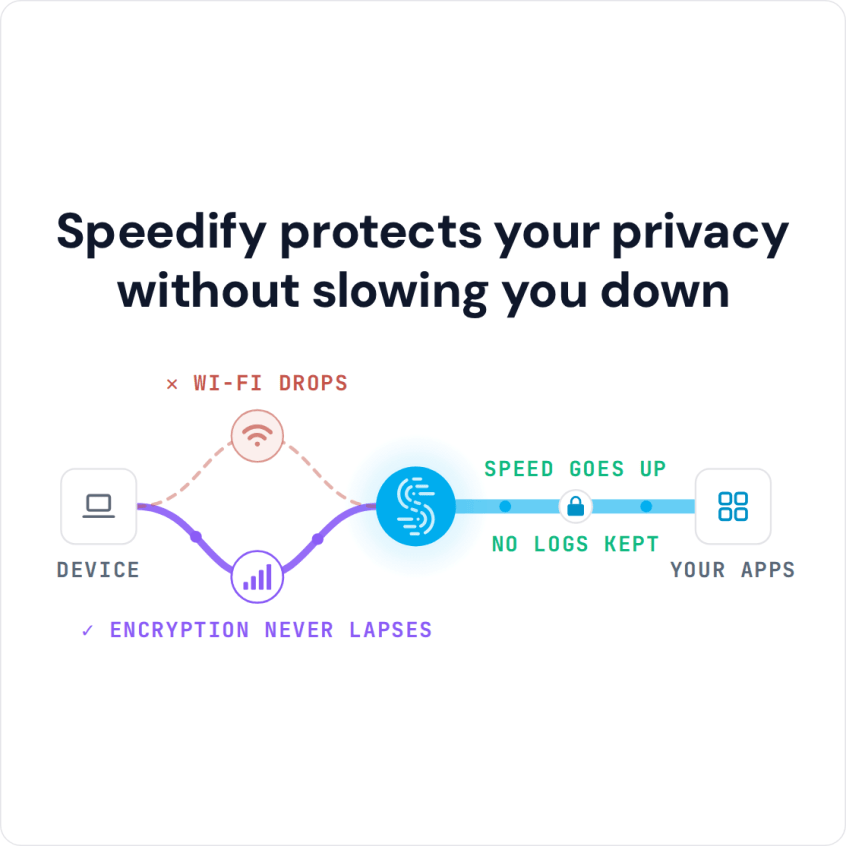
Speedify handles privacy and speed together. Speedify encrypts your internet traffic the way any VPN does, then combines Wi-Fi, 4G/5G cellular, Ethernet, Starlink and satellite internet connections, so legal downloads such as Linux system images and large work files arrive faster. The speed gain needs two or more internet connections; on a single connection, Speedify works as an encrypted VPN and can be a little slower. Below: what to look for in a VPN for torrenting, how to keep download speeds up, and the mistakes to avoid.
Why You Need a VPN for Torrenting
Using a VPN for torrenting is about more than privacy. When you torrent without a VPN, your IP address is visible to everyone in the swarm, including copyright holders, internet service providers and malicious actors. Many internet providers, including some in the US, UK, Canada and Australia, monitor torrent traffic and may throttle your connection or forward copyright warning letters.
A VPN for torrenting encrypts your traffic and replaces your IP address with the VPN server’s, so your downloads stay private from your provider. Because the provider can no longer see that the traffic is torrent traffic, a VPN also stops throttling aimed at torrents, which can cut download speeds at peak hours.
A VPN can also make torrent downloads faster if it combines two or more internet connections at once, which is what Speedify does. On one connection, any VPN, Speedify included, adds a little overhead.
Essential Features to Look for in a VPN for Torrenting
Logging Policy: What the VPN Records
Check exactly what a VPN for torrenting records. A strict no-logs policy means the provider does not store your online activities, download history or connection timestamps. Speedify’s privacy policy is more specific: Speedify keeps no record of the sites you visit and does not sell personal data, but it does record connection metadata such as your IP address, device ID, connection time and data used.
P2P-Optimized Servers
Not all VPN servers support peer-to-peer traffic. The best VPN for torrenting offers dedicated P2P servers optimized for high-bandwidth activities. These servers typically have better hardware configurations and network routing to handle the demanding nature of torrenting traffic.
Kill Switch Protection
A kill switch is essential for torrenting. A kill switch cuts your internet traffic if the VPN drops, so your real IP address is not exposed mid-download. Speedify documents an Internet Kill Switch for Speedify Mobile 6.1 and later (Settings > Privacy); on a desktop, bind your torrent client to the VPN’s network interface so the client stops when the VPN does.
Strong Encryption and Protocols
Modern VPNs for torrenting should use AES-256 or ChaCha20 encryption with secure protocols. Speedify uses DTLS 1.2 with AES-256-GCM or ChaCha20-Poly1305.
Maximizing Your Torrenting Download Speeds
When using a VPN for torrenting, it’s important to also get good download speeds. Here’s how to do that.
Choose the Right Server Location
Distance matters when selecting a VPN for torrenting. Connect to VPN servers geographically close to your location and the torrent swarm. Many premium VPN providers offer server load information, helping you avoid overcrowded servers that could bottleneck your speeds.
Optimize Your Torrent Client Settings
Set up your torrent client to work with your VPN for torrenting. Bind your client to the VPN’s network interface, adjust upload/download limits to prevent bandwidth saturation, and enable DHT and PEX for better peer discovery.


Use Split Tunneling Strategically
Some VPNs for torrenting offer split tunneling, allowing you to route only torrent traffic through the VPN while other applications use your direct connection. This can improve overall network performance while maintaining protection for your P2P activities.
Monitor Connection Quality
Regularly test your VPN connection speed and stability. On a single connection, a good VPN for torrenting should keep most of your normal internet speed. If speeds drop well below that, try a different server.
Common Torrenting VPN Mistakes to Avoid
Many users make critical errors when selecting a VPN for torrenting. Avoid free VPNs, which often have bandwidth limitations, poor security, and may log your activities. Don’t rely solely on browser-based VPN extensions, as these typically only protect web traffic, not your torrent client.
Another common mistake is neglecting DNS leak protection. Even with a VPN for torrenting, DNS requests can reveal your activities if not properly secured. Always verify your VPN provides comprehensive leak protection.
Why Speedify Is a Good Choice as a VPN for Torrenting
Traditional VPNs struggle with bandwidth-heavy torrenting because everything runs over one internet connection. Speedify’s technology for combining internet connections uses Wi-Fi, 4G/5G cellular, Ethernet, Starlink and satellite internet connections together, creating a faster connection for torrenting when you have two or more.
Speedify’s automatic failover moves the download to the remaining connections when one becomes unstable, which helps on long torrenting sessions.
A traditional VPN can only be as fast as your one internet connection, minus its overhead. Speedify’s protocol uses multiple connections simultaneously, and Speedify says it delivers up to 95% of their combined speed.
Speedify for Torrenting: Free Tier, Starlink and Cellular Data
Speedify has a free tier: 5 GB per month when you create a free Speedify account (Linux needs a paid plan). Large torrents use that up quickly, so regular torrenting needs a paid plan. Speedify runs on Windows, macOS (11.5 or later), Linux, iOS and Android.
On Starlink, Speedify can combine the Starlink connection with 4G/5G cellular or another internet connection, so downloads use both. A torrent can use up a cellular data plan fast, so set a data cap on the cellular connection in Speedify, or set it to Backup priority so Speedify uses it only when the other connections fail.
Once you’ve chosen the right VPN for torrenting, proper setup is essential. Always connect to your VPN before launching your torrent client, verify your new IP address using online tools, and test for DNS leaks.
The goal is a VPN for torrenting that keeps your downloads private without slowing them down more than it must. Whether you choose a traditional provider or Speedify, check what it records, whether it has a kill switch on your platform, and how fast it stays on your connections, and download only legal content.
Speedify
Get started with Speedify today.
Speedify combines Wi-Fi, 4G/5G cellular, Ethernet, Starlink and satellite into one faster, more reliable internet connection. Free to try: 5 GB a month with a free account. No credit card required.
🚀 Speed
Faster uploads and downloads, because Speedify uses all your internet connections at once.
📶 Stability
If one internet connection drops, Speedify moves your traffic to the others in milliseconds.
🔒 Security
AES-256 encryption on every internet connection, on any network you join.



15M+ downloads worldwide. 75K+ five-star reviews on iOS and Android.