
Unbreakable VPN Connection that Eliminates DNS Leaks by Combining Starlink, Wi-Fi, 4G, 5G, and DSL with Speedify
Name lookups are the weak spot in most VPN setups: the encrypted tunnel carries your data, while the question asking where to send that data can go out in plain view to your internet provider.
Speedify closes that gap, encrypting lookups and internet traffic alike so neither can be read, and running both over Wi-Fi, wired Ethernet, 4G/5G cellular data and Starlink at once. Four checks are laid out below to test your own setup, along with the reason people switch to Speedify: no leaked list of sites, and no speed penalty for staying private.
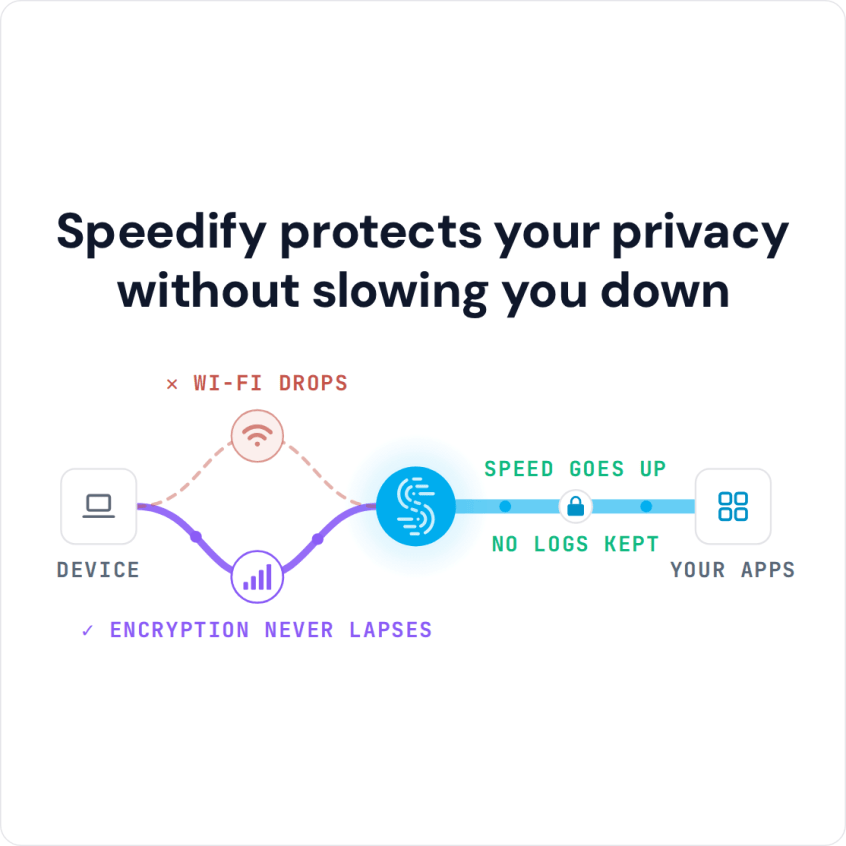
Speedify protects your privacy without slowing you down
DNS Leak: 4 Steps to Test and Find Out if You’re Exposed by Your VPN Service
As shown above, your online activity gets exposed if your ISP or anybody in the middle can get your Internet requests.
VPNs are the best solution to protect your online privacy, as they create a tunnel between your computer and the Internet. But, unfortunately, not all VPN services make your online activity fully anonymous. Here’s how to find out if you’re exposed or not – we’ll be using the DNS leak test service provided by DNSLeakTest.com and Speedify as the VPN service:
- First, with the VPN service disabled – find out your public IP address. You’ll see that your approximate location can be identified based on that only.
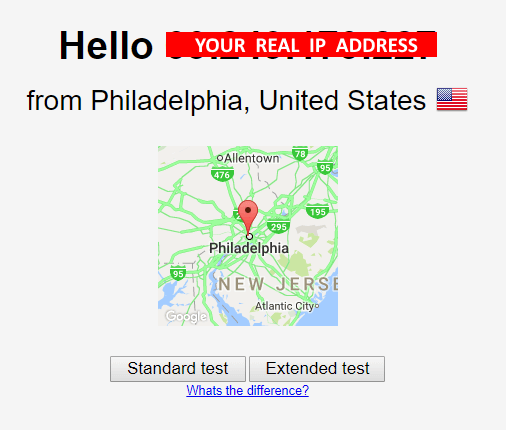
- Next, run the Standard DNS leak test and see the DNS servers your browser is quering.

- Next, start the VPN service and connect to a VPN server in a different country, preferably on a different continent. Reload the testing page – it should display a different IP address. This is good – it means the VPN works in protecting your privacy with the websites or services you’re accessing.
However, there’s one more step to go to confirm full online privacy – seeing if you’re also anonymous when DNS requests are made. Go to step 4.
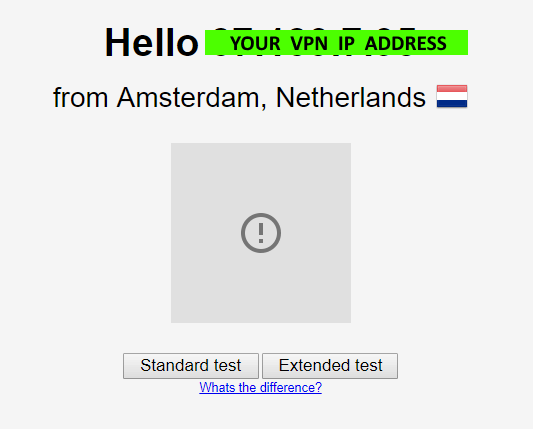
In the example above, we chose a VPN server located in the Netherlands, but you can choose the one that you like from your VPN service.
- Run the Standard test for DNS leaks again with your VPN on. This will generate a list of DNS servers that the browser queries.
Are the DNS IPs and Hostnames different than the ones identified in step 2, when running the test without the VPN on? If so – you’re all set – your VPN protects you against DNS leaks!
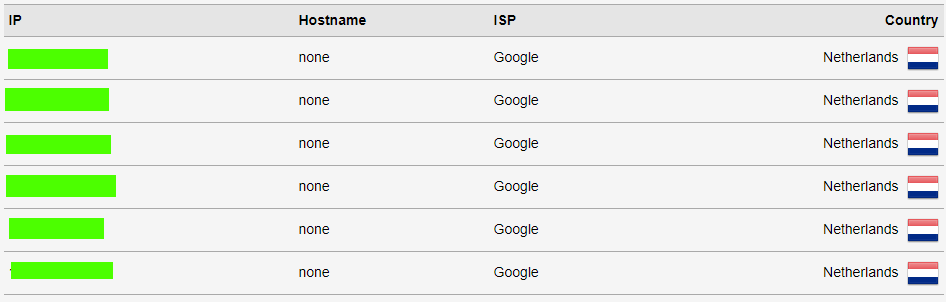
Do any of the DNS results show up in your home country (assuming you selected a server in a different country)? If so, it’s time to change the VPN service you’re using!
What to Do If VPN Has DNS Leaks? Switch to Speedify – Fast, Secure and Reliable VPN
Speedify is a fast bonding VPN built from the ground up for all 3 coordinates you need from a VPN: complete security, fast encryption and total reliability.
Speedify’s security algorithm will protect your online privacy whether you’re shopping online, working remotely, connected from a public WiFi hotspot or just browsing at home.
With its unique ability to combine multiple connections at once into one super fast and reliable pipe, Speedify will get all your devices the best and most secure Internet experience.
Don’t want to risk it all because your VPN has DNS leaks? It’s time for a change – get started with Speedify today – it’s free!
Speedify
Get started with Speedify today.
Combine Wi-Fi, 4G/5G cellular, Ethernet, Starlink, and more into one faster, steadier connection. Free to try — no credit card required.
🚀 Speed
Faster uploads and downloads by bonding all your connections at once.
📶 Stability
Automatic failover in under a second when any connection drops.
🔒 Security
AES-256 encryption on every connection, on every network you join.



15M+ downloads worldwide. 75K+ five-star reviews on iOS and Android.