
What Speedify Starlink Index Data Shows About Starlink on Moving Machines
Starlink on a tractor or a mining machine works, and the Speedify Starlink Index shows what working on the move costs. From 29 September to 12 October 2026, mobile Starlink dishes on RVs, boats and portable rigs were offline about 61 minutes a day. Fixed dishes on roofs, poles and mounts were offline about 37 minutes a day. A Starlink dish works best sitting still under open sky, and a dish on a haul truck or a tractor gets neither. The machine turns and tilts, drives past trees and spoil piles, and parks next to equipment taller than the dish.
Farmers already run a Starlink Mini on a tractor. If your machines run Starlink on the move, your fleet faces the same conditions as the 1,441 mobile dishes in Speedify Starlink Index data.
The short version: expect a Starlink dish on a moving machine to lose more minutes than a dish on a roof. Plan a second internet connection alongside Starlink for any machine working past the last tower. Of Starlink users on Speedify, 72% already run a second internet connection, most often cellular.
This article covers what the Speedify Starlink Index measures, how fixed and mobile dishes compare, and the power and plan limits for a dish on a tractor. The article also shows how Speedify combines Starlink with cellular at mine and farm sites. Speedify is software that combines every network a machine can reach (Wi-Fi, 4G/5G cellular, Ethernet, Starlink and satellite) into one connection.
The live Speedify Starlink Index updates every day, so today’s Speedify Starlink Index figures will differ from the numbers in this article.
What the Speedify Starlink Index Measures on Each Starlink Dish
The Speedify Starlink Index measures whether each Starlink internet connection actually got traffic through, all day, with no speed tests. Speedify combines Starlink with other internet connections. To decide which internet connection carries each packet, Speedify measures the health of every connection continuously, and the Speedify Starlink Index aggregates those measurements. For 29 September to 12 October 2026, the Speedify Starlink Index covered 5,994 Starlink users and 4,273 Starlink dishes in 161 countries. How Speedify measures Starlink explains the method.
Working time is the share of time a Starlink internet connection had working two-way connectivity. The path runs from the device running Speedify to a Speedify server and back. Minutes offline per day is the rest of the day. Starlink’s own uptime figures measure the Starlink network. The Speedify Starlink Index measures whether a device got through, which is the number a machine depends on.
Offline Minutes for Fixed and Mobile Starlink Dishes
Behind the 61 and 37 minutes, two more readings from the same window point at why moving dishes struggle. One dish in five pointed more than 90 degrees away from where Starlink would aim the dish. About one dish in eleven had more than 10% of the sky blocked.
Averages also hide the shape of the distribution. The Speedify Starlink Index tracks how often each dish fails to reach Starlink’s own network. Half of all dishes missed essentially none of those checks. One dish in ten missed more than 2.9%, and one dish in a hundred missed more than a third. In this window, mobile dishes averaged 5.5% against 1.5% for fixed dishes, although the fixed figure has swung between windows. A dish on a working machine is a likely candidate for the tail.
The population matters. The mobile dishes on the Speedify Starlink Index belong to RVs, boats and portable setups, not haul trucks or tractors. A machine working all day in one open pit or one field may behave more like a fixed dish than an RV. The gap also moves: across three Speedify Starlink Index windows, mobile dishes lost 2, 20 and 24 minutes a day more than fixed dishes. Treat the figures as a direction, then measure your own machines.
Power and In-Motion Limits for a Starlink Dish on a Tractor
A Starlink dish works on a tractor when the power supply and the plan both fit the machine. In April 2026, a farmer in the Adelaide Hills of South Australia tested a Starlink Mini on a tractor. The Mini kept working while the tractor drove under netting and between trees. The farm used a standby plan limited to 0.5 Mbps. Phone calls worked, and a one-hour video at 144p played without cutting out, on a farm where mobile phones mostly do not work.
Power is the first limit to plan for. Another owner wired a standard dish into a tractor’s accessory socket through a DC converter, and the socket’s 5 A fuse blew after a minute. A commenter did the arithmetic: 5 A at 12 V is 60 W. The commenter put a standard dish at 75 to 100 W in use. Wire a dish to the battery with the right cable and fuse, or use a Mini where a Mini is enough.
Plans are the second limit. Starlink plans differ on in-motion use, and in the Adelaide Hills thread another owner says the tractor runs into in-motion speed limits constantly. Check the plan before the season starts.
How to Combine Starlink With Perimeter Cellular at Mine and Farm Sites
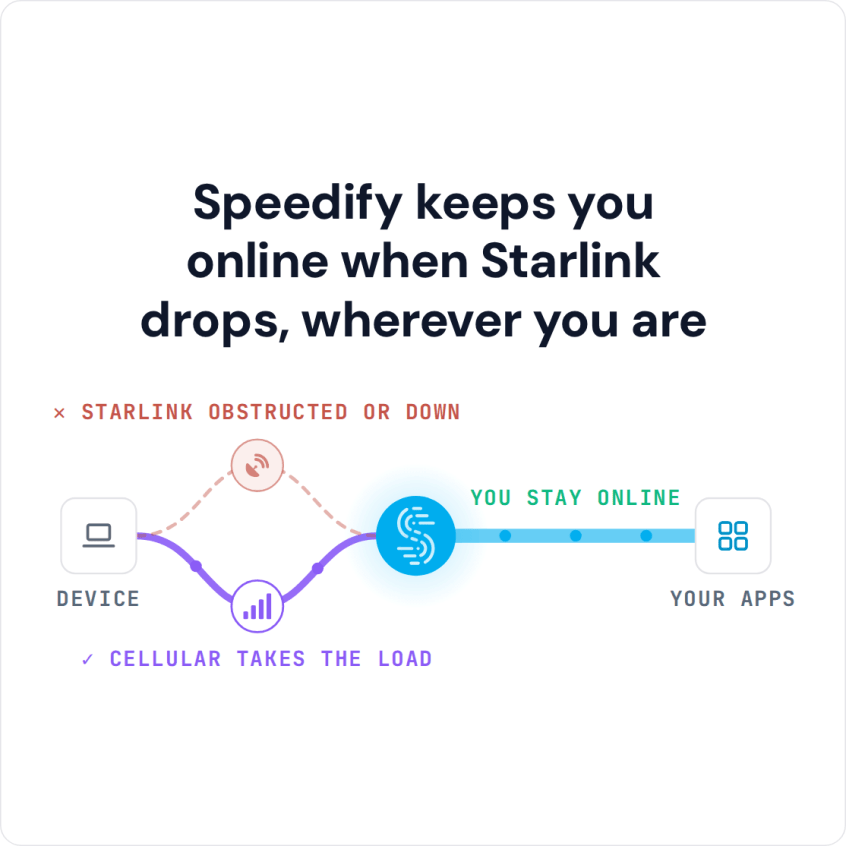
Combine Starlink with whatever cellular reaches the machine, because the two networks lose minutes for different reasons. Mines and large farms rarely have zero cellular coverage. Coverage usually exists at the edges: near the camp, the main road, the processing plant or the farm buildings. Out in the pit or the far paddock, Starlink is often the only network a machine can reach.
Starlink loses minutes to obstructions, dust and tilt; cellular loses coverage with distance from the tower. Combining the two covers each network’s gaps with the other network. Speedify splits traffic packet by packet, so near the camp the machine also gets the combined bandwidth of Starlink and cellular.
Speedify sends a keepalive over every internet connection every second, including connections not carrying traffic. Speedify keeps a ten-second minimum of the round trip and a windowed maximum of the delivery rate. When a Starlink dish is obstructed, the cellular connection’s numbers are already current. Traffic moves to a connection Speedify measured seconds ago, not to a guess.
Speedify also chooses the TCP congestion control for each internet connection, and keeps choosing. BBR does not read the random loss of a satellite or cellular connection as congestion. Cubic holds a lower latency tail on a clean connection but gives up most of the throughput once packets start going missing. A connection that proves clean moves to Cubic, and a connection that starts losing packets moves back. The rule leans toward BBR, because the wrong choice on a lossy connection costs more.
Cost tiers set the order of use. Starlink can be the Primary internet connection and perimeter cellular Secondary. Cellular then carries traffic only when Starlink is full or short of the overflow threshold. Set cellular as Backup instead, and cellular carries traffic only when Starlink stops working.
A Second Starlink Dish or Starlink Plus Cellular for Machines
Starlink plus cellular is the stronger pair. A second dish helps against obstructions on one side of a machine. But two dishes share the Starlink network, so a Starlink-wide event affects both dishes at once. Speedify recommends pairing Starlink with a different kind of internet connection, such as cellular, for that reason.
On machines, Speedify runs inside the machine’s own software or on the machine’s onboard router. Speedify for physical AI explains the options for mining, agriculture and other off-grid machines. Contact Us to book a demo with the Speedify team or to plan a pilot on your own hardware.
Speedify Business Solutions
Speedify Teams
Speedify for Routers

Speedify Embedded Solutions and Integrations
Add Speedify to your own app or hardware with the Speedify SDK. Your product then combines internet connections, fails over automatically when one drops, and encrypts the traffic, using the same technology as the Speedify app.