
Your Guide to the Best Live Streaming Experience
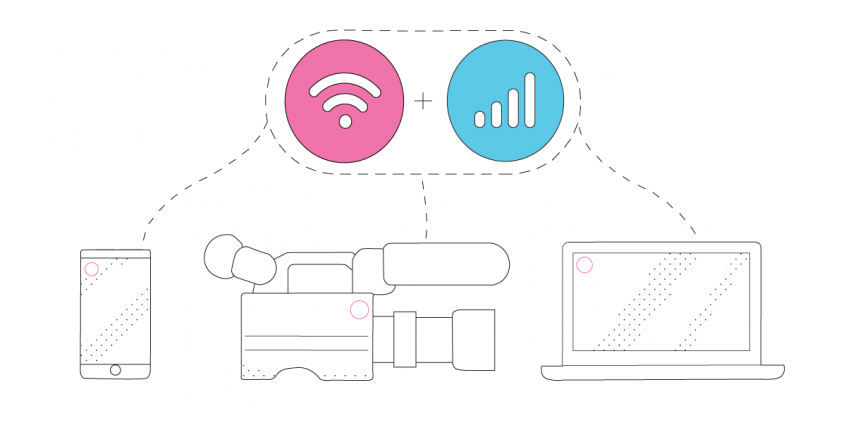
The best livestreaming gear only performs when the internet behind it stays steady – so a reliable connection is the first piece of equipment to sort out. Speedify is an app that combines two or more internet connections at once – Wi-Fi, 4G/5G cellular, a hotspot – into one faster, steadier upload, and it keeps the stream running if any single connection drops.
Here is how to choose equipment to livestream an event, starting with stable internet.
<1 sec
With Speedify, your internet stays on when one connection fails.
When one of your internet connections drops, Speedify shifts your traffic to your remaining connections in under a second — so calls don’t cut out and downloads don’t stall.
Should you have a backup 4G, 5G, Starlink, or cable internet connection?
Yes — every internet connection goes down, including Starlink, which drops for ~34 minutes a day on average. A backup connection from a different provider means one outage never takes you fully offline. The most common options are a 4G/5G cellular hotspot, a cable or DSL line, or a second satellite dish.
4G/5G cellular
Works anywhere. Just a SIM or hotspot — no installation needed.
Learn more →Cable / DSL
Best for fixed locations. Different network, so outages rarely overlap.
Learn more →Second Starlink
Adds redundancy and throughput for remote sites or heavy usage.
Learn more →Speedify bonds any two connections into one — automatic failover, more speed, no dropped calls.
Try Speedify free →

Important Tip for Best Equipment to Livestream and Event: Get Stable Internet
We won’t recommend any specific cameras or other equipment, since this varies depending on your needs. You can check out this BoxCast article with recommendations for every level. But just to be clear – you can livestream an event with just a smartphone. The most important things are the message you send and having a good Internet connection.
As you might have guessed, the most difficult part of the setup is the fast and reliable Internet connection. Depending on the location, you may or may not get stable Internet. And this can lead to a lot of networking troubleshooting, wasted time and hair loss (I apologize if you are bald, I can relate).
Must-Have Equipment for Live Streaming an Event: a Reliable Internet Connection
Even if an Internet connection is available at the event location, the connection could be overloaded and there will most likely be network congestion. Remember the “great” free Wi-Fi at most events? I rest my case.
Always be prepared and bring your own Internet if you want to livestream an event. This can be a portable hotspot (MiFi device) or a phone that you can use as a mobile hotspot. There are some portable routers/pocket WiFi that have stronger antennas and can be useful when live streaming from locations with poor Internet access. The more different connections you have, the better: two connections are better than one.
And yes, you can combine the local WiFi at the event with your cellular data simultaneously and have a faster connection. Or you can use your cellular connection as a backup if you are on a limited plan. This way, your cellular connection will be used only if the primary connection becomes too weak or gets lost. You just need a channel bonding app, like Speedify!
Speedify – Clearly on the List of Best Equipment to Livestream an Event!
As a fast bonding VPN, Speedify acts like a power-up for your device. Instead of only using a single Internet connection at a time, Speedify allows your device to use multiple connections simultaneously. You’ll get more bandwidth and more stable livestreams.
Speedify constantly monitors the quality of your Internet connections. If the Wi-Fi becomes unreliable, it’ll automatically reroute data through cellular data until Wi-Fi is available again.
Moreover, we added a brand new Streaming Mode. It automatically identifies audio and video streams, and provides quality of service (QoS) by prioritizing streams over other traffic. Web browsing and software updates can’t mess up your calls and live streams.
But don’t just take my word for it, try Speedify for free when live streaming an event! Get it here!
Alex and the Speedify team are always exploring the latest in networking and security technology—like 5G, 6G, WiFi 7, laser and satellite internet—and sharing it in new discussion content across YouTube, TikTok, Instagram, and LinkedIn every week.
Got a tech question? Let's go deeper! Pop into Speedify Office Hours live every Wednesday at 10 AM Eastern. Speedify CEO Alex Gizis and our network engineers are standing by to break down your questions about networks, tech updates, and Speedify features.

Speedify
Get started with Speedify today.
Combine Wi-Fi, 4G/5G cellular, Ethernet, Starlink, and more into one faster, steadier connection. Free to try — no credit card required.
🚀 Speed
Faster uploads and downloads by bonding all your connections at once.
📶 Stability
Automatic failover in under a second when any connection drops.
🔒 Security
AES-256 encryption on every connection, on every network you join.



15M+ downloads worldwide. 75K+ five-star reviews on iOS and Android.