
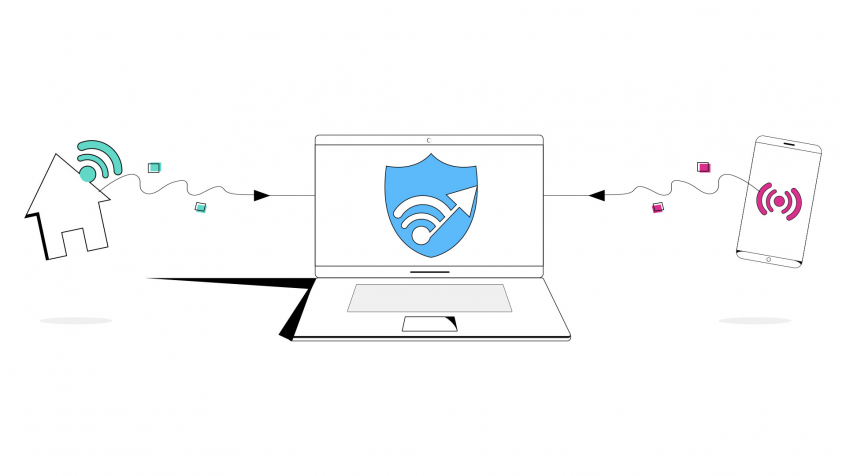
Stuck with slow Wi-Fi at a coffee shop, hotel, or home? Run Wi-Fi and 4G/5G cellular at the same time for faster upload and download speeds and a connection that stays online even if one drops out.
Speedify is an app that combines two or more internet connections at once – such as your computer’s Wi-Fi and a tethered phone’s 4G/5G – so you get faster uploads and downloads and stay online if one connection drops out. It works on Windows and macOS.
With Speedify, your internet stays on when one connection fails.
When one of your connections drops, Speedify automatically routes your traffic to your remaining connections — so calls don't cut out and downloads don't stall.
How do I use WiFi and 4G/5G cellular at the same time with Speedify?

Pick your two internet connections and your device below and we'll take you to the step-by-step setup guide.


First things first, here are some ways you can find another Internet connection:
- Tether your smart phone – Chances are you’re mobile phone is sitting in your pocket and has a cellular data plan associated with it. Simply connect your phone to your computer via USB and set your devices Personal/Portable Hotspot to tether its Internet connection. Here are quick and easy guides for iPhones and Android devices from our friends at HowToGeek.
- Connect to a mobile 4G/LTE/5G modem, or USB adapter – Have access to a MiFi Device or Portable 4G/5G dongle? Connect it to your computer via its USB or ethernet cable.
- Join a second Wi-Fi network – Is there another Wi-Fi connection in range of your computer? With a second Wi-Fi card connected to your PC (USB versions are inexpensive and readily available online) you can connect to it too! See our guide here.
Now that you’ve got your two (or more) Internet connections simply download Speedify to get started. After installing the software, start it up and Speedify will automatically start to combine your active connections. If tethering, you can even enable data limits on your mobile connection to prevent any potential overage fees from your mobile carrier.
Speedify
Get started with Speedify today.
Combine Wi-Fi, 4G/5G cellular, Ethernet, Starlink, and more into one faster, steadier connection. Free to try — no credit card required.
🚀 Speed
Faster uploads and downloads by bonding all your connections at once.
📶 Stability
Automatic failover in under a second when any connection drops.
🔒 Security
AES-256 encryption on every connection, on every network you join.



15M+ downloads worldwide. 75K+ five-star reviews on iOS and Android.