
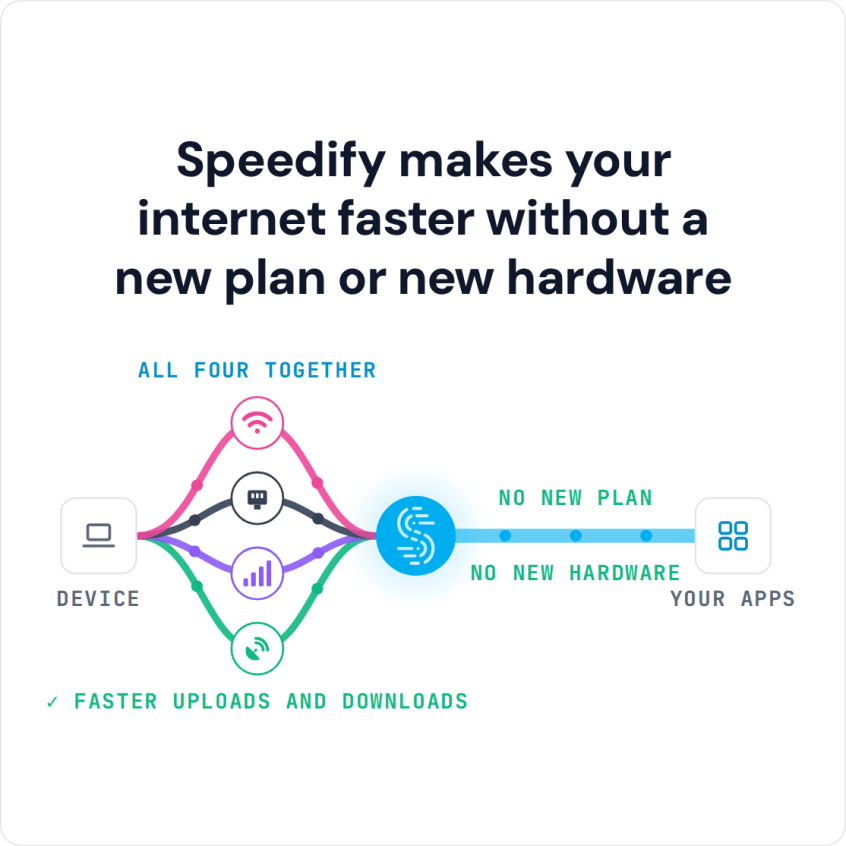
To boost internet speed on Android and iPhone, the app that makes a real difference is one that uses more than one internet connection at the same time; most so-called speed booster apps cannot make a single crowded signal faster. Speedify is an app that combines Wi-Fi, 4G/5G cellular, Ethernet, Starlink and satellite internet connections into one faster, more reliable connection, and encrypts your traffic like a VPN. On a phone, Speedify uses Wi-Fi and 4G/5G cellular at once, for faster downloads and uploads and no dropout when one connection fails.
Speedify makes your internet faster without a new plan or new hardware
This guide compares the apps and methods that help, including Apple’s Wi-Fi Assist, faster DNS services and internet speed booster apps, and where Speedify fits.
How do I use WiFi and 4G/5G cellular at the same time with Speedify?

Pick your two internet connections and your device below and we'll take you to the step-by-step setup guide.


The State of Global Internet in 2026: Speed, Usage, and Trends
Current Global Internet Speeds
According to BroadbandSearch’s 2026 statistics, approximately 6.0 billion people (roughly 75% of the world’s population) now use the internet. Global internet speeds have risen by about half since 2021:
- Fixed Broadband: Global average download speeds reached 90.67 Mbps in early 2024, up from 60 Mbps in 2021
- Mobile Networks: Average mobile download speeds hit 44.67 Mbps globally, though Tier 1 countries such as Singapore and South Korea reach more than twice that
- United States: Ranks 8th globally for fixed broadband (226.84 Mbps average) and 19th for mobile (103.79 Mbps)
Countries with fastest internet upload and download speeds in 2026 include Singapore (310 Mbps fixed broadband, 120 Mbps mobile), South Korea (290 Mbps / 110 Mbps), and Denmark (270 Mbps / 100 Mbps). These nations benefit from extensive fiber infrastructure and widespread 5G deployment.
5G Adoption and Future Predictions
5G continues its global expansion. According to Brightlio’s broadband statistics, 55% of the world’s population now has access to 5G networks, with subscriptions reaching approximately 3 billion in 2025. Projections suggest 5G subscriptions will reach 4.8 billion by the end of 2026.
However, large gaps remain. While urban areas enjoy robust 5G coverage, rural regions still struggle with connectivity. About 83% of urban dwellers have internet access, compared to just 48% in rural areas.
How People Use the Internet in 2026
Mobile internet has become the dominant access method:
- Mobile vs. Desktop: Mobile accounts for 51.6% of web traffic, while desktop represents 47% and tablets just 1.4%
- Daily Usage: Connected adults spend an average of 6 hours and 38 minutes online per day, with 3 hours 46 minutes on mobile devices versus 2 hours 52 minutes on computers
- Device Penetration: Approximately 5.78 billion people use mobile phones globally, with smartphones accounting for the vast majority
This shift toward mobile-first internet usage makes connection reliability and speed more critical than ever, especially for remote workers, content creators, and anyone who depends on consistent connectivity.
The Economic Impact of Internet Speed
Research from Ericsson, Arthur D. Little, and Chalmers University confirms that doubling broadband speed increases GDP by 0.3%, which is equivalent to $126 billion across 33 OECD countries. Faster internet directly improves productivity, enables cloud collaboration, and facilitates data-intensive work.
Best Apps to Boost Internet Speed on Android and iPhone Compared
Speedify: Faster Uploads and Downloads on Phones, Computers, Tablets and Routers
How Speedify Works: Speedify automatically detects and combines any available connections:
- Wi-Fi networks (home, coffee shop, hotel, public hotspots)
- 4G/5G cellular
- Ethernet and wired broadband
- Tethered smartphones (iPhone or Android used as hotspot)
- Starlink and other satellite internet
Unlike traditional VPNs that only route your traffic through a single connection, Speedify distributes your data across multiple connections at the same time. If one connection slows down or drops completely, Speedify shifts traffic to your other connections without interrupting what you are doing. This automatic failover technology keeps video calls, Zoom meetings and livestreams going instead of buffering or dropping.
Speedify is available as a software app for Windows, macOS, Linux, iOS, and Android. Speedify also works on OpenWrt routers with a Router License, so you can combine connections for your entire household or office.
Apple’s Wi-Fi Assist (Built into iOS)
What Apple Wi-Fi Assist Does: Automatically switches from weak Wi-Fi to cellular when your iPhone detects a poor connection.
How Apple Wi-Fi Assist Works: Wi-Fi Assist monitors signal strength and switches to LTE/5G when Wi-Fi becomes unreliable. This feature has been part of iOS since iOS 9 and continues improving with each update. Here is how Wi-Fi Assist compares with Speedify.
Limitations of Apple Wi-Fi Assist: Wi-Fi Assist only switches between connections; it does not combine them. Wi-Fi Assist can use more of your cellular plan than you expect, and it is available only on Apple devices.
Optimized DNS Services (Cloudflare 1.1.1.1, Google DNS)
What Optimized DNS Services Do: Replace your ISP’s default DNS servers with faster, more secure alternatives to improve website loading times and browsing speed.
How Optimized DNS Services Work: DNS (Domain Name System) servers translate website addresses into IP addresses. Cloudflare’s 1.1.1.1 and Google Public DNS (8.8.8.8) offer faster DNS resolution than most ISP servers.
Independent testing from DNSPerf consistently ranks Cloudflare 1.1.1.1 as the fastest DNS service, with average response times of 23.4-25.2ms compared to Google’s 48.8-51.4ms. Cloudflare’s massive Anycast network with servers in over 320 cities globally ensures low latency regardless of your location.
Both services support DNS-over-HTTPS (DoH) and DNS-over-TLS (DoT), encrypting your DNS queries to prevent ISPs or third parties from seeing which websites you visit.
The Benefits of Optimized DNS Services:
- Faster initial page loads (typically 20-30% improvement)
- Enhanced privacy: DNS queries encrypted
- Protection against DNS hijacking and spoofing
- Free and easy to set up on any device
Limitations of Optimized DNS Services: DNS optimization only improves the speed of looking up website addresses; it doesn’t increase your actual bandwidth or combine connections. If your internet connection itself is slow or unstable, changing DNS servers won’t fix that. Best used in combination with Speedify for maximum performance.
Setup Optimized DNS Services: Easy to configure on mobile devices, computers, and routers. Cloudflare offers dedicated apps for Android and iOS with one-tap setup.
5G SA (Standalone) Networks
What 5G SA Is: True 5G networks that don’t rely on 4G LTE infrastructure.
The Promise of 5G SA: Faster speeds, lower latency, and better congestion handling. Major carriers like Verizon, AT&T, and T-Mobile have deployed 5G SA in major cities throughout 2025-2026.
5G SA Reality: 5G SA delivers impressive speeds, often 300-600 Mbps in ideal conditions. However, coverage remains spotty outside major metros, buildings block mmWave signals, and speeds drop dramatically during peak usage. A single 5G connection, no matter how fast, still fails when you lose signal or encounter network congestion.
“Internet Speed Booster” Apps
What “internet speed booster” Apps Claim: Apps in the Google Play Store and Apple App Store claim to “boost internet speed” through DNS changes or background process optimization.
The Truth of “internet speed booster” apps: Most of these are ineffective or outright scams. While legitimate DNS changes (like switching to Cloudflare) can help, apps claiming to “clear network cache” or “optimize packets” are largely placebos.
Bottom Line: Avoid “internet speed booster” apps. For legitimate DNS optimization, use Cloudflare or Google DNS directly. For actual speed improvements from combining internet connections, use Speedify.
Side-by-Side Feature Comparison on Solutions for Faster Upload and Download Speeds
| Feature | Speedify | Apple Wi-Fi Assist | 5G SA Networks | Cloudflare/Google DNS |
|---|---|---|---|---|
| Combines Wi-Fi, 4G/5G, Starlink, wired broadband, others at once | ✓ | ✗ | ✗ | ✗ |
| Automatic Failover | ✓ | ✓ (one direction only) | ✗ | ✗ |
| Actually Increases Bandwidth | ✓ | ✗ | ✓ (when available) | ✗ |
| Improves Page Load Times | ✓ | ✗ | ✓ | ✓ |
| Works with Streaming Services | ✓ | ✓ | ✓ | ✓ |
| Cost Aware (Data Management) | ✓ | ✗ | ✗ | N/A |
| Operating System Support | ✓ (all major ones) | ✗ (iOS only) | ✓ (all, depending on hardware) | ✓ (all major ones) |
| VPN Security & Encryption | ✓ | ✗ | ✗ | ✓ (DoH/DoT only) |
Real-World Uses for Faster Uploads and Downloads with Speedify
Remote Work & Video Conferencing
Working from coffee shops, co-working spaces, or while traveling? Unreliable Wi-Fi can destroy your productivity. On a phone, Speedify combines the café’s Wi-Fi with the phone’s own 4G/5G cellular connection; on a laptop, add your phone by USB tethering. Your Zoom calls keep going and your file uploads complete without interruption.
Live Streaming & Content Creation
Whether you’re streaming on Twitch, broadcasting live events, or creating content for YouTube, dropped connections mean lost viewers and revenue. Speedify’s Streaming Mode optimizes for live video, using multiple connections to prevent buffering and stream interruptions. Professional broadcasters and IRL streamers rely on Speedify to maintain consistent upload speeds even in challenging environments.
Travel & Mobile Connectivity
Hotels, airports, and trains often have congested or unreliable Wi-Fi. With Speedify, combine the venue’s Wi-Fi with your phone’s 4G/5G cellular connection for faster downloads and uploads, and a connection that stays up if the Wi-Fi drops. The app even works with Starlink satellite internet, making it ideal for RVers, boaters, and remote locations.
Gaming & Low-Latency Applications
Online gaming requires consistent, low-latency connections. While Speedify primarily improves reliability and bandwidth, its automatic failover keeps you in the match when one connection drops, instead of a disconnect that ends a competitive game.
Combine Cloudflare DNS and Speedify for Faster, More Private Mobile Internet
For optimal mobile internet performance in 2026, consider using multiple solutions together:
1. Switch to Cloudflare DNS (1.1.1.1) for faster page loads and enhanced privacy: it takes 2 minutes to set up and provides immediate improvements to browsing speed.
2. Install Speedify to combine multiple internet connections (Wi-Fi + 5G, multiple hotspots, Starlink + cellular) for online privacy, faster uploads and downloads, and failover when one connection drops.
Together, Cloudflare speeds up DNS lookups and Speedify gives you secure, faster and more reliable internet.
Speedify is the only option here that actually combines your available internet sources, for faster uploads and downloads, VPN encryption and automatic failover. Whether you’re a remote worker needing reliable video calls, a content creator streaming live, or simply tired of buffering videos and dropped connections, you can try Speedify with a free account that includes 5 GB per month.
Speedify
Get started with Speedify today.
Speedify combines Wi-Fi, 4G/5G cellular, Ethernet, Starlink and satellite into one faster, more reliable internet connection. Free to try: 5 GB a month with a free account. No credit card required.
🚀 Speed
Faster uploads and downloads, because Speedify uses all your internet connections at once.
📶 Stability
If one internet connection drops, Speedify moves your traffic to the others in milliseconds.
🔒 Security
AES-256 encryption on every internet connection, on any network you join.



15M+ downloads worldwide. 75K+ five-star reviews on iOS and Android.