
Solved: Bonding 2 Separate DSL Connections into One
Want faster upload and download speeds and internet that stays online even if one line drops out? Run two DSL lines at the same time.
Speedify is an app that combines two or more internet connections at once, such as two separate DSL lines (often called DSL bonding), into one connection. Speedify runs on Windows and macOS.
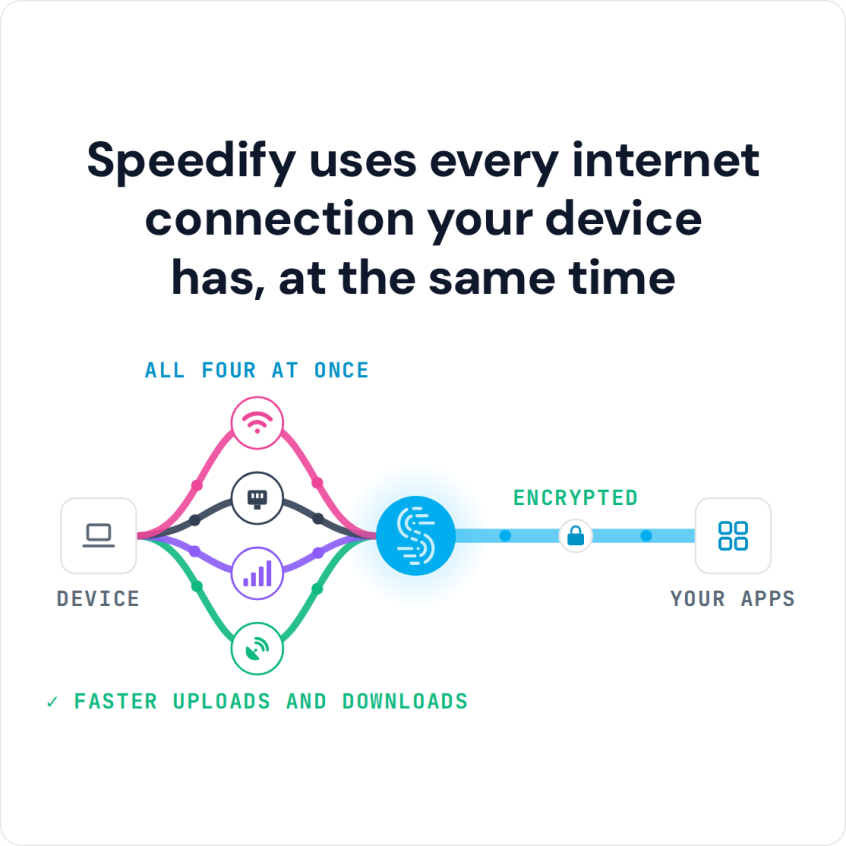
Speedify uses every internet connection your device has, at the same time
How do I use WiFi and 4G/5G cellular at the same time with Speedify?

Pick your two internet connections and your device below and we'll take you to the step-by-step setup guide.


What You Need Before Combining Two DSL Lines
Before you get started, make sure you have the right hardware. Most desktops and laptops have a single Ethernet port and a single Wi-Fi card. If you can connect to one DSL line with Wi-Fi (via a router) and to the second DSL line through an Ethernet connection, you do not need any additional hardware. If you intend to use two Ethernet or two Wi-Fi connections, you need a second network card or a USB Ethernet or USB Wi-Fi adapter. On a Mac, USB Wi-Fi adapters only work on an Intel Mac running macOS 11 Big Sur (Speedify needs 11.5 or later), so on a newer Mac, use a USB Ethernet adapter instead.
It is important that you combine two different DSL lines. If you connect to the same DSL line through Wi-Fi and through Ethernet (via the same router, for example), Speedify cannot make them faster, because both share the same upstream connection.
You will also want to download the Speedify app.
Step 1: Connect to the First DSL Line
The first step is simple. Connect your computer to the first DSL line, using either Wi-Fi or Ethernet. Neither Windows nor macOS can combine two different connections on its own: each uses only one connection at a time. Speedify combines the two connections in Step 3.
Step 2: Connect to the Second DSL Line
Next, connect your computer to the second DSL line. Again, the easiest method is to connect to one line via Ethernet and the second line via Wi-Fi. Whichever connection method you choose, Speedify combines the two lines into one faster connection.
Step 3: Open Speedify to Combine the Two DSL Lines
Once you are connected to both DSL lines, open the Speedify app. Speedify automatically detects both connections and combines them into a single faster connection.
Your available bandwidth can approach the combined speed of both DSL lines, so data-heavy tasks that used to slow your Internet connection to a crawl finish sooner.
To share the combined DSL lines with the other devices in your home, you can set up the computer running Speedify as a router for them. Speedify also runs on routers (OpenWrt 23.05 or later, GL.iNet firmware on listed models, and Powered by Speedify routers), which need a Router License.
Speedify Delivers Both Speed and Security for Your Internet Connection
Besides combining two DSL lines, Speedify works as a mobile VPN and a connection manager. It keeps your data secure without slowing down your Internet connection, unlike other standard VPN services.
Speedify also has automatic failover: it monitors the quality of both connections in the background. If one DSL line becomes unstable or disconnects, Speedify moves all your traffic to the working line to keep you online. When that line comes back, Speedify adds it back automatically.
Speedify combines two DSL lines and protects your security and privacy at the same time. Get started with Speedify now: a free account includes 5 GB per month.
Speedify
Get started with Speedify today.
Combine Wi-Fi, 4G/5G cellular, Ethernet, Starlink, and more into one faster, steadier connection. Free to try — no credit card required.
🚀 Speed
Faster uploads and downloads by bonding all your connections at once.
📶 Stability
Automatic failover in under a second when any connection drops.
🔒 Security
AES-256 encryption on every connection, on every network you join.



15M+ downloads worldwide. 75K+ five-star reviews on iOS and Android.