
Get a Faster Internet Connection by Combining WiFi and Your Tethered Phone Connection
Want faster upload and download speeds and more reliable internet on your Mac or PC? Run Wi-Fi and a tethered phone at the same time.
Speedify is an app that combines two or more internet connections at once, such as Wi-Fi and a tethered phone, so you get faster uploads and downloads and stay online if one connection drops out. In most cases you need no extra hardware. For the basics, see combining Wi-Fi and 4G/5G cellular on your computer.
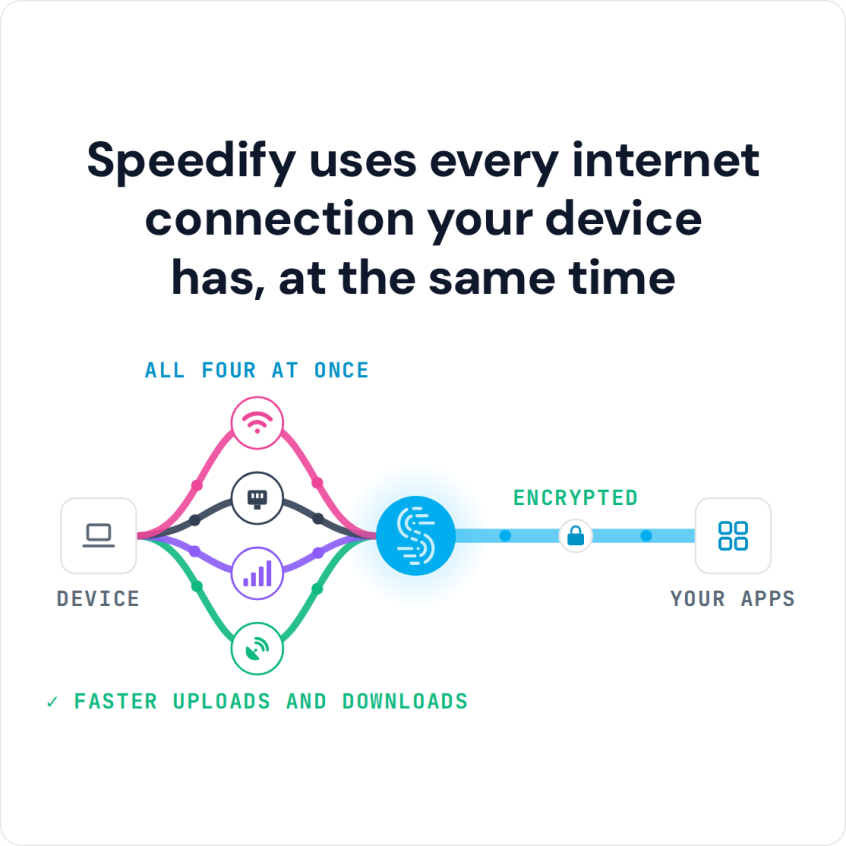
Speedify uses every internet connection your device has, at the same time
How do I use WiFi and 4G/5G cellular at the same time with Speedify?

Pick your two internet connections and your device below and we'll take you to the step-by-step setup guide.


What You Need to Combine Wi-Fi and a Tethered Phone Connection
As a general rule, the internet connections you combine for faster speeds must come from different internet sources, for example your home network and a nearby cafe or public network. Wi-Fi and Ethernet connected to the same router cannot be combined for more bandwidth by apps that combine internet connections, like Speedify, because both share the same upstream network.
A tethered phone already meets this rule: its 4G/5G cellular connection comes from your mobile carrier, separate from the Wi-Fi network you join, whether that is your home Wi-Fi or a public network.
A slow or unstable Wi-Fi network is a common problem at home, in cafes and in hotels. The steps below show how to add your phone’s 4G/5G cellular connection to that Wi-Fi with Speedify for faster downloads and uploads, while Speedify also encrypts your traffic.
Step 1: Connect to Your Wi-Fi Network
Connect your Mac or PC to Wi-Fi as you normally would, using the computer’s built-in Wi-Fi or, if it has none, a USB Wi-Fi adapter. On a Mac, USB Wi-Fi adapters work only on Intel Macs running macOS 11 Big Sur or older.
Step 2: Tether Your Smartphone to Your Computer
You can tether your smartphone to your computer with a USB cable or through a wireless hotspot. For USB tethering, plug the phone into the computer and follow your phone maker’s instructions: Personal Hotspot on an iPhone, USB tethering on Android. For a wireless hotspot, turn on the hotspot on the phone and connect the computer to the Wi-Fi network the phone creates. iPhone USB tethering works on Mac and Windows (Windows needs Apple’s drivers, which come with iTunes or Apple Devices). Android USB tethering does not work with Speedify on a Mac: it needs the HoRNDIS driver, which works only up to macOS 10.14 Mojave, and Speedify needs macOS 11.5 or later. With an Android phone and a Mac, use Speedify’s cellular sharing feature instead, which shares the phone’s 4G/5G cellular connection with the Mac over Wi-Fi when Speedify runs on both.
USB tethering is the better choice here. A wireless hotspot uses the computer’s Wi-Fi adapter, so you would need a second USB Wi-Fi adapter to stay on your Wi-Fi network at the same time.
Step 3: Combine Wi-Fi and Tethered Phone Connections with Speedify
Now that your Wi-Fi and tethered phone connections are both active, Speedify combines all available Internet connections on your computer at the same time, so a single download or upload uses both for faster and more reliable internet. Speedify also encrypts your traffic like a VPN, which protects your private information from snooping ISPs and hackers on public Wi-Fi.
To get started, install the software on your computer and open it. Speedify detects your Wi-Fi and tethered phone connections automatically. On a computer, Speedify starts a tethered phone at the Secondary priority; to have Speedify use the phone’s connection all the time, set its priority to Primary.
Download Speedify to Combine Wi-Fi and a Tethered Phone
Don’t let your smartphone’s 4G/5G cellular connection go to waste: use it with Speedify to add to the bandwidth you already pay for. Get started for free: the free tier includes 5 GB per month with a free account.
Speedify
Get started with Speedify today.
Speedify combines Wi-Fi, 4G/5G cellular, Ethernet, Starlink and satellite into one faster, more reliable internet connection. Free to try: 5 GB a month with a free account. No credit card required.
🚀 Speed
Faster uploads and downloads, because Speedify uses all your internet connections at once.
📶 Stability
If one internet connection drops, Speedify moves your traffic to the others in milliseconds.
🔒 Security
AES-256 encryption on every internet connection, on any network you join.



15M+ downloads worldwide. 75K+ five-star reviews on iOS and Android.