
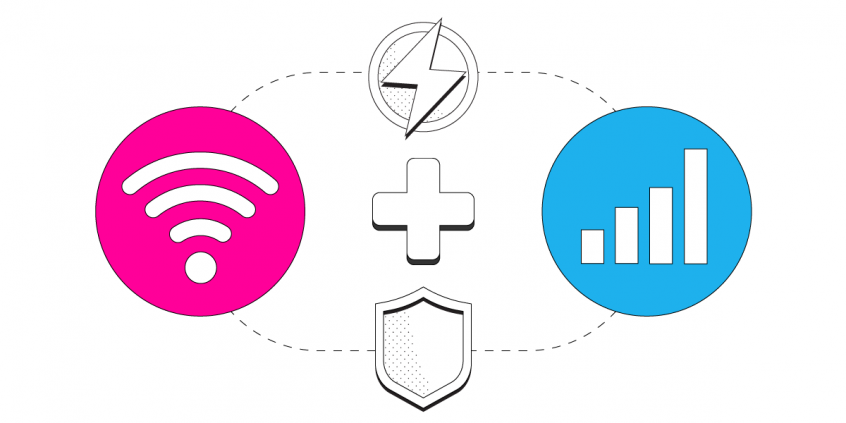
Combine Starlink Wi-Fi and 4G/5G Cellular to Increase Bandwidth and Lower Latency on iPhone
Want faster upload and download speeds, and more reliable Starlink internet on your iPhone? Run your Starlink connection and 4G/5G mobile data at the same time.
Speedify is an app that combines two or more internet connections at once – such as Starlink and cellular data – so you get faster uploads and downloads and stay online if one connection drops.
This guide shows how to combine Starlink Wi-Fi with mobile data on iPhone using Speedify.
Speedify bonds your Starlink with another Starlink, 4G/5G cellular, cable, DSL and splits traffic across them. If Starlink drops mid-call or mid-transfer, Speedify fails over to your remaining connections instantly.
NOTE: For best results, use internet connections from different sources. Joining one router over both Ethernet and Wi-Fi won't help.
Most Starlink users already run a second connection.
From a sample of 6,228 Starlink users on Speedify, 71% ran at least one other internet connection while using Starlink. Cellular is the most common choice of backup connection.
What they pair with
3 Steps to Combine Starlink Internet and Mobile Data at the Same Time on Your iPhone
Step 1: Make Sure the Cellular Data Connection Is On and Working
Verify that you have an active mobile data connection on your iPhone or iPad, and that you have your data turned on.
Go to Settings > Cellular and flip the switch to on.
Step 2: Connect to Your Starlink Wi-Fi Hotspot
First - make sure you setup your Starlink according to the instructions you received in the package. This includes setting up your new Starlink Wi-Fi network, along with your password.
Verify that your Wi-Fi is enabled on your iPhone or iPad and connected to a network.
Go to Settings > Wi-Fi and flip the switch to on. You can then select a network from the list that appears. Select the Wi-Fi hotspot associated with your Starlink connection and enter the password to connect.
Step 3: Download and Install Speedify
Last but certainly not least, download and install Speedify. Once running, Speedify will automatically detect your Starlink connection and any other available Internet connections and combine them for increased speed, security, and stability.
Need to keep several devices connected in areas with limited or spotty network coverage, like event venues, remote locations or when traveling? Get consistent and uninterrupted online activity for all your devices using Speedify's Pair & Share functionality, which allows you to share cellular data between multiple devices wirelessly.
By pairing devices, you can effectively distribute your cellular connection across them, improving overall performance, especially when other network options like Wi-Fi may be slow or unstable.
You can manage settings, view statistics, and even apply limits to individual connections by either clicking/tapping on them from the Dashboard or by navigating to the desired connection through the main Settings menu.
Speedify will work quietly in the background to optimize performance including prioritizing streaming web traffic to avoid stuttering, buffering and disconnects.
When using Starlink Internet, Speedify is the only VPN that makes your online experiences faster, more reliable, and more secure.
Speedify
Get started with Speedify today.
Combine Wi-Fi, 4G/5G cellular, Ethernet, Starlink, and more into one faster, steadier connection. Free to try — no credit card required.
🚀 Speed
Faster uploads and downloads by bonding all your connections at once.
📶 Stability
Automatic failover in under a second when any connection drops.
🔒 Security
AES-256 encryption on every connection, on every network you join.



15M+ downloads worldwide. 75K+ five-star reviews on iOS and Android.