
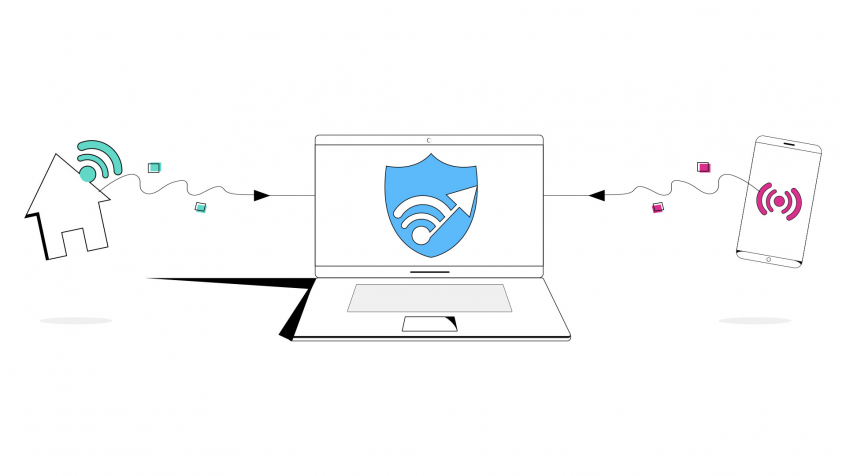
How to Auto Switch between WiFi and Mobile the Smart Way
Want faster, more reliable internet on your Android phone without huge data bills? Instead of auto-switching between Wi-Fi and mobile data, use both at the same time.
Speedify is an app that combines two or more internet connections at once – such as Wi-Fi and 4G/5G cellular – so you get faster uploads and downloads and stay online if one connection drops out. It is a smarter way to stay connected than auto-switching.
Speedify uses every internet connection your device has, at the same time
How do I use WiFi and 4G/5G cellular at the same time with Speedify?

Pick your two internet connections and your device below and we'll take you to the step-by-step setup guide.


How WiFi Creates Internet Connectivity Issues
WiFi is not a stable connection, especially public WiFi. A WiFi network can only handle so much traffic at top speeds. When there are too many people sending to much traffic over the network it can create a kind of traffic jam that slows things down for everyone.
WiFi is a type of radio wave. It can easily be interfered with. Everything from other WiFi networks to running a microwave to a power surge can temporarily disrupt a WiFi signal. Any momentary blip in the signal can be enough to disconnect you from the Internet.
Dangers of Huge Mobile Data Costs
However, for all of its issues, WiFi is far better most of the time than mobile data connections. WiFi is usually faster and the signal can more easily be boosted. Plus, WiFi is usually freely available. Mobile data is expensive. If you rely too much on mobile data, your bill will be through the roof. You are also likely to have a poor user experience on mobile data compared to WiFi. Using both at once gives you faster, safer mobile internet.
Speedify Allows You to Auto Switch Between WiFi and Mobile Safely
Speedify is a smart app that allows you to take advantage of the strengths of both WiFi and mobile data at the same time, without suffering from the drawbacks. Speedify was designed to keep you connected to the Internet with the safest, fastest, and most reliable connection possible.
The Speedify app is available on both Android and iOS mobile devices. It allows your device to auto switch between WiFi and mobile. But, it uses cutting-edge smart technology to make sure to only switch between the two in the optimal way. Speedify works by constantly monitoring the quality of your Internet connections in the background. It can bond a WiFi connection and a mobile connection into a single connection to give you a faster, more consistent Internet connection.
Speedify will also prioritize sending data over WiFi to keep your mobile costs at a minimum. If something happens to your WiFi network, you stay connected with the mobile data for only as long as it takes to restore a WiFi connection.
You are able to keep enjoying a solid connection while Speedify works in the background to automatically take care of all of your connection issues. Unlike other so-called smart network switch apps, Speedify never switches you to an inferior WiFi network. Download Speedify today and never get disconnected again.
Speedify
Get started with Speedify today.
Combine Wi-Fi, 4G/5G cellular, Ethernet, Starlink, and more into one faster, steadier connection. Free to try — no credit card required.
🚀 Speed
Faster uploads and downloads by bonding all your connections at once.
📶 Stability
Automatic failover in under a second when any connection drops.
🔒 Security
AES-256 encryption on every connection, on every network you join.



15M+ downloads worldwide. 75K+ five-star reviews on iOS and Android.