
Starlink for Logistics: Kit Inventory, Activation and SIM Provisioning
A logistics operator rolling out Starlink across many sites or vehicles tracks each kit by its kit serial number and Starlink ID, activates each one on a service line in the Starlink account, and pairs it with a 4G/5G data SIM recorded against the same kit. Speedify runs on the router in each kit and uses Starlink and the SIM’s cellular internet connection at the same time, so a yard, depot or truck stays online when trees, buildings or weather block the dish. Per kit, Speedify needs a Speedify Router License, from $129 a year by monthly data.
What to Buy for Each Kit
- A Starlink kit and plan. Residential plans are for one fixed address with no in-motion use. Kits that move need Business (called Local Priority until 1 December 2026), which works in motion in its home country, inland waters included, with up to 30 days abroad at a time, or Global Business for kits that spend longer abroad or go to sea. Business plans allow one Starlink per service line, so each kit is one service line in the inventory. Starlink’s plan terms don’t permit Roam or Residential plans for business use. A Starlink Mini draws 25 to 40 W on average and has one Ethernet port (cable sold separately); Starlink’s availability SLA on business plans excludes Mini kits. See starlink.com for prices in your country.
- A 4G/5G modem and data SIM per carrier. A dual-SIM router with one modem switches between SIMs; using two carriers at once needs two modems.
- A router running Speedify. A supported OpenWrt or GL.iNet router with a Speedify Router License: $129 a year (100 GB a month), $180 (500 GB), $300 (1 TB) or $450 (3 TB), counting all traffic through the router. The license moves to another router when hardware is swapped. The Miri X510 costs $1,995 from Miri with 3 months of Speedify included, then a Router License.
What Starlink’s Account Tools Handle
Starlink handles the dish side in its own account dashboard. Business accounts bought online get dashboard access, and Starlink’s Help Center describes the functions below for Enterprise accounts (managing Starlinks in the dashboard). Kits bought within the account arrive deactivated: you add each one and put it on a service line with a nickname, a plan and a service address, which must be in the same country as the account. A shipped Starlink is locked to the account it shipped on, and an Enterprise customer needs a separate account for each country, so plan accounts before kits cross borders. Each kit has three identifiers worth recording: the kit serial number on the shipping label (KIT followed by digits), the Starlink serial number on the hardware (on a Mini, on the bottom left of the kickstand), and the Starlink ID in the Starlink app (Starlink identifiers).
The Starlink dashboard shows each Starlink as online, online with an alert, or offline, with obstruction, latency, uptime and data usage (reported with about a 2 hour delay), and it can reboot a Starlink remotely (monitoring with the dashboard). Moving a kit to another account takes three steps: cancel the service line (removing a Starlink alone does not stop billing), unlock the Starlink, then add it on the new account, up to 20 identifiers at a time, and create a service line for it there (transferring Starlinks). Smaller fleets buy online on a Business account or through an authorized reseller; Enterprise accounts, for customers with over US$1 million a year in recurring Starlink spend, add data pooling, Managed accounts, custom fields on each service line such as a cost center or internal ID, and, for qualifying Enterprise accounts, a Management API and Telemetry API (Enterprise account tools). The 4G/5G SIMs are managed with each carrier you choose, so their numbers belong in the same inventory record as the kit.
What Speedify Adds to Each Kit
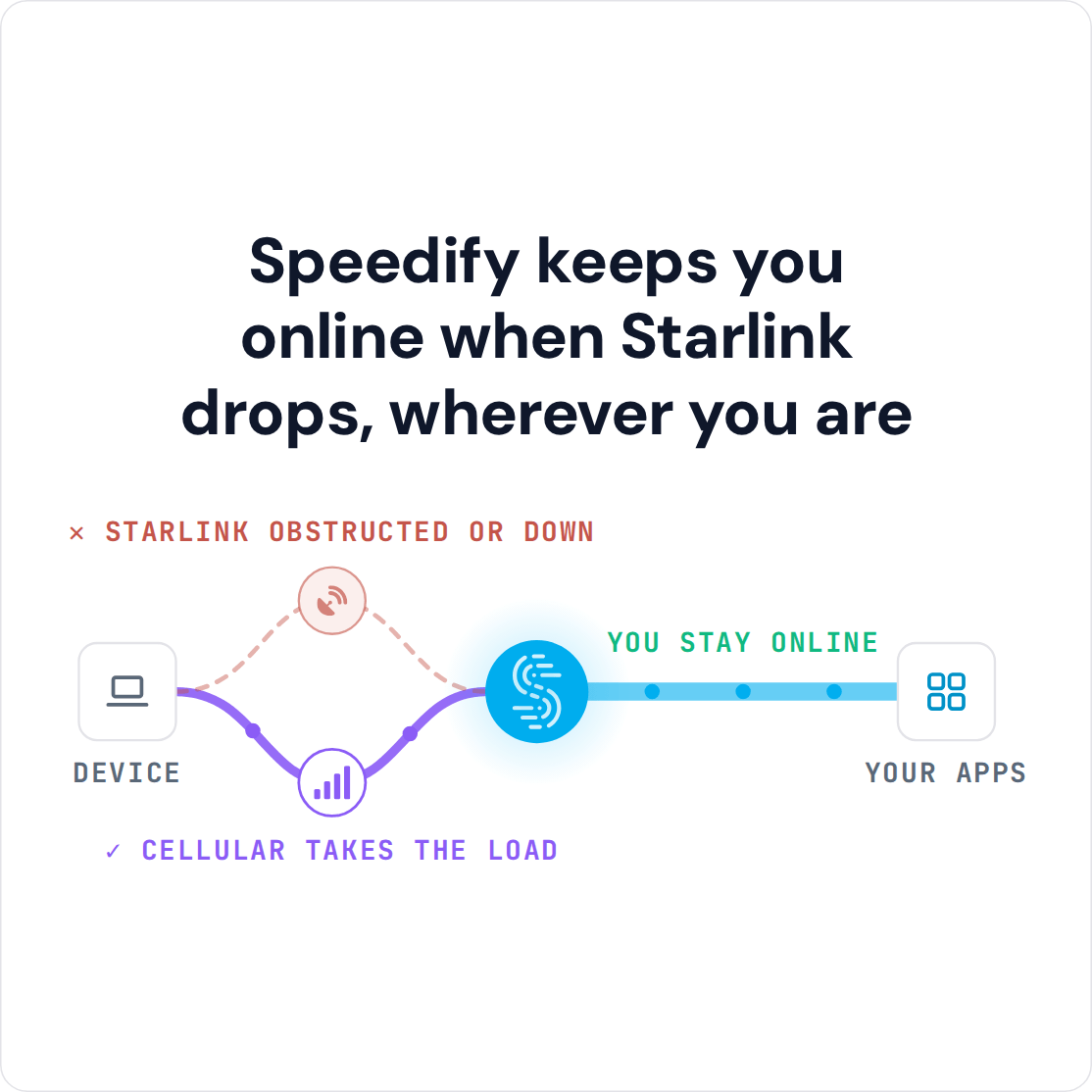
Speedify combines Starlink and 4G/5G cellular in the kit at the same time. When both work, the kit gets more speed than either alone; when the dish is blocked or the cellular signal fades, Speedify moves traffic to the other internet connection, and the kit keeps the same public IP address because traffic leaves through the Speedify server. Scanners, dispatch apps and logins carry on without reconnecting. With only one internet connection in the kit, Speedify works as an encrypted VPN and cannot stop that internet connection from dropping.
Speedify’s Starlink Control, on the router and in the Speedify app, shows stats and alerts for the Starlink on the same local network, plus stats for each internet connection. A monthly data cap on the cellular internet connection keeps SIM use inside its plan. Speedify encrypts traffic between the router and the Speedify server with DTLS 1.2 and AES-256-GCM or ChaCha20-Poly1305 (encryption details).
How to Provision a Starlink and SIM Kit
- Give the kit an ID and record its kit serial number, Starlink serial number, Starlink ID, each SIM’s carrier and ICCID (the number printed on the SIM), the router’s serial number and its Speedify Router License.
- Add the Starlink to your Starlink account and create its service line, using your kit ID as the nickname.
- Activate each SIM with its carrier on a data plan sized for the kit’s monthly use, put it in its own 4G/5G modem, record the modem’s IMEI next to the SIM’s ICCID, and set the carrier’s APN on the modem if it doesn’t connect on its own.
- Install Speedify on the router, activate the Router License, and connect the Starlink by Ethernet and the modem by USB or Ethernet.
- Set a monthly data cap on the cellular internet connection in Speedify.
- Test before the kit ships: start a video call or a large upload, unplug the Starlink Ethernet cable and check it keeps going on cellular, then plug it back in, disconnect the modem and check it keeps going on Starlink.
Running Kits Across Many Sites and Vehicles
Plan one router and one Router License per kit. Each kit’s live status is in Speedify on that kit’s router; there is no single Speedify dashboard for every router. Staff who also work from laptops or tablets away from a kit use Speedify Teams, $89.99 per user per year. The Router License is also sold monthly (1 TB for $30 a month, 3 TB for $45), which suits seasonal sites. A company that builds its own vehicle gateways or tracking devices can put the same bonding inside them with the Speedify SDK, under its own brand. Above 3 TB a month per router, or for Router Licenses across a large fleet of kits, talk to the Speedify team. If a warehouse or dispatch system only accepts known IP addresses, a Speedify Dedicated Server ($900 a year or $120 a month) gives every kit the same static IP; several routers can share one.
For delivery vans on rural routes, see Starlink for delivery vehicles; for fleets on two cellular carriers, see fleet connectivity on every route. To plan a kit rollout, from the inventory record to which server each kit uses, contact the Speedify team.


Plan Speedify for your business
The Speedify team works with network and IT leads on which devices to cover, which internet connections to combine, and whether a Speedify Dedicated Server or a Speedify Self-Hosted Server fits your traffic.
Per-seat plans for laptops and phones, with a dashboard, CLI and REST API.
View Plans and Pricing →One license covers every device on an OpenWrt, GL.iNet or Powered by Speedify router.
Learn More →Build Speedify into your own iOS, Android, Windows, macOS, Linux or QNX product to combine internet connections.
Developer Docs →