
How Fleets Keep Drivers Connected Across Every Route
Speedify combines 4G/5G cellular connections from multiple carriers into one reliable internet connection for vehicles, delivery drivers, and fleet operations. With a single carrier, Speedify works as an encrypted VPN and cannot make that connection faster or stop it from dropping.
When one carrier’s signal drops along a route, Speedify automatically shifts traffic to the remaining active connections without interrupting active navigation, dispatch communications, or fleet management sessions. Speedify runs on the driver’s device or on a router installed in the vehicle to cover all connected systems simultaneously.
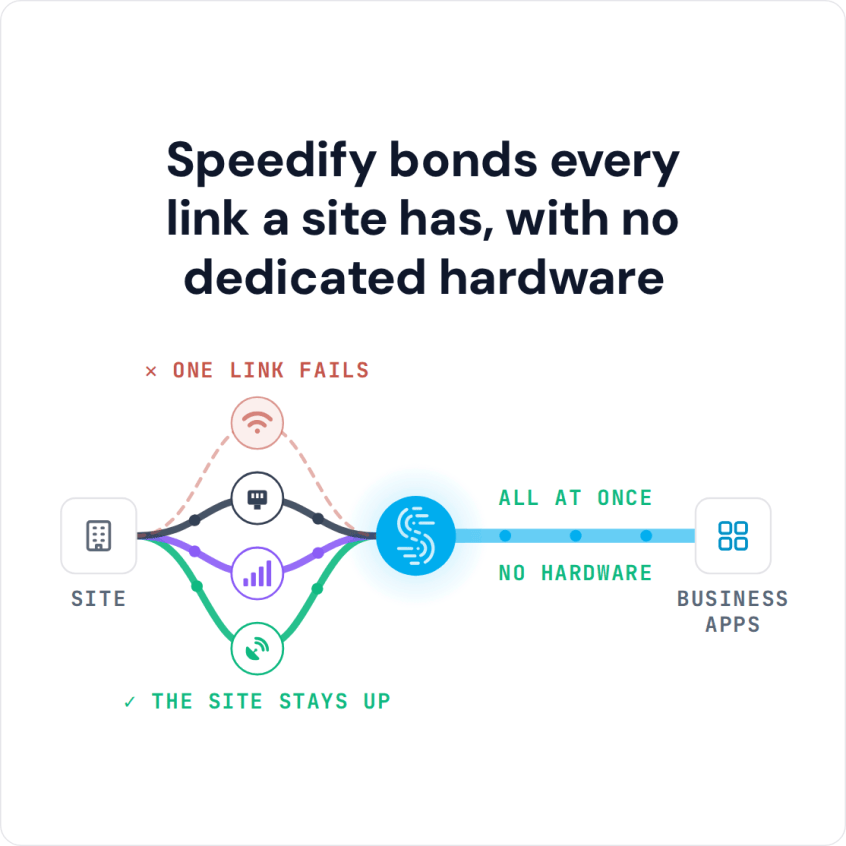
Speedify bonds every link a site has, with no dedicated hardware
This article covers how Speedify improves internet reliability for vehicle fleets and delivery operations, what deployment options are available, and how to get started.
Watch now
How Speedify combines internet connections on any hardware
Get started with Speedify for your business
Speedify offers three commercial paths. They work together, and most enterprise customers use two or more.
01
Speedify Teams
Speedify on every supported OS for every team member
Centralized dashboard for billing, user provisioning, and usage analytics
CSV import/export and a RESTful management API
02
Speedify for Routers
License for supported OpenWrt routers
Powered by Speedify hardware lineup ready to deploy out of the box
Miri, GL.iNet and other partner models
Covers every device on the network, with no per-device install
03
Embed Speedify into your product
A · DIY
Build it yourself with the Speedify SDK.
Integrate Speedify into your iOS, Android, Windows, macOS, Linux or QNX product. Full developer documentation, sample code and supported integration paths. Your team owns the build, and the Speedify SDK handles combining the internet connections.
B · CUSTOM ENGINEERING
Have the Speedify team build it for you.
Why Fleet and Delivery Internet Connectivity Fails
Vehicles and mobile workers face a connectivity problem that static offices don’t: the internet connection changes constantly as the vehicle moves. A driver’s 4G/5G cellular connection passes through areas with strong signal, weak signal, and no signal across the course of a single route. The specific problems fleet operations face:
- Cellular dead zones along delivery routes drop the driver’s connection to dispatch systems, navigation, and fleet management platforms mid-route.
- Single-carrier cellular coverage is reliable in some areas and absent in others. No single carrier has complete coverage across all routes in most markets.
- In dense urban areas, cellular tower congestion during peak hours reduces available upload and download speeds for all users on the same tower simultaneously.
- Delivery vehicles spending time in loading docks, warehouses, and underground parking areas regularly lose cellular signal during the portions of a shift that require the most intensive data activity: picking up manifests, confirming deliveries, and logging route completion.
- Fleet management systems, telematics devices, dash cameras, and navigation apps all consume cellular data simultaneously, competing for bandwidth on a single connection.
Speedify combines 4G/5G cellular connections from multiple carriers so that coverage gaps on one carrier are covered by other carriers’ connections. Speedify manages the traffic distribution automatically so drivers and fleet systems stay connected throughout the route.
How Speedify Works for Vehicle Fleets
Speedify’s technology for combining internet connections distributes internet traffic across all active connections simultaneously. For vehicle fleet deployments, this means combining 4G/5G cellular connections from two or more different carriers (via USB cellular adapters, SIM-equipped routers, or tethered smartphones) and using all of them at the same time.
When the vehicle enters an area where one carrier has no coverage, Speedify automatically moves all traffic to the other carrier’s connection. Active dispatch communications, navigation sessions, and fleet management data connections continue without interruption.
When the vehicle returns to an area where both carriers have coverage, Speedify resumes using both simultaneously for faster upload and download speeds.
Speedify also encrypts all traffic through its VPN tunnel, protecting driver data and fleet communications from interception on shared or public networks.
Speedify and Multi-Connection Router Hardware, Compared for Vehicle Fleets
| Feature | Multi-connection routers (Peplink, Teltonika and similar appliances) | Speedify |
|---|---|---|
| What you buy | A multi-connection router for every site or vehicle | A software subscription per user, running on devices you already operate |
| Typical entry cost | From roughly $500 for an entry LTE router to several thousand for a multi-SIM unit, plus a vendor cloud subscription | $89.99 a year per user, billed yearly |
| Internet connections combined | Ethernet, Wi-Fi and cellular, limited by how many SIM slots the model has | Ethernet, Wi-Fi, 4G/5G cellular and Starlink, up to 31 connections |
| Top combined throughput | Around 200 Mbps through the vendor’s cloud service on common models | 300 Mbps on shared servers, up to 1 Gbps on a Dedicated Server |
| Static IP and port forwarding | A vendor cloud add-on | A Dedicated Server add-on ($120 billed monthly or $900 billed yearly) or a Self-Hosted Server (from $40 billed monthly or $300 billed yearly) |
| Central management | The vendor’s own dashboard | The Speedify Teams dashboard, with usage for each device and a REST API |
| Moving between sites or vehicles | Ship or reinstall the appliance | Sign in on another device |
| If you do want hardware | Required | Optional: a Router License on a compatible OpenWrt router, or the Miri X510 |
Fleet Deployment Options with Speedify
- Speedify for Routers: vehicle-wide coverage. Install Speedify on a Miri X510 router or a compatible OpenWrt router installed in the vehicle. Connect 4G/5G cellular adapters from two or more carriers to the router as WAN inputs. Every connected device in the vehicle benefits from the combined connection automatically: the driver’s tablet or phone, a telematics unit, dash cameras, and any other networked equipment. This is the right approach for commercial vehicles where multiple systems need reliable connectivity simultaneously.
- Speedify Teams: per-driver device deployment. Install Speedify on each driver’s smartphone or tablet and sign in with the driver’s Speedify Teams account. Speedify on each device combines the 4G/5G cellular connections available to it. Use the Speedify Teams Dashboard to add or remove drivers as the fleet changes and to see each device’s data usage, and push settings such as per-connection data limits to every device through the Teams API.
- Dedicated Speed Server for fleet management system access. For fleets that need drivers to access a fleet management system or dispatch platform over a static IP address, a Speedify Dedicated Speed Server provides a private server with a static IPv4 address that all drivers connect through. This allows IP-based access controls on fleet management platforms without VPN gateway complexity.
How to Set Up Speedify for a Vehicle Fleet
Router deployment (recommended for commercial vehicles):
- Mount a Miri X510 or compatible OpenWrt router in the vehicle. Connect USB cellular adapters from two or more carriers to the router as WAN inputs.
- Install Speedify on the router and activate a Router License. Set both cellular connections to Primary priority.
- Connect the driver’s device and any other vehicle systems to the router’s Wi-Fi. All devices on the vehicle network benefit from the combined cellular connection.
Per-device deployment (for delivery drivers with smartphones or tablets):
- Create a Speedify Teams account and invite all drivers from the Teams Dashboard.
- Each driver installs the Speedify app on their device. If the device has one SIM, connect a second 4G/5G cellular connection via a tethered phone or USB cellular adapter from a different carrier. Speedify combines both automatically.
- Set data limits on the secondary cellular connection in Speedify if cellular costs need to be managed. Speedify will use the secondary connection as overflow capacity or failover only up to the limit you set.
- Check each driver’s data usage in the Speedify Teams Dashboard, and push Speedify settings to every device through the Teams API.
Which Fleet and Delivery Businesses Need Speedify
- Last-mile delivery services. Drivers making multiple deliveries per shift depend on dispatch apps, navigation, and electronic proof-of-delivery systems running continuously throughout the route. Speedify keeps these systems connected across cellular coverage gaps and congested urban areas.
- Long-haul trucking and freight. Long-haul drivers crossing regions with varying carrier coverage benefit from combining cellular carriers. Speedify keeps telematics, ELD (electronic logging device) connections, and communications online across rural dead zones and inter-state coverage transitions.
- Field service and utility vehicles. Technicians and field service teams that need to access work order management systems, upload documentation and photos, and communicate with dispatch from the field benefit from reliable combined cellular connectivity throughout the workday.
- Emergency and non-emergency medical transport. Patient transport vehicles need reliable communications and navigation. Speedify combines cellular connections from several carriers for a connection that stays up across coverage gaps without requiring the driver to manually manage internet connections. For ambulance, fire and police crews, see reliable internet for first responders.
- Bus and transit fleets. Transit operators deploying passenger Wi-Fi on buses benefit from combining cellular carriers at the router level. Speedify distributes passenger internet traffic across the combined carrier connections to maintain service quality throughout the route.
Speedify Plans for Vehicle Fleets and Delivery Services
Speedify Teams is the right plan for fleet and delivery businesses. Speedify Teams provides one dashboard for drivers, seats, billing and usage statistics, and a REST API for automated driver provisioning and for pushing settings such as per-connection data limits to every device. You add or remove seats as drivers join or leave, from a single vehicle to a large fleet.
For vehicle deployments requiring network-wide coverage from a single router, Speedify Router Licenses run Speedify on compatible OpenWrt routers and the Miri X510. For fleet management systems requiring a static IP for driver device access, Speedify Dedicated Servers provide a managed private server with up to 1 Gbps throughput.
Speedify Business Solutions
Speedify Teams
Speedify for Routers

Speedify Embedded Solutions and Integrations
Add Speedify to your own app or hardware with the Speedify SDK. Your product then combines internet connections, fails over automatically when one drops, and encrypts the traffic, using the same technology as the Speedify app.